I don’t take my blog very seriously. It’s a place where I leave myself reminders of things I figured out how to do, or share things I’ve done that won’t fit in a tweet Bluesky post. But even so, I get annoyed that my blog has often been offline.
My site’s host provider has a monthly bandwidth limit. When I hit that limit, my site is taken offline, replaced with an error page saying that I’ve exceeded my quota.
I’ll write a blog post that includes images, and if too many people look at the page too many times, the whole site goes offline for the rest of the month. (To be fair, it’s never a single post that does that – I don’t get that many hits! More often it’s when I’ve written a few posts in a month, and the last one pushes me over the line). Normally I end up offline for just a day a two, but it has been over a week before.
Last month, I finally decided to do something about it. I started looking at moving the images I use in blog posts somewhere else that wouldn’t count against my bandwidth limit. My blog isn’t serious enough for me to be willing to spend a lot on it, but I don’t mind paying something to make the worry about image bandwidth go away.
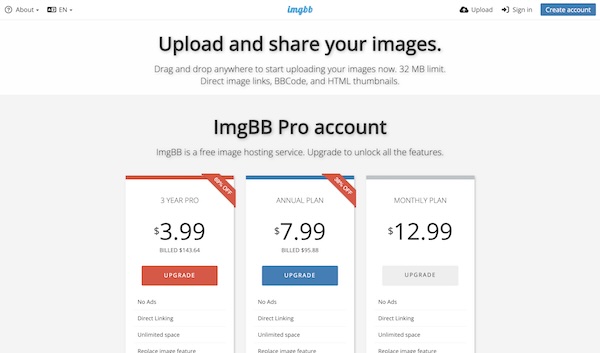
I searched for image hosting services, and started reading about services such as postimages.org ($14.99 a month), imgbb.com ($12.99 a month), sirv ($19 a month), and imagekit.io ($9 a month). Every service I found felt too limited, too expensive, or both.
I was tempted by Cloudflare Images, which felt like it was probably a better option, but their docs and pricing were a little opaque. I wasn’t 100% sure I knew what to expect if I went with it, and that was enough to put me off.
I decided to keep it simple and do something myself. I signed up for a new AWS account, created an S3 bucket I could put images in, and setup Amazon’s CloudFront CDN to allow cached HTTP access to what I put in S3.
I was expecting that to be fiddly to set up, but it was surprisingly quick and easy. I considered making this post a step-by-step how-to on how to set it up, but really that would be a waste of time. Click through the screens, accept the defaults, you’re done. The whole thing took me less than an hour, and that included setting up an images.dalelane.co.uk subdomain to put it all behind. Now if I change my mind and want to move somewhere else it will be a little easier (as long as I pick somewhere that also supports custom domains).
What surprised me even more was how cheap it has been so far – especially after spending so long looking at services at $10 a month or more.
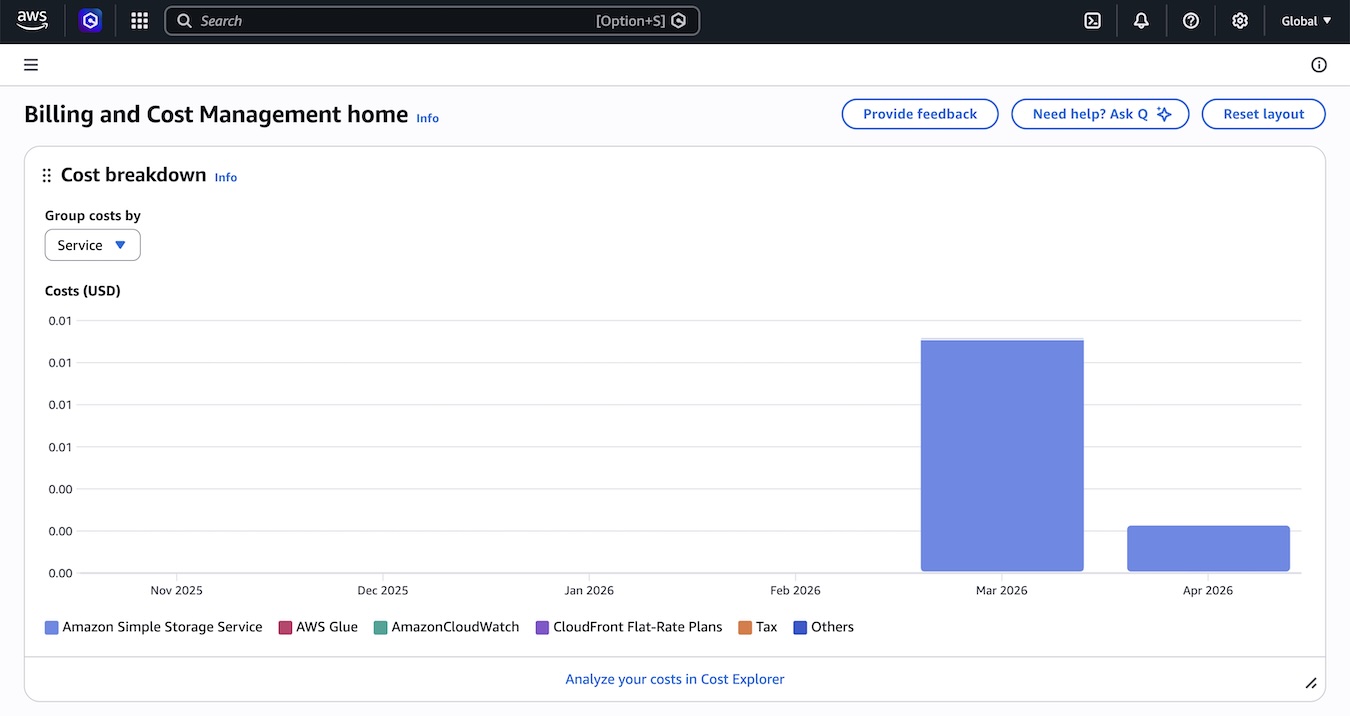
My first month’s usage across S3 and CloudFront came to $0.01
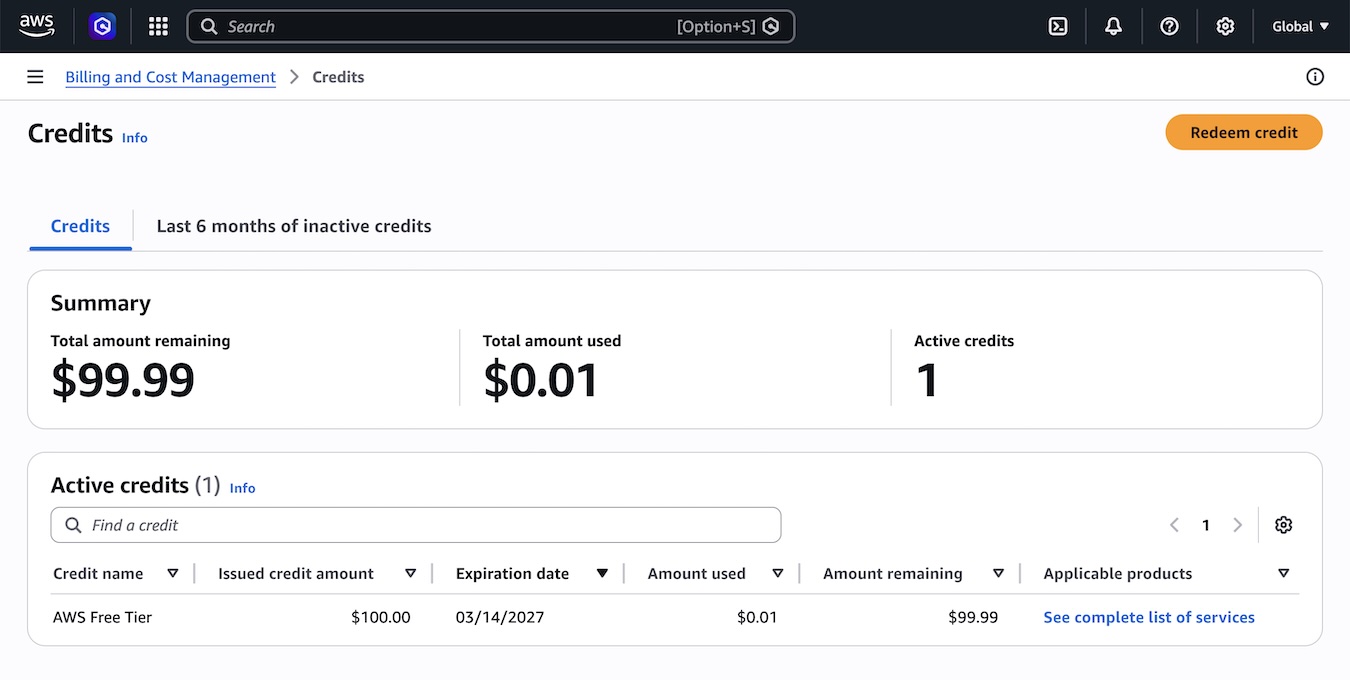
Because I created a new account, I got $100 of AWS credits at signup, so actually my first month didn’t cost me anything, it just reduced my credits to $99.99.
Those credits will expire in a year – long before I’ve spent them. But a year of free hosting followed by a bill of a few cents a month… I can’t complain about that!
In hindsight, this was an obvious fix that I should have done months ago instead of putting up with bandwidth annoyances and outages. But better late than never!
Now I’m thinking about whether it’s worth the effort (patching, upgrades, hosting costs for a MySQL database, etc.) to keep this blog as a WordPress site. Maybe I make this a static site and put the whole lot in S3. For the moment, the switching cost of migrating from WordPress is holding me back, but it’s close.
Setting up S3 + CloudFront as a cheaper place to host images than my blog's hosting provider charges me.
It's impressively easy… I'm seriously tempted to just ditch WordPress, switch to a static site and move the whole lot there.
— Dale Lane (@dalelane.co.uk) 14 March 2026 at 21:12
As a photographer, my needs are little different. Several TB needed. My choice has been a NAS (RAID 1). When Toob started their symmetric 900MB in my area, I got to grips with Nginx, LetsEncrypt and Immich (run in Portainer). I pay an extra few quid for a static IP. All seems to work pretty well now.