Archive for the ‘tech’ Category

What makes Watson different?

Tuesday, December 18th, 2012

I’ve tried to explain IBM Watson to a lot of people this year. A common theme in questions I’ve had has been comparing it to search engines like Google.
Sometimes people ask why one is “better” than another. Sometimes they just ask how they are different.

It’s not surprising. A natural response to learning about something new is to put it into context of things that we already know.

In addition, we describe Watson as a question answering technology and over the last few years many people have perhaps become a bit conditioned to thinking that if they have a question then they can Google for it.

There are many differences between search engines and Watson, both in what they can do, and in how they try to do it.

Here is one example.

(more…)

I have an iPad mini

Tuesday, December 11th, 2012

I am now the happy owner of an iPad mini. Obviously I couldn’t let this happen without a mention. But… the Internet is full of reviews of the iPad mini already and doesn’t need another. 🙂

Instead, I’ll write about the gadget that the iPad will be replacing. The gadget that has been pretty much everywhere with me since I got it three years ago. This is my chance to say goodbye to the venerable Asus T91MT.

The T91MT is a small Windows 7 computer. It’s the size of a netbook, but has an 8″ screen that swivels to switch into a tablet mode. It has a touchscreen with multitouch support and a stylus.

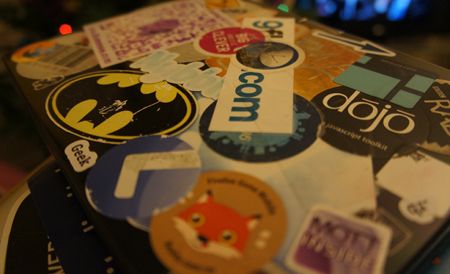
I got it in December 2009, but it feels like I’ve had it for longer than that. It’s fairly beat up by now, so it looks like I’ve had it longer than that, too. I think the stickers are the only thing holding the case together at this point.

I loved this thing. As much as I am now loving the iPad mini (and believe me, it’s sweet), there is a part of me that misses the T91MT.

Why did I love this thing so much?

(more…)

Talking about Conversational Internet

Friday, November 30th, 2012

I’ve written about some of the talks at Everybody Technology which was an event about how to make technology inclusive.

I gave a short talk there, too. It was about my Conversational Internet project. I’ve written about it a few times already now, so I won’t rehash it here, but I talked about the Extreme Blue prototype and some of the work that’s been done since.

Luckily for fans of funny voices everywhere, it was recorded.


Everybody Technology : Conversational Internet

(more…)

Everybody Technology

Friday, November 30th, 2012

This afternoon I went to Everybody Technology, an event to discuss the need for technology to be inclusive and made in a way that is “so smart, so simple and so powerful it works for everybody”.

A highlight of the afternoon was Stephen Hawking – perhaps one of the best examples of the power of technology to enable someone to reach their potential. He also supported the event by lending his voice to a promotional video which explains the idea better than I can.


“Who is Technology Made For?” (YouTube)

There were several speakers. I won’t do them justice, but I did jot a few notes…

(more…)

Conversational Internet : A prototype

Wednesday, September 12th, 2012

tl;dr

We’ve built a prototype to show how we could interact with the Internet using a command-driven approach.

  • A screen reader, but one that uses machine learning and natural language processing, in order to better understand both what the user wants to do, and what the web page says.
  • One that can offer a conversational interface instead of just reading out everything on the page.

It’s a proof-of-concept, but it’s an exciting idea with a lot of potential and we’ve got a demo that shows it in action.

I wrote yesterday about what it was like going to the BBC to talk about a project I’ve been working on this summer. I didn’t talk about the project itself. Here’s an overview.

(more…)

Using a screen reader

Saturday, August 4th, 2012

What might it be like to read the BBC News website with a screen reader?
I thought this was interesting.


Using a screen reader :: YouTube video

Imagine if you needed to rely on a screen-reader to use the Internet. Seriously – give it a try.

Start the video playing, put the volume up a bit, and *shut your eyes*.

Try and follow along.

What’s it like? Imagine if you’d not seen the page before, and had to try and figure out the structure of the page from what is read out.

Choose a story that you’d want to click on, and without looking, try and work out how many times you’d need to press up/down/tab to get to it.

(more…)

fitbit – a source of personal data

Thursday, April 12th, 2012

A month ago I got a Fitbit Ultra. It’s a small gadget that you carry around with you all the time to monitor your activity. How many steps you take, how many flights of stairs you go up, how far you walk, how much sleep you get and how restful it is, and much more. It also comes with apps and tools for monitoring stuff like diet and weight. And it makes all of this information available to you, both through a website and through an API.

This isn’t really a review – there are plenty of those about already if you’re interested (Of all the reviews I’ve read, The Verge’s review is the closest to what I would write if I was gonna write one). Instead, I want to talk about the fitbit from the perspective of a data-geek.

Before I start, it’s worth putting this in context. I am loving the fitbit, but I don’t pretend that it’s necessarily something you have to get. Put it this way – I used CurrentCosts to monitor my home energy usage on the web and on my mobile, I wrote code to find out which keyboard keys I press most often, I made a whole website to visualise patterns in what I watch on TV, I wrote code to make map visualisations of where I go with my mobile, I wrote code to use a webcam and face recognition software to measure how my mood changes as I watch different TV programmes or play different console games… I could go on (no, really), but you probably get the point.

I find this sort of personal data stuff fascinating. I’m not the only geek in the world like this – Stephen Wolfram wrote a great blog post last month about some of the stuff that he collects that really puts me to shame.

But when I say that I think the fitbit is awesome, just bear in mind where I’m coming from, okay? 🙂

In this post, I want to give examples of the data that it makes available, and what sort of things you can do with it.

(more…)

The Conversational Internet

Friday, December 16th, 2011

Imagine using the Internet as a blind person.

As an occasional web-developer, I had some awareness of the importance of accessibility for the web, but to be honest it was pretty superficial. You just add ALT tags to your images, make sure you can tab between all the controls on the page, and a screen-reader will sort out the rest, right?

I went to an event in London a couple of weeks ago, where the reality was brought home to me.

Screen-readers are not as intelligent or as helpful as I’d assumed. They just read out everything on the page.

Imagine a typical modern web app… for example, facebook. Start reading everything on the page, from the top left of the page, and carry on until you reach the bottom right. Imagine what that might be like.

The best analogy I can think of is to try and picture the worst possible automated phone menu experience. The sort of one where they read you a long list of almost-unintelligible options: “for blah-blah-blah, press 1, for blather-blather-blather, press 2, for something-or-other, press 3 …. for something-else-vague, press 9 …

None of the options seem like an exact match for the task that you have in mind, and by the time you’ve got to the end, you can’t remember whether the option that sounded sort of vaguely similar was option 3 or option 4…

Imagine that for a web page. Apparently, a screen-reader can take three or four minutes to read out the contents of a typical web page today. Can you imagine an automated phone system that spent four minutes listing your options, then expected you to try and choose which one you wanted?

That’s the experience that many blind people face when trying to use modern web apps that we take for granted.

ALT tags are all well and good, but making a web page accessible isn’t the same as making it usable.

So… as geeks with a passion for technology and an interest in making the web useful to all, what can we do?

(more…)