In this post, I want to share a new feature in the generative AI support in Machine Learning for Kids: tool calling.
I wrote last year about how I introduced Generative AI in Machine Learning for Kids by adding support for projects using small language models. And earlier this year, I walked through my six favourite projects for explaining different aspects of Gen AI.
This week I’ve been working on extending the language model support in the site, by adding a new model that is capable of tool calling.
demo video at youtu.be/HdcTseNvjhU
Why is tool calling useful?
Try asking a model what the weather is like in New York right now.
If the temperature and top-p is high enough, many of the models will likely hallucinate an answer.
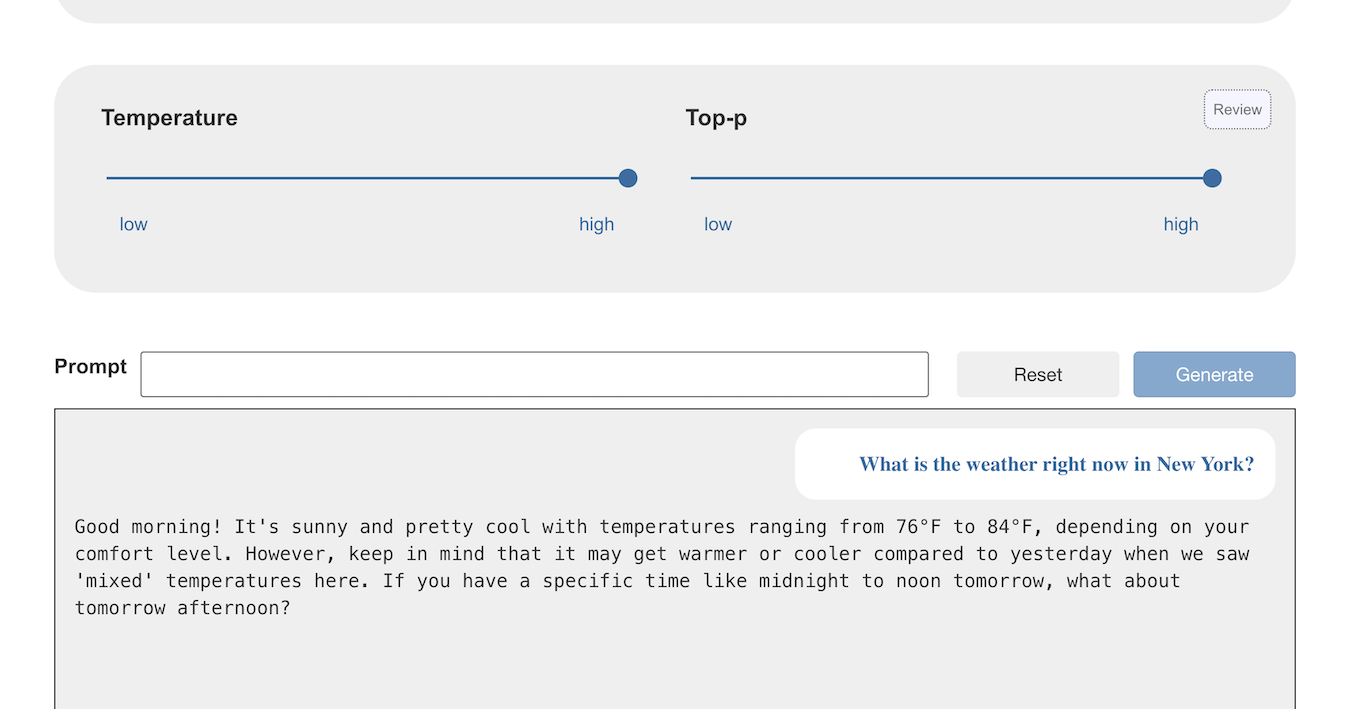
If the temperature and top-p is low enough, the models can just respond that they cannot answer that.
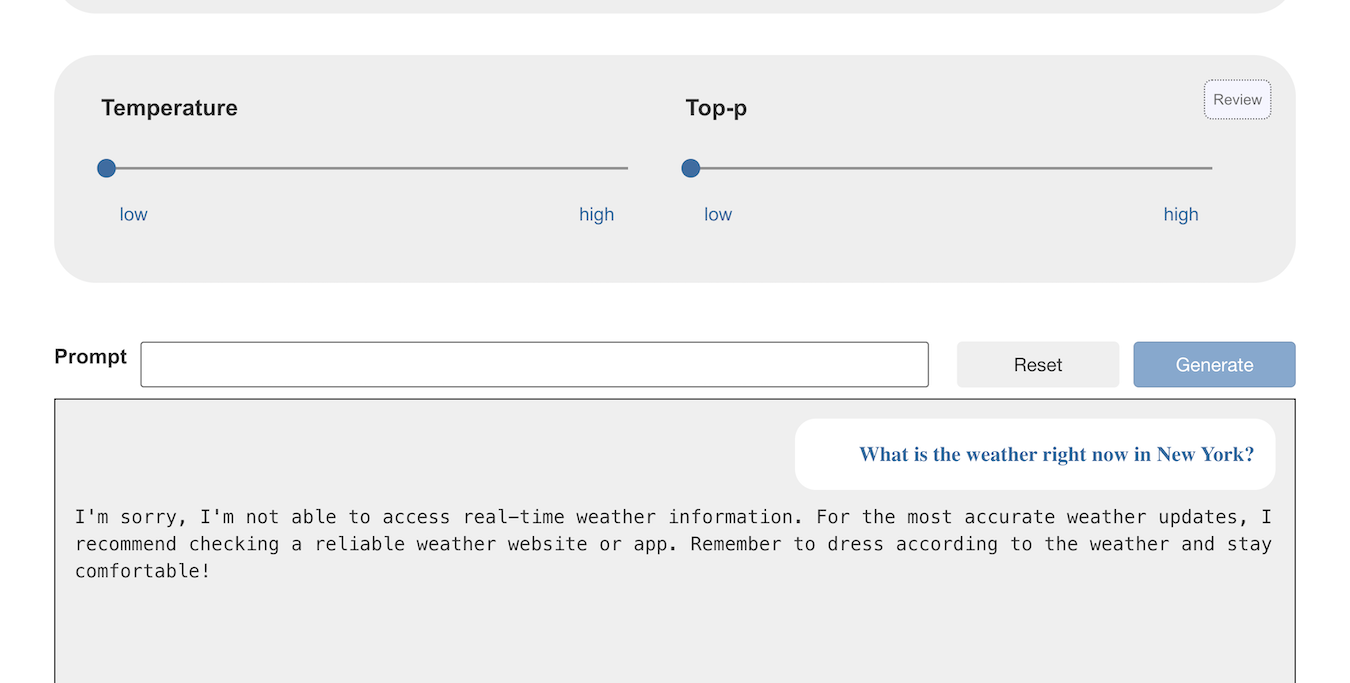
(If you don’t know why “temperature” makes that difference, I’ve written about that before and have a student worksheet that focuses on this.)
This second answer is more accurate at least, but it is still not helpful. The point is, if you ask the model for something that can’t possibly be represented in the knowledge used to create it, the model cannot give a helpful answer by itself.
Tool calling helps in these situations by making tools available to the model. It can call these tools to help respond to prompts that can’t be answered by the model alone.
How am I adding this to Machine Learning for Kids?
I’ve added a new model to the choice available on the site: a model that is capable of tool calling.
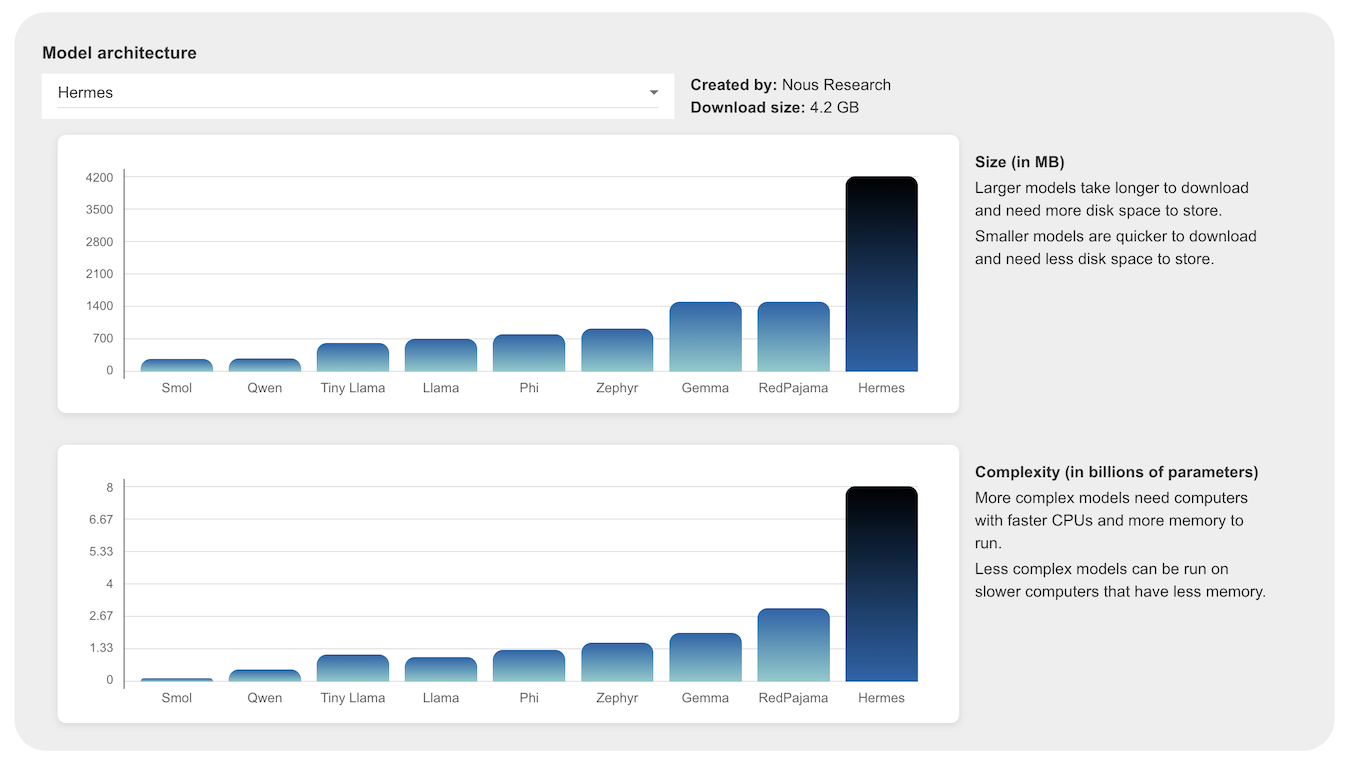
It is the smallest one I could find, but it is big. It’s so big, it doesn’t fit on the graphs I added to help compare the model choices.
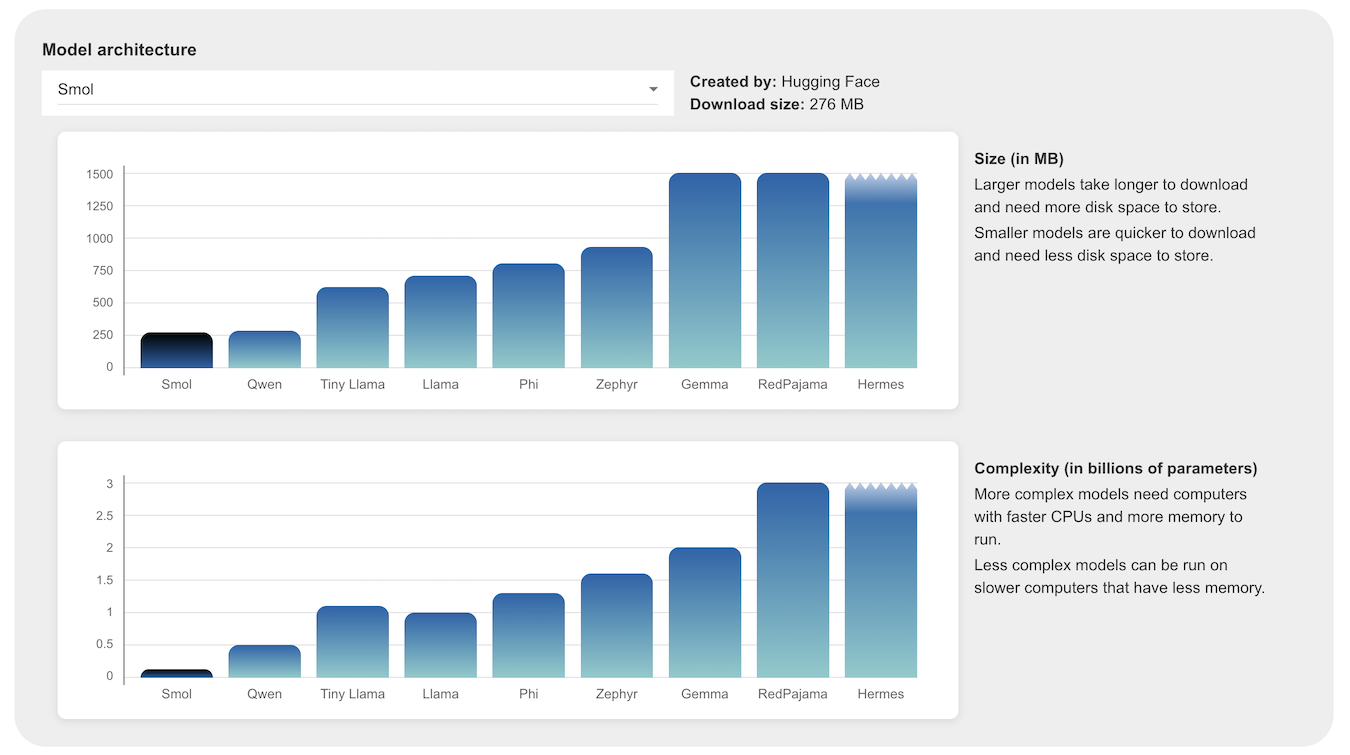
Specifically, I’ve gone with Hermes 3 from Nous Research, which has been trained to do tool calling.
To let students experiment with this, I start them off with three simple tools.
Two of them return information that a language model cannot natively contain:
- get the current date and time
- get the current weather at a location
One of them computes information that language models are typically unreliable at generating:
- multiply two numbers
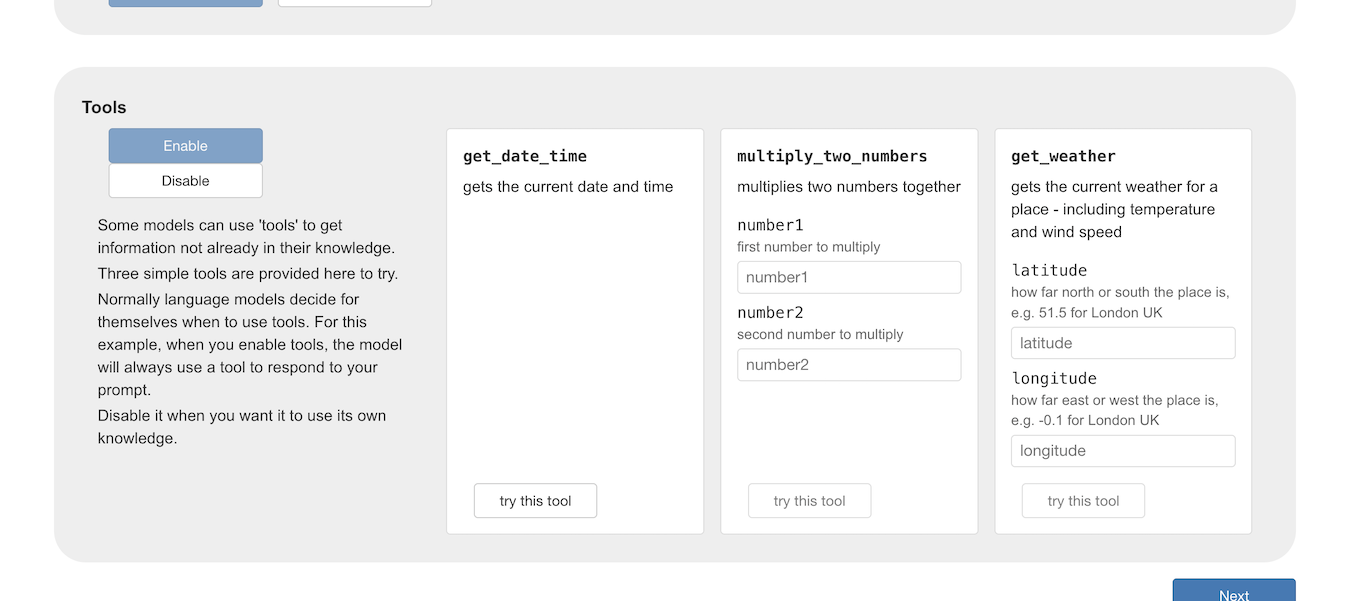
Students can try out the tools on the page to see what they output when they are run.
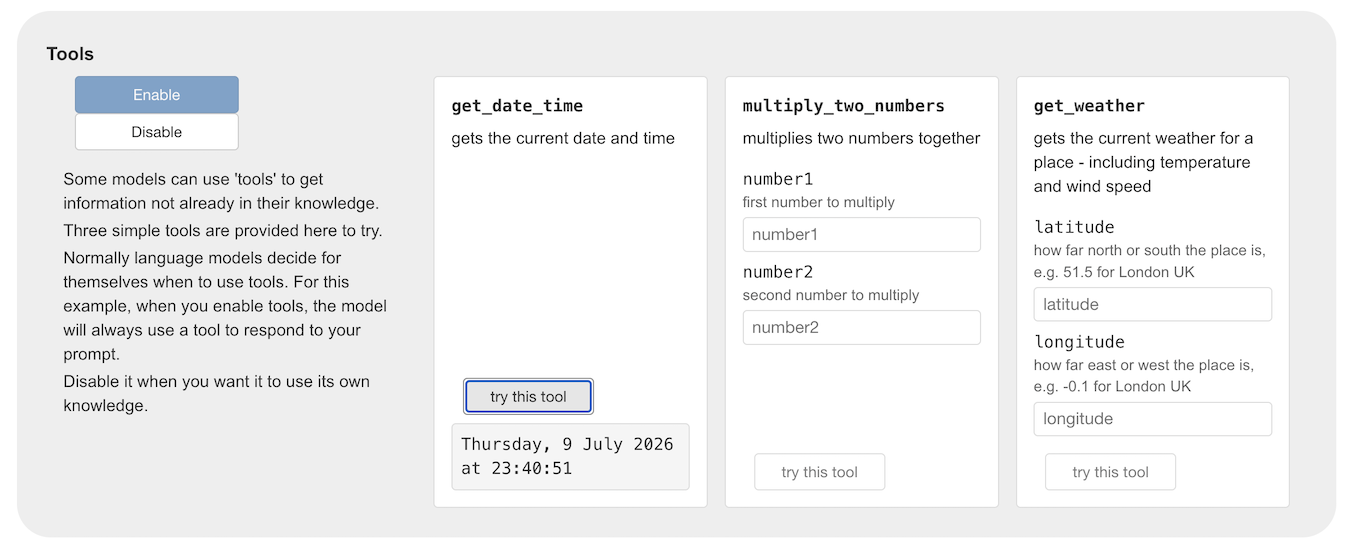
Testing out a model with and without tools
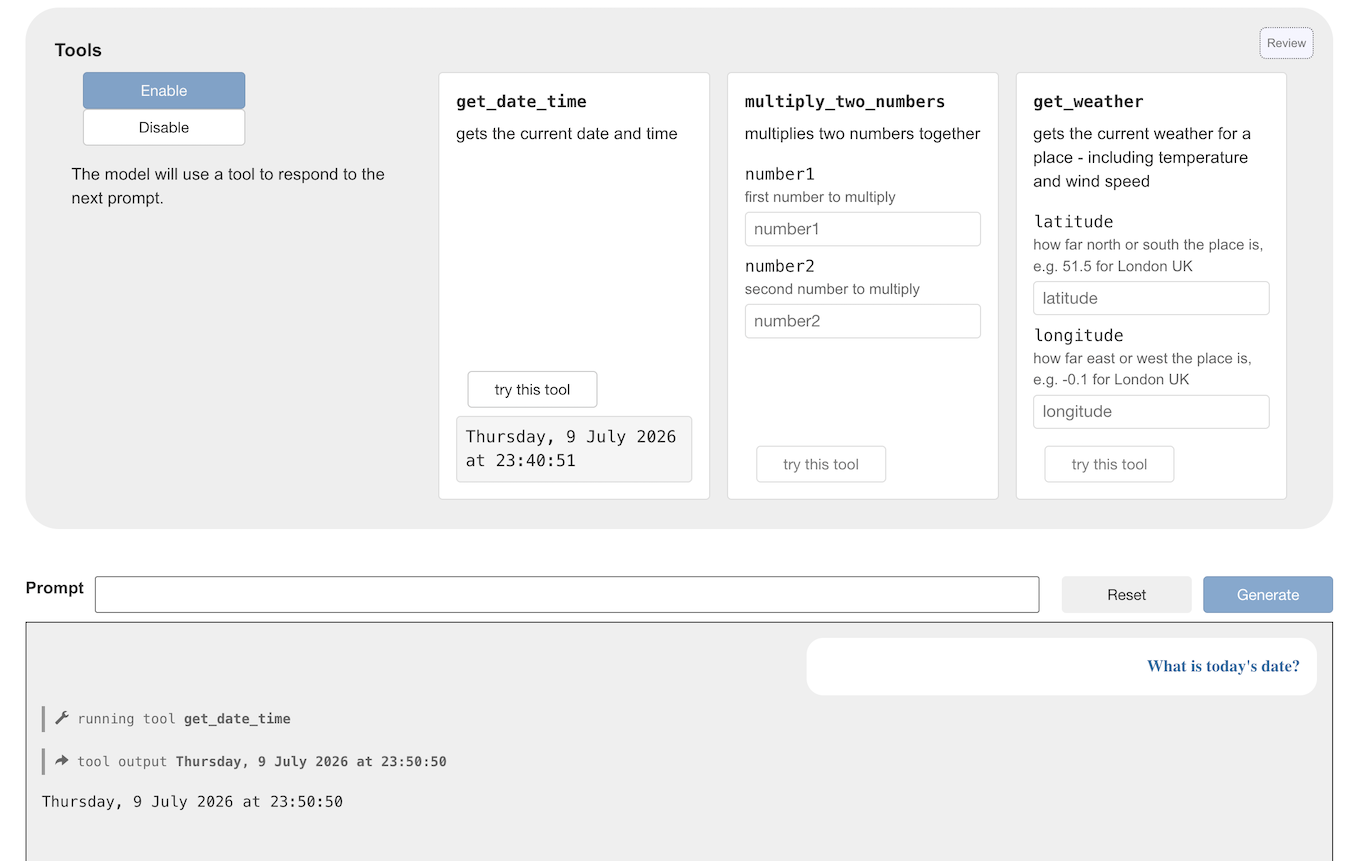
If I ask the same question as before (“What is the weather right now in New York?”) with tool calling enabled, I can see that the model selected one of the three tools, and used its own knowledge to generate the input values to give to the tool.
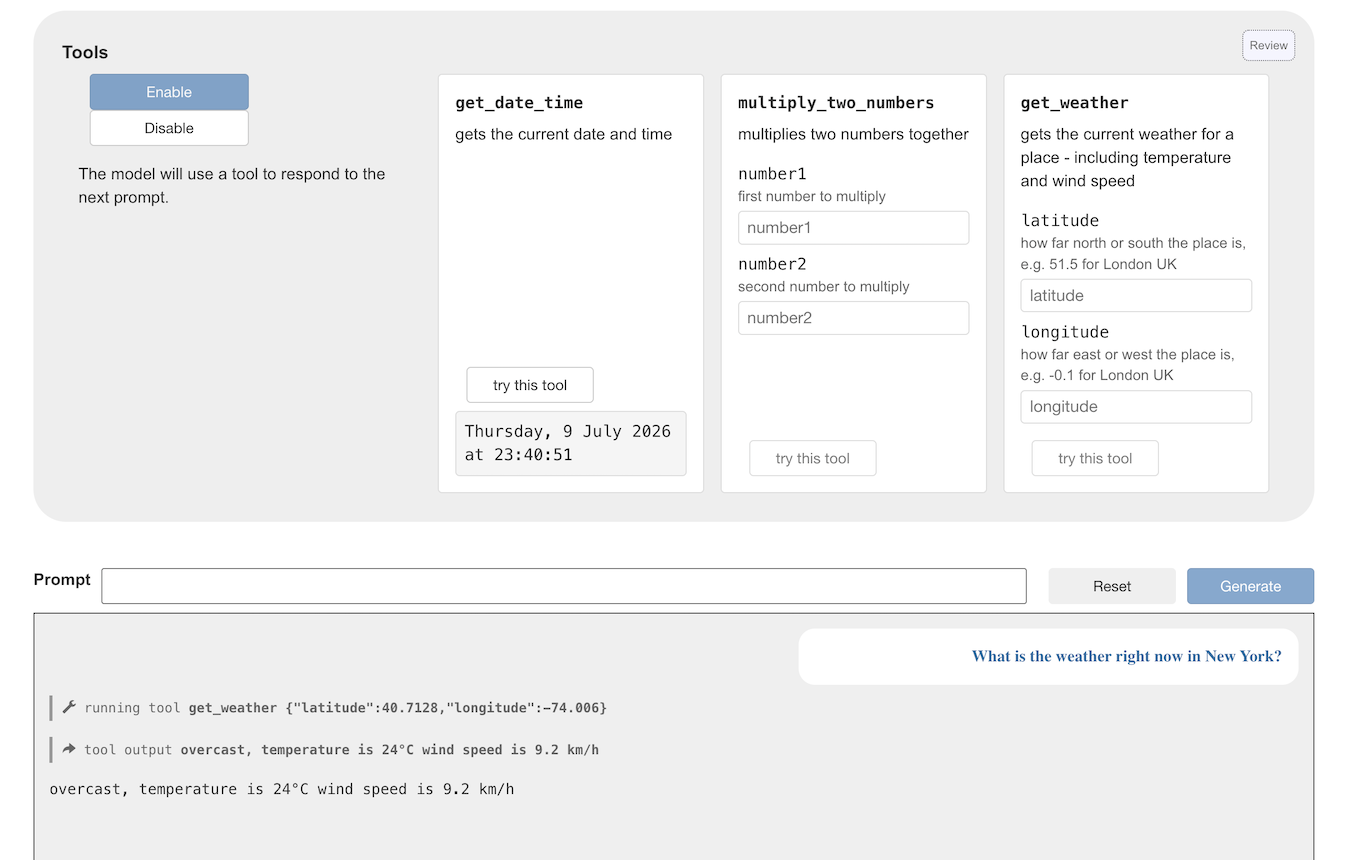
The Enable / Disable toggle shows the difference that it makes to the model output when you enable tool calling.
For example, if you ask the model for today’s date, without access to tools, you might get told that isn’t possible, or you might get a hallucination.
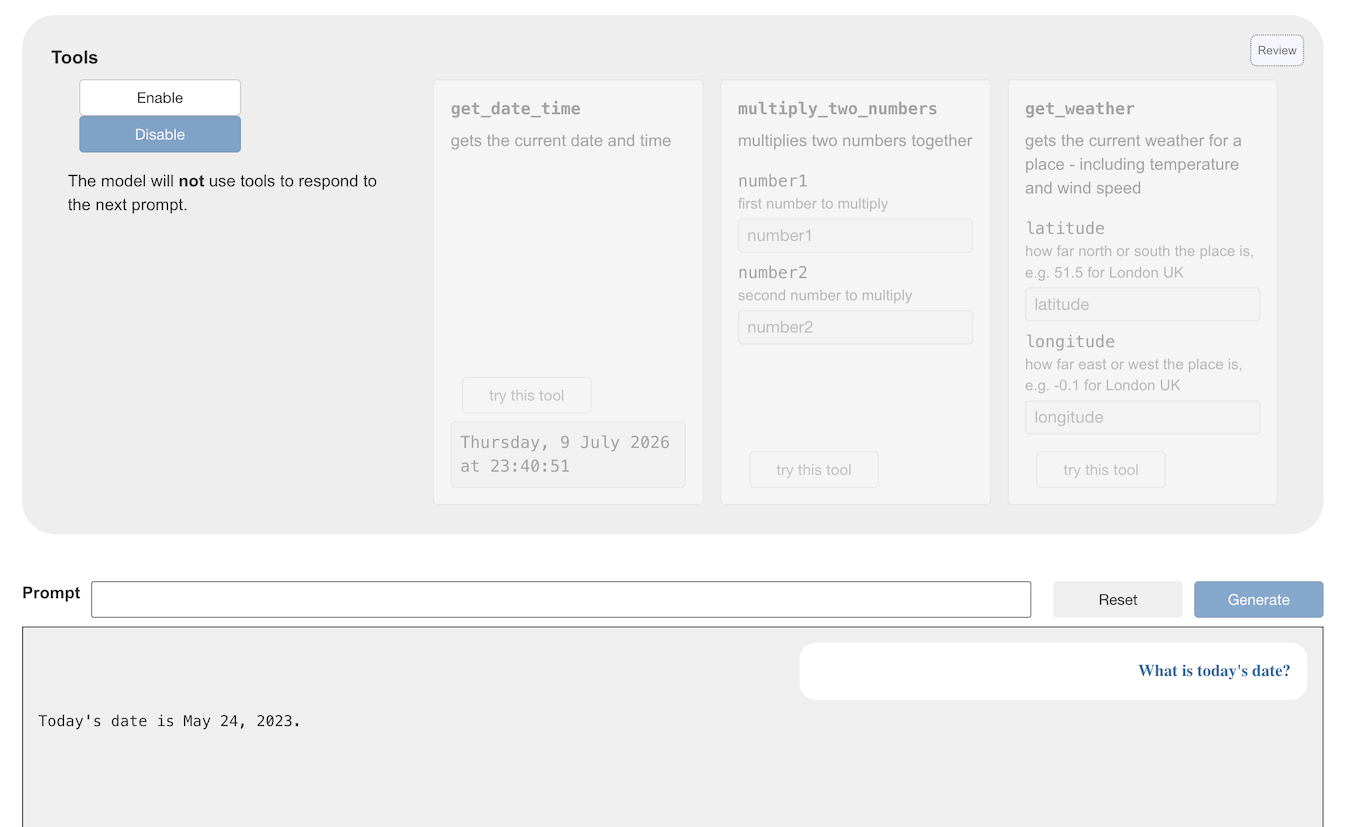
The same prompt, with access to tools, will return the correct result.
Creating your own tools
That is enough to introduce the basic idea, but the more interesting bit is for students to create their own tools. For that, they take the model into Scratch.
Students create tools by coding in Scratch. As long as they give them useful names and descriptions, the language model should be able to choose the appropriate tool it needs.
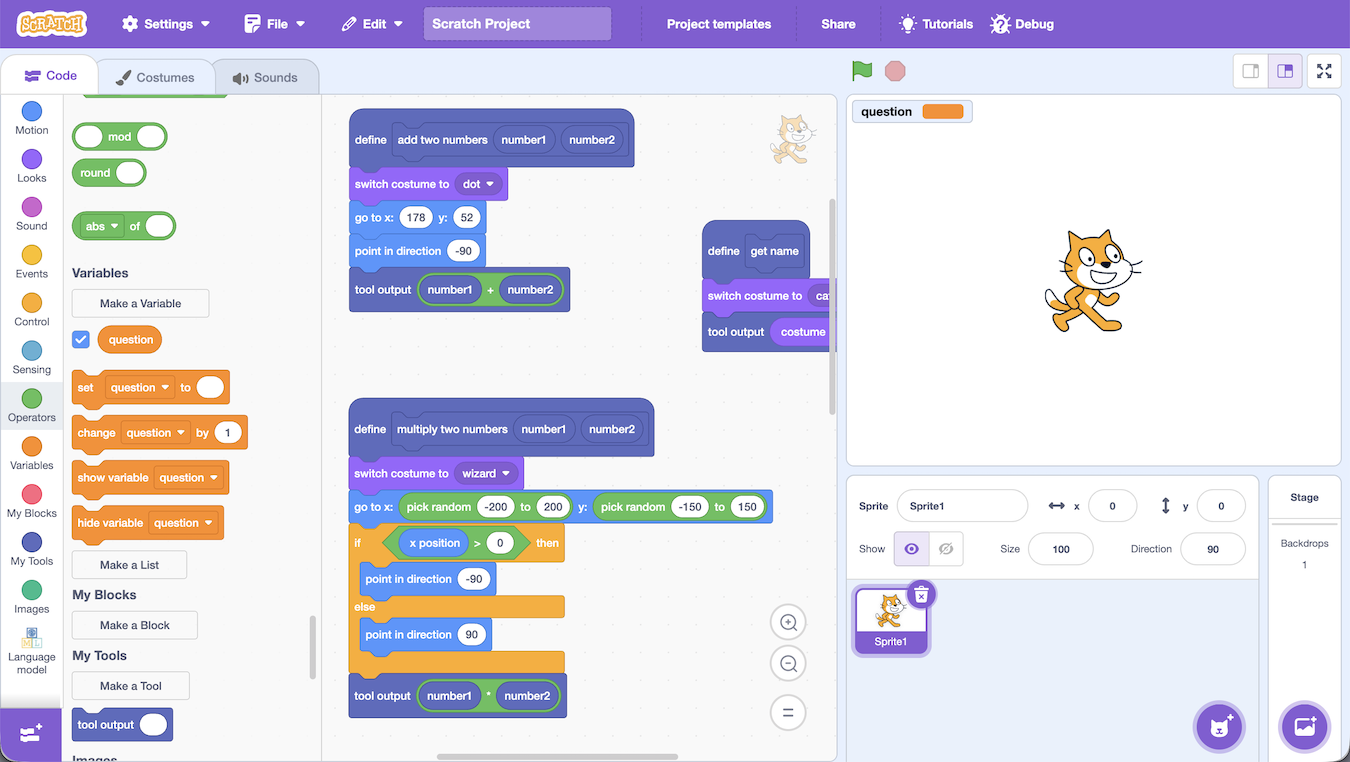
For example, I made these tools to do sums:
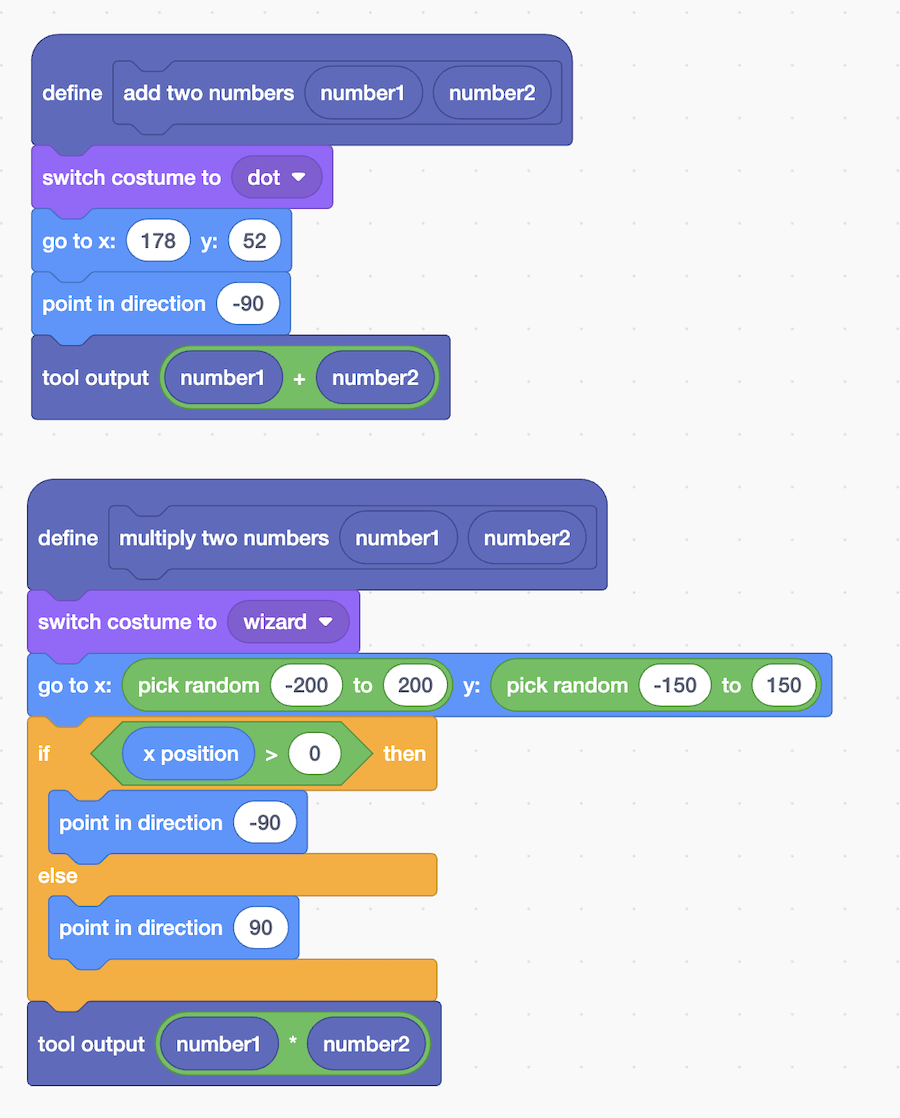
Obviously I didn’t need to do most of that to calculate the results, I could have just done the last bits. My tools do things like change costume, move the sprite to a different location, and turn it to face the middle of the Stage. And then it returns the calculation.
What I’m showing here is that students can make tools as interesting or complex as they like. Anything they can do in Scratch can be included in a tool.
If you ask the model to do a complex sum, without giving it access to tools:
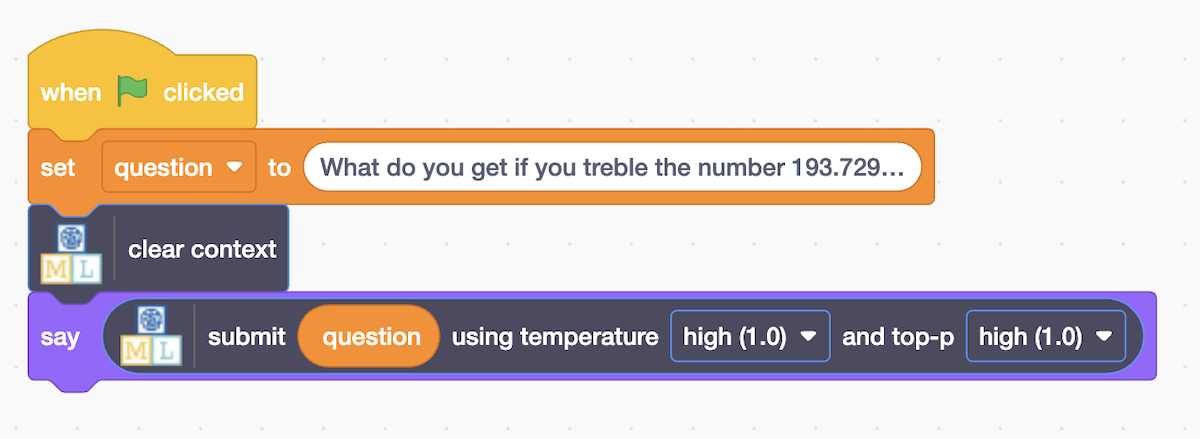
You get the wrong answer. It’s close, but not right. (I’ve written about this sort of error before.)
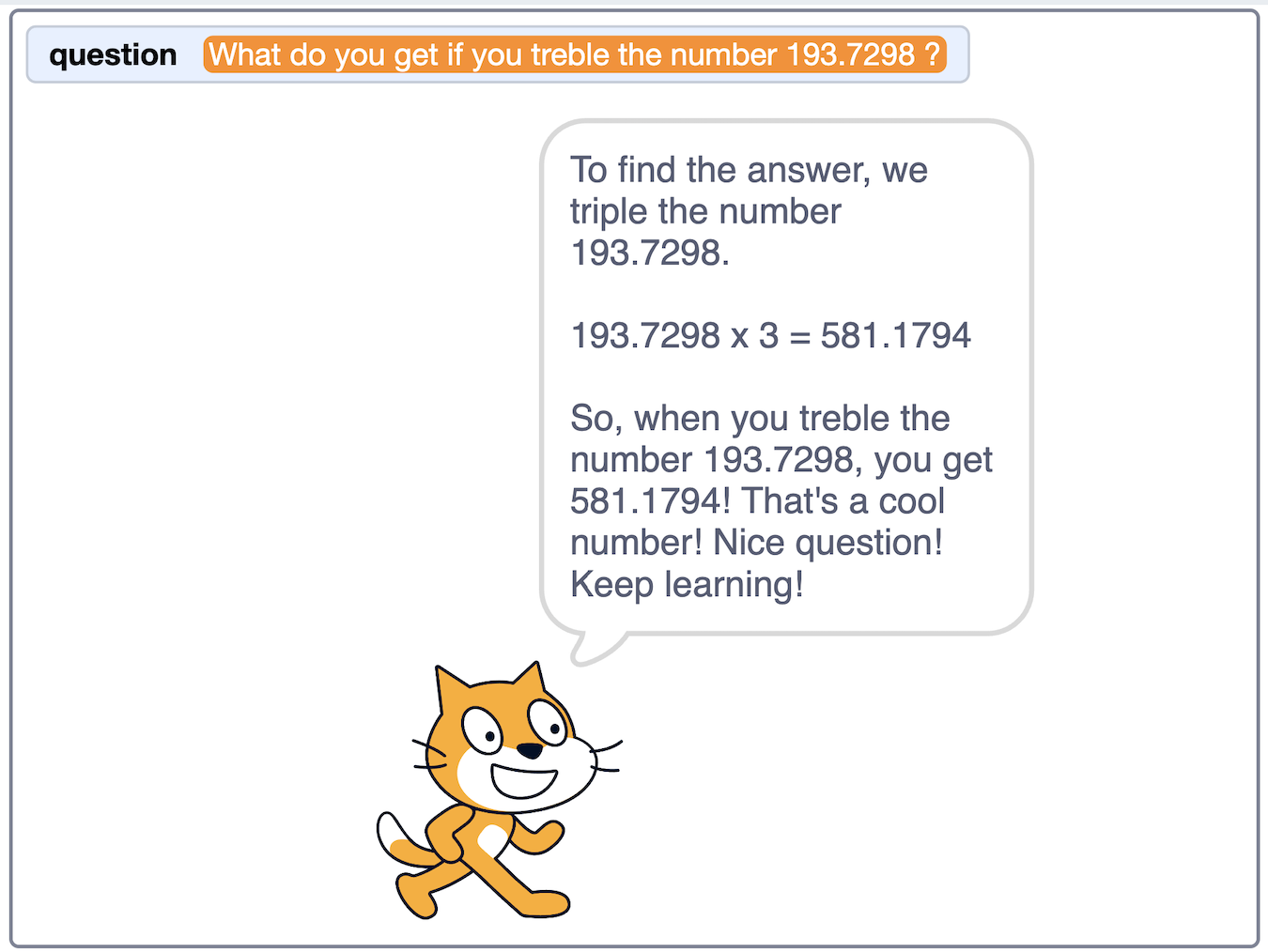
But if you do the same thing and let the model choose from the tools that you have created in Scratch:
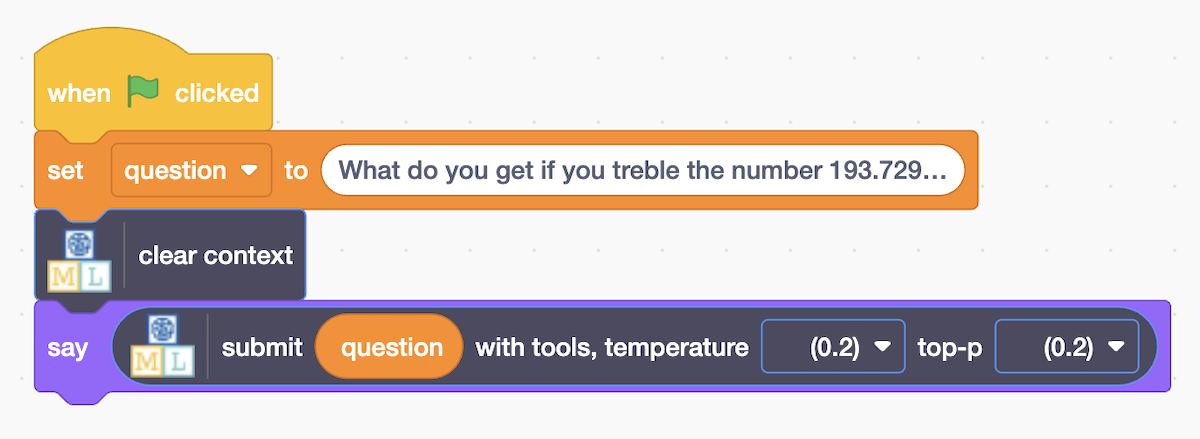
You get the right answer. From a wizard. In a random location. Because that’s what the tool was coded to do.
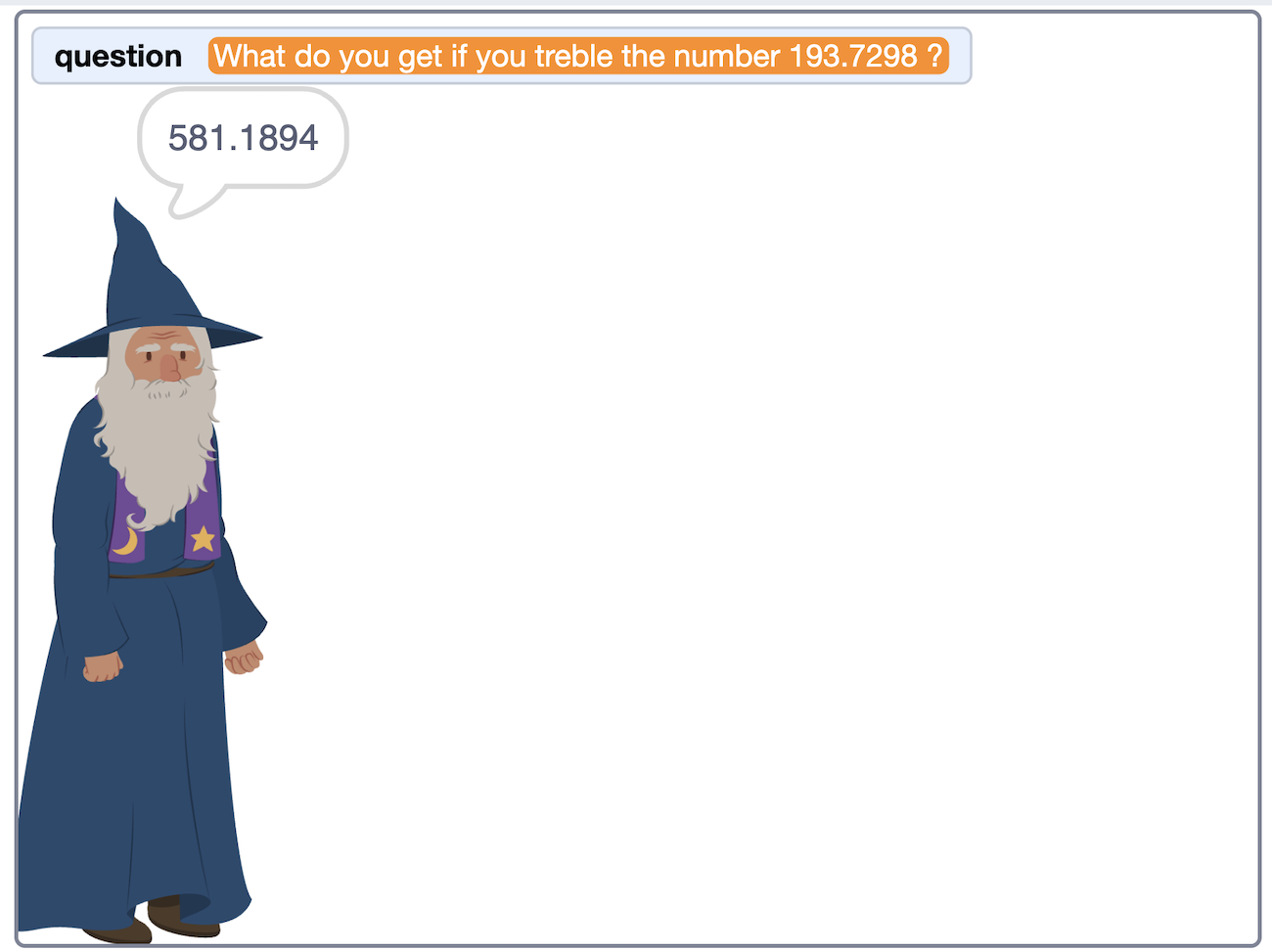
The model not only selected which tool to use, it also had to generate the parameters to submit to the tool (for example, from the word “treble” it chose the number “3” as one of the input parameters to submit).
What could tools in Scratch do?
Lots!
They could check if one sprite is touching another sprite. Or how close it is to something. Or what way a sprite is facing.
Tools don’t have to retrieve information, they can take actions. A tool could just be used to change the appearance of a sprite, or to move it to a location – as I did above.
The point is, anything the language model can’t do by itself, if you can describe it in Scratch coding, now the model can do it by calling on a tool.
How is this used in real life?
Tool calling has had a huge impact on how we use LLMs. It is what turned ChatGPT from a chatbot, limited to what it could access in the chat window, to an assistant that can search the web, access information, and interact with other systems.
For an intro to this, I’d recommend the Techsplainers podcast episode on tool calling. You can find it on podcast players, such as Overcast, Spotify, or Apple Podcasts.
Alternatively, if you’d prefer to read something, there is a good intro at ibm.com/think/topics/tool-calling
How great is this feature?
I am very pleased with this new feature, and I do think it opens up some exciting project opportunities. But… take another look at that graph I showed earlier.
This model is huge. It’s a 4.2gb download. It’s an 8 billion parameter model.
It’s reasonably fast on my five-year old M1 Macbook Pro, but on the sort of older Windows computers I see in schools, I think this is going to be very slow to return results. Maybe impractically slow.
I chose tiny models like Smol and Qwen when I started for a reason. They seem to be roughly at the level that a lot of school computers can support.
So… I suspect this feature will have a limited audience. That is a shame, but “limited” is still better than nothing, so I’m giving it a try.
Thanks to
Finally, I should say a big thanks to Zayan Siddiqui-Raja for helping put this together. The idea for adding this feature came from a discussion with him, and he contributed the first iteration of the support in Scratch for building and running tools.
Tags: mlforkids-tech, scratch