I gave a talk at Current yesterday about how to embed a tiny language model inside your Flink SQL pipeline.
I used a fun mix of demos to show what I think are the main approaches available for using generative AI with Kafka events from a Flink SQL job. Some demos were definitely more sensible than others!
These are the slides I used, and what I’d planned to say.
In this session, I’ll be talking about your options for running language models for Flink SQL jobs.
I’ll cover:
- your options for where you run them, in relation to Flink
- what sorts of choices you have for the models you run
- how to use them – the sorts of prompts and settings we’d want for Flink
- how to keep an eye on it that it’s working well
- and finally, some thoughts on when it’s a good idea to do any of this
That is the plan – let’s get started.
I’ll start with a little background on language models in Flink SQL.
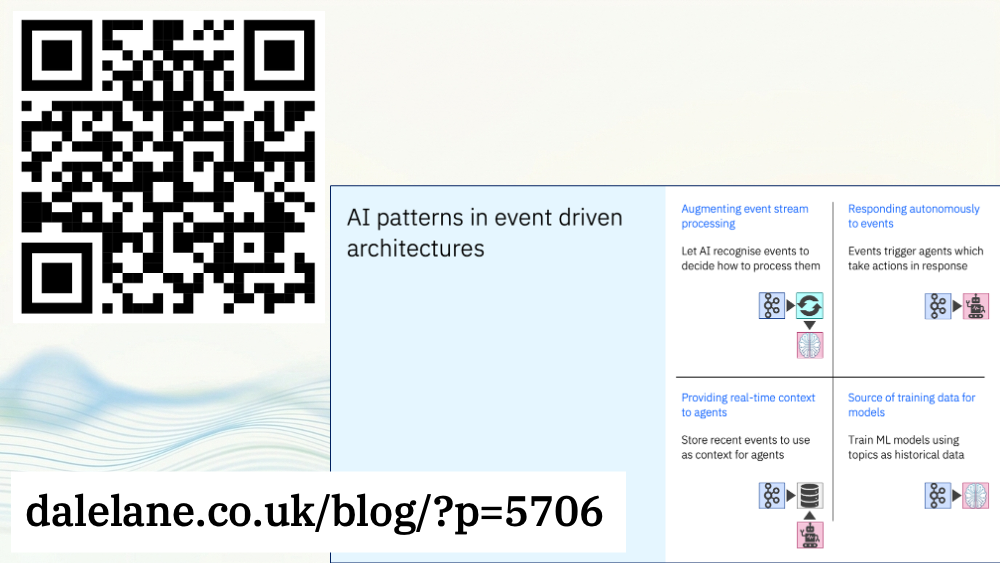
My Current talk last year was about the most common patterns for using AI with Kafka and Flink.
I made a big deal about how we get over-fixated on generative AI. I talked about how important it is to not treat AI and generative AI as synonymous. I said that we should be talking more about the other types of AI that are so useful with Kafka and Flink – like classifiers and regression and timeseries models.
To prove that I’m a hypocrite…
This year, I’m just talking about generative AI : about how we can use language models to do text generation in our Flink SQL jobs.
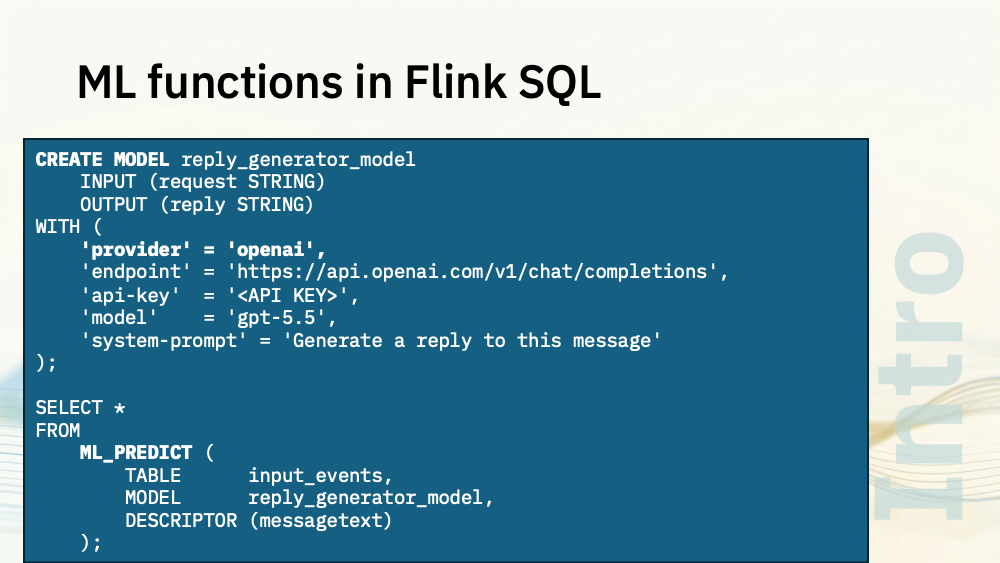
There are ML functions baked into Flink SQL.
CREATE MODEL lets you define a connection to a cloud-hosted large language model.
ML_PREDICT lets you send data from your events to it.
With this SQL, the messagetext property from the events in my input_events topic will be sent to gpt5.5.
I’ve highlighted the “openai” provider bit, because in theory this is pluggable.
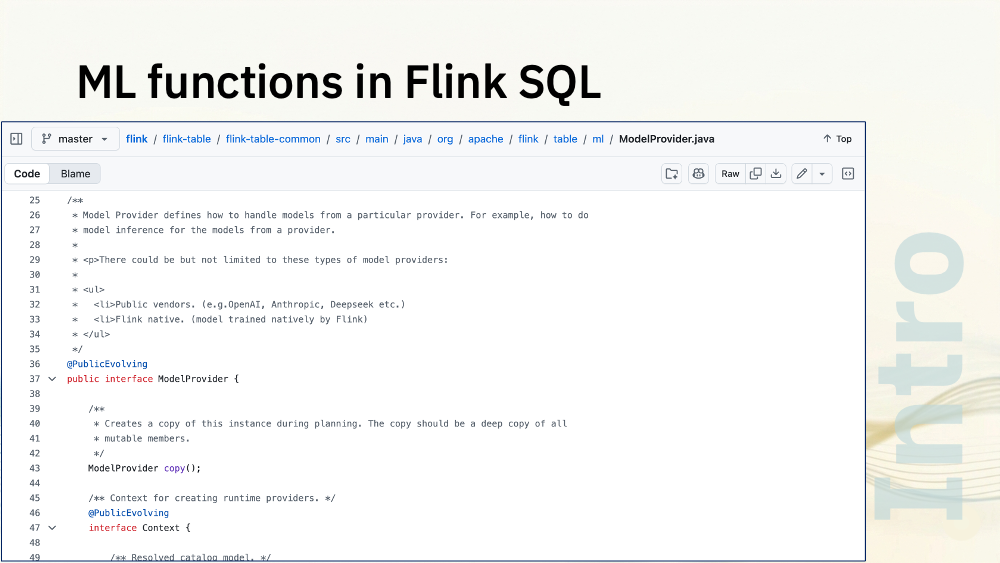
There is a ModelProvider interface, which mentions in the comments that there could be new providers created for other model vendors like Anthropic or Deepseek.
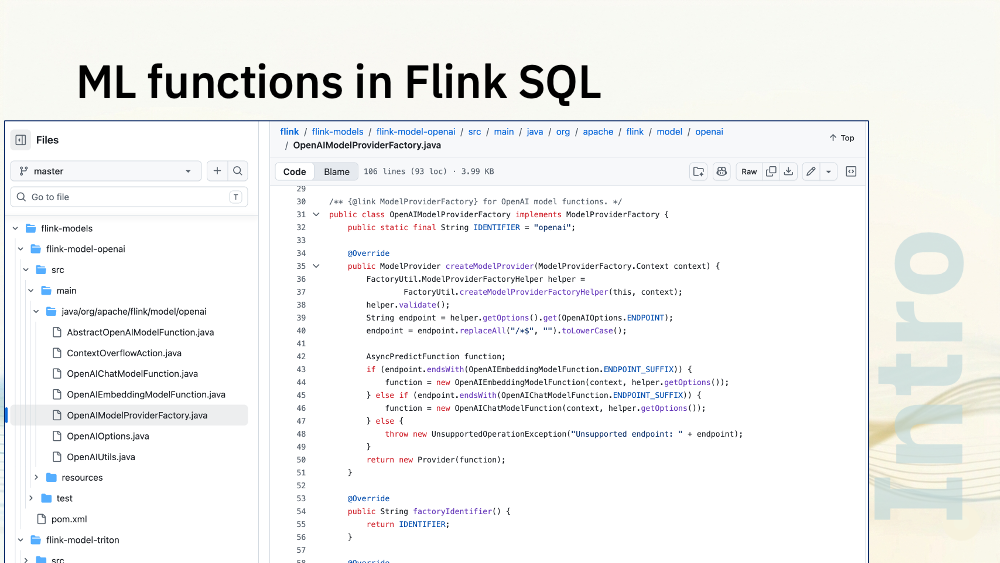
That wouldn’t be hard. The OpenAI model provider classes are clean and simple, essentially a wrapper around a few APIs. There is a simple pattern we could follow there.
I’m not sure whether that would be worth it. Although that says “openai”, in practice, everyone has adopted OpenAI’s API, so you can set provider=openai and still use this with most model vendors, not just with GPT.
Using large language models in the cloud is easy. But this session is about running the models yourself.
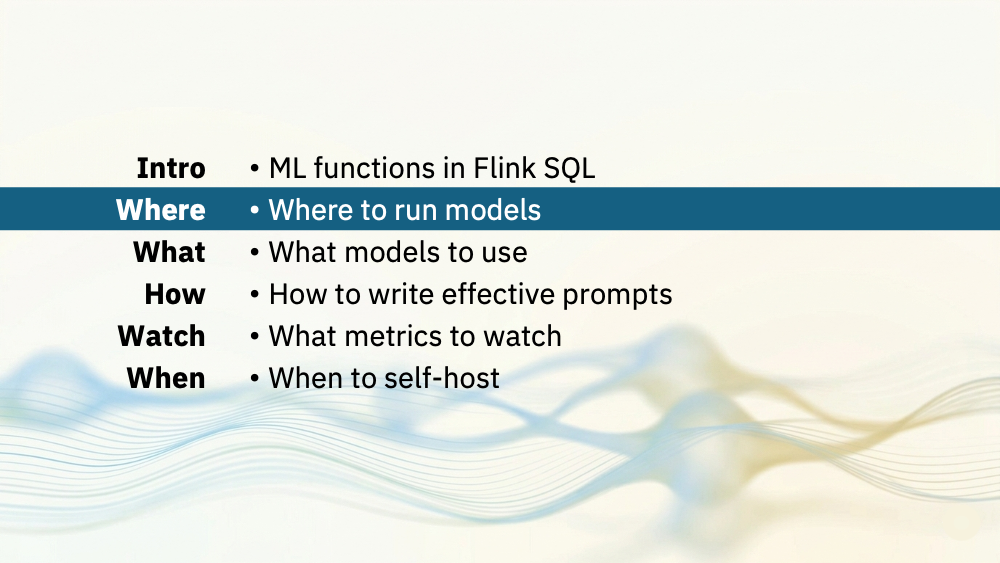
Let’s start by thinking about where you’d put them.
One aspect of Flink SQL that give us more options here are User Defined Functions (UDFs).
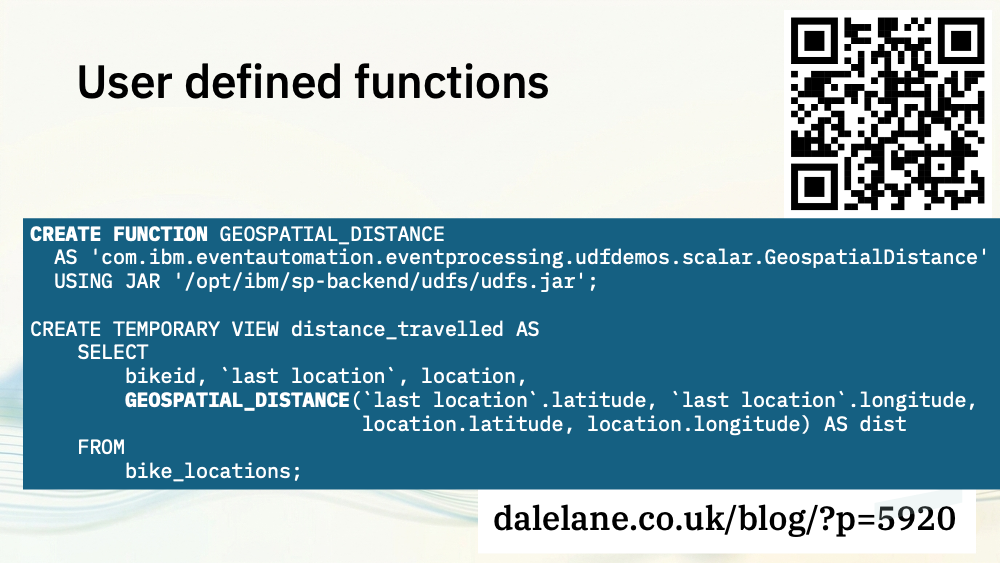
User defined functions are where you extend the functions in the Flink SQL language by writing your own.
For example, to save having to do a load of complex maths in SQL to work out the distance between two locations, it’s much easier to do that in Java and expose that as an SQL function.
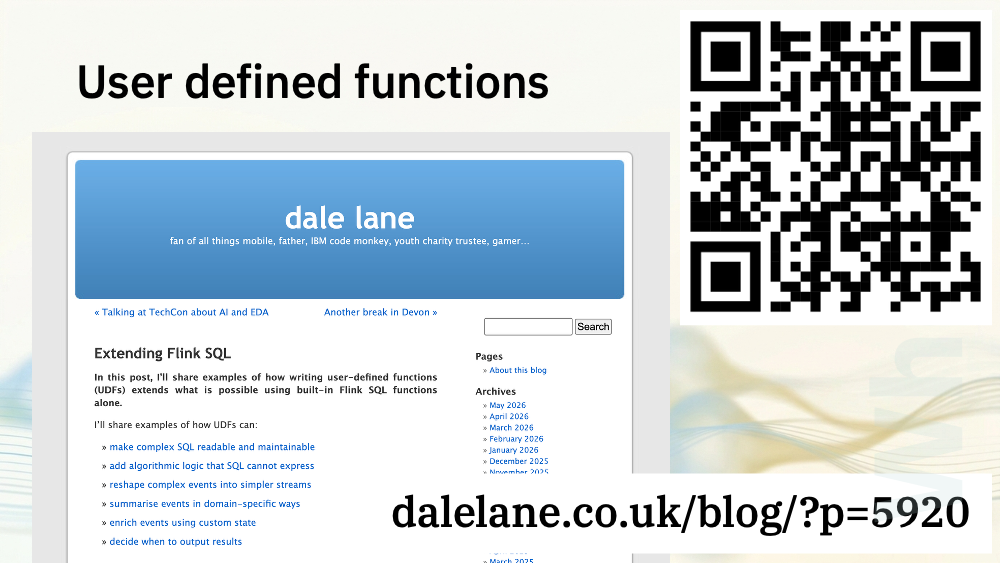
I don’t have time to go into creating UDFs. Today I want to focus more on the AI aspects.
If you’d like to know more about different types of UDF and how to get started creating your own, I’ve got a post on UDFs that you can find here.
For today, I’ll concentrate on how they give us options for where to put language models.
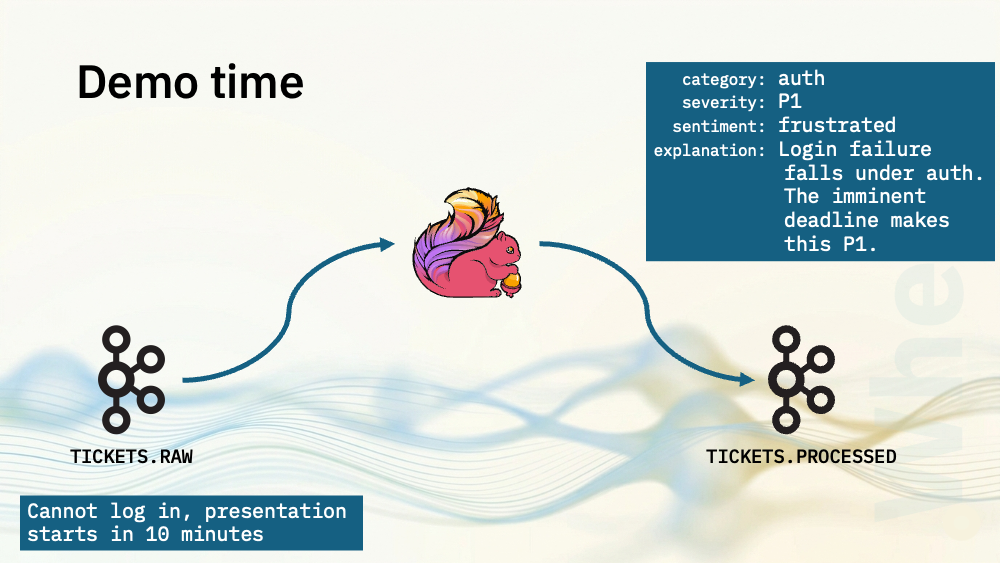
For my first two demos, I’ve got a topic with support tickets on. I’ve produced each line in this file as a JSON payload to a Kafka topic. Each event has a UUID, a timestamp, and a message string with a support ticket in it. The support ticket texts are a mixture of problem report, questions, and comments.
Flink SQL will use a language model to process the text from each support ticket to decide:
- what category it would go in (such as auth, billing, product bug)
- what the severity is (P1, P2, P3)
- and what sentiment is expressed (positive, neutral, or frustrated).
Those are all things I could do with a classifier.
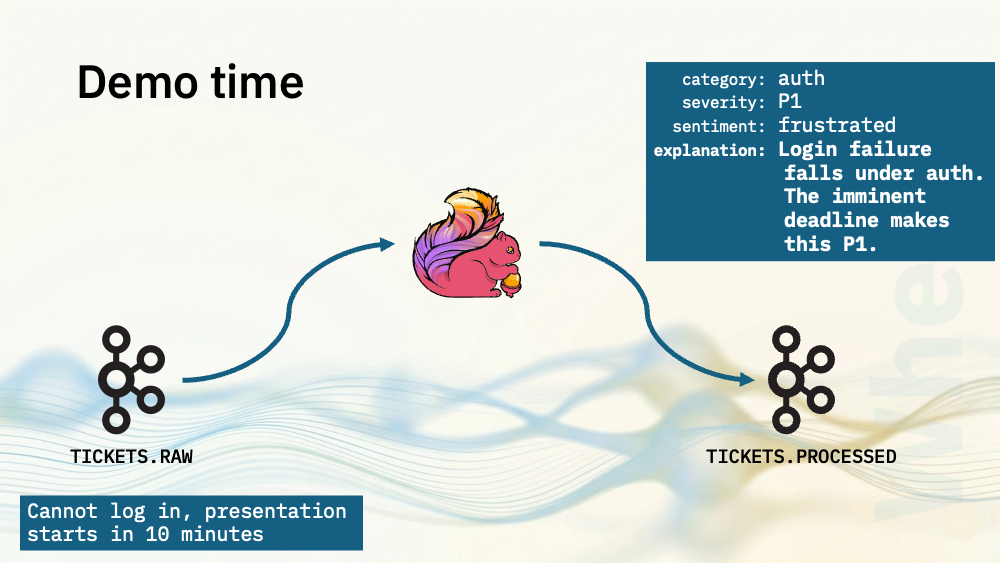
What makes this a generative AI use case is that I’m also going to ask the model to generate a short 1-2 sentence explanation for why it chose the category, severity and sentiment.
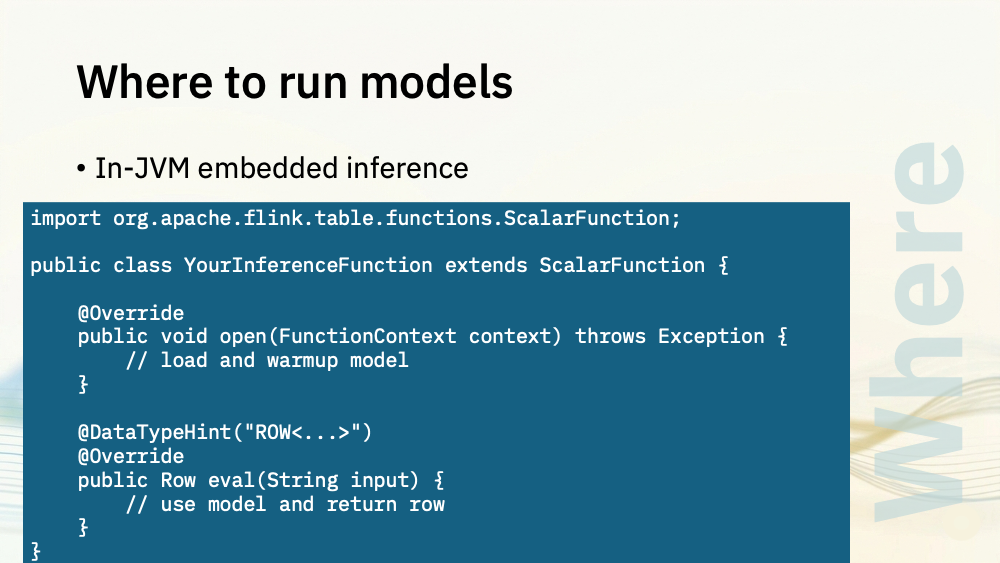
For the first demos, I’ve written UDFs in Java.
In the open() method, I load the model and send it a few prompts to warm it up.
In the eval() method, I take the support ticket text that came from the RAW topic, and use the model to generate the four output values that I’ll return in a single ROW.
I’m running this as a Flink SQL job.
- I define the UDF that I’ll be using to invoke the model
- I create the input table with my raw support ticket events
- I define the output table where I’ll send the support ticket events, enriched with the category, severity, sentiment, and that generated 1-2 sentence explanation.
- And I invoke the model – which is as simple as calling the user defined function with the message text from my input topic.
The model files it is using were downloaded from HuggingFace using a simple CLI.
The Java code for the user defined function is simple:
In the open method, I load the model and submit a few prompts to it to warm it up.
In the eval method, I check that I’ve got a usable input string, and use it to build a prompt.
The prompt is the text from the support ticket input event, combined with the system prompt that I wrote.
The system prompt is a short text file that contains my instructions for the language model, instructing it to classify the support tickets, telling it the output values that I want, and giving it an example of what that would look like.
Finally, the Java UDF puts the model responses into a row to return to Flink.
Consuming from the output topic shows the support tickets enriched by the language model:
{
  "event_id": "f4c3d4ac-2710-47a3-9459-4292c5026721",
  "message": "My session keeps expiring every few minutes",
  "category": "auth",
  "severity": "P2",
  "sentiment": "frustrated",
  "explanation": "Frequent session expiration is an authentication issue that disrupts user activity. The repeated logouts cause significant inconvenience but do not block access entirely, warranting a P2.",
  "processed_at": "2026-05-20 09:49:09.177"
}
{
  "event_id": "d503a3dd-27f2-4f16-a0f8-872a4997b5ef",
  "message": "I can't log in on mobile but desktop works fine",
  "category": "product-bug",
  "severity": "P2",
  "sentiment": "neutral",
  "explanation": "Platform-specific login failure points to a product bug in the mobile client rather than an auth credential issue. The desktop workaround reduces urgency to P2.",
  "processed_at": "2026-05-20 09:49:14.737"
}
{
  "event_id": "c33e2d56-1507-4f7a-85fb-39a95d3785d4",
  "message": "My account got disabled without any warning",
  "category": "auth",
  "severity": "P1",
  "sentiment": "frustrated",
  "explanation": "The account being disabled without warning is a critical auth issue that blocks user access. The lack of warning indicates a serious disruption, warranting P1.",
  "processed_at": "2026-05-20 09:49:20.173"
}
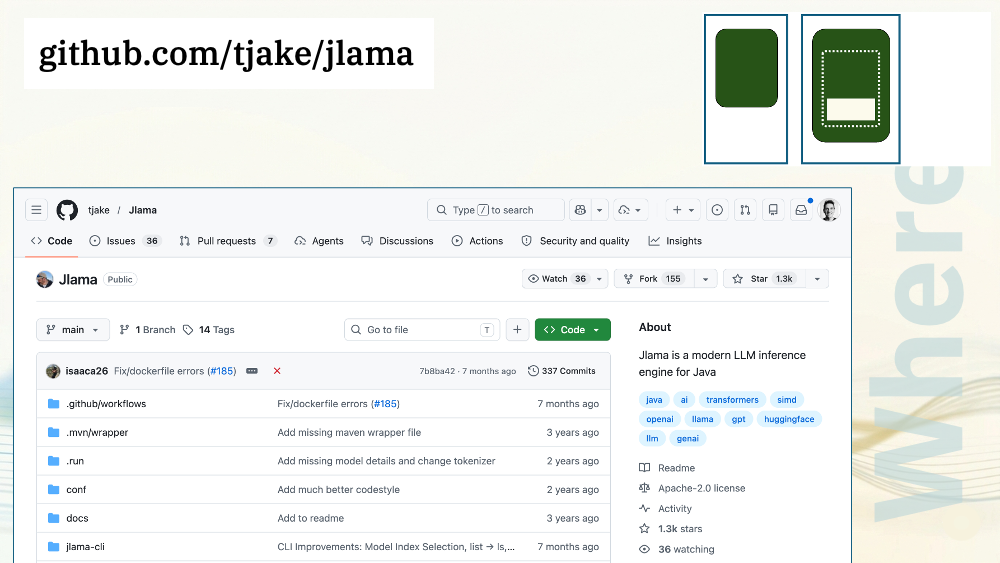
To build that demo, I used jlama: a pure Java LLM inference engine. The benefit of this is that it needs no native dependencies, so you end up with a completely portable JAR which keeps things simple.
jlama supports a few model types like Llama, Mistral, Gemma, and Qwen.
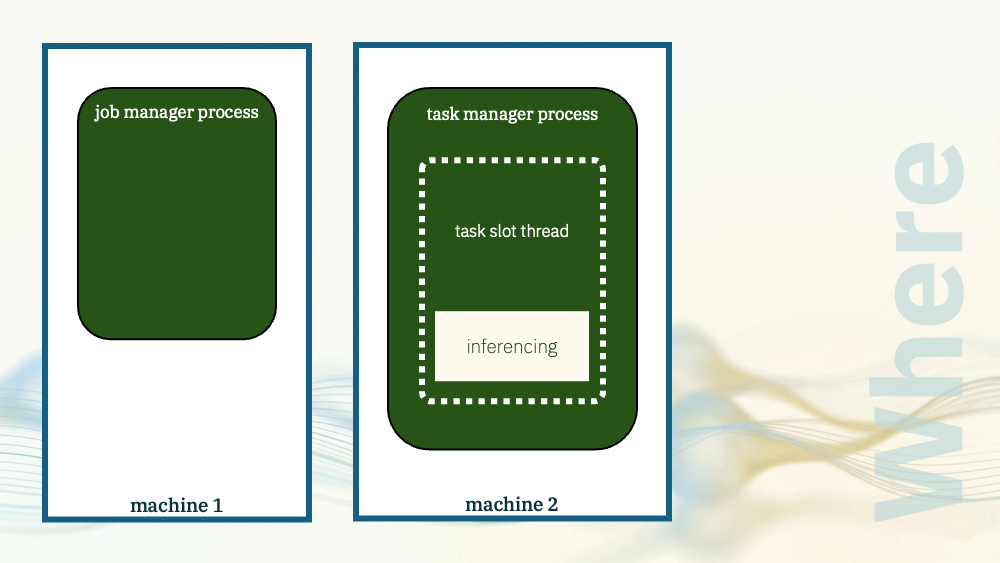
The model was running in the task manager.
The task slot process where my Flink operator was running was also where the model inferencing happened.
Let me show you another demo. The same use case as before (classifying support tickets) but a slightly different implementation.
This was another Flink SQL job.
- I define the UDF that I’ll be using to invoke the model – a different UDF to the previous demo
- I create the input table with the same raw support ticket events as before
- I define the output table where I’ll again send the support ticket events, enriched with the category, severity, sentiment, and that generated 1-2 sentence explanation.
- And I invoke the model – which is as simple as calling the user defined function with the message text from my input topic.
The model files were downloaded from HuggingFace again, but for this Java library, I needed to convert them into a format that the library requires.
The Java code for the user defined function is simple:
In the open method, I load the model, and submit a few prompts to it to warm it up.
In the eval method, I check that I’ve got a usable input string, and use it to build a prompt.
I used the same system prompt as in the previous demo – with instructions to classify the support tickets, descriptions of the output values that I want, and an example of what the output should look like.
Reading the response from the model is slightly more complex with this library, as it has a streaming API. I needed to create a StringBuilder, and append the tokens I received from the model to it, until I receive the token that indicates it has finished. At that point, I put the output into a row for returning to Flink.
Consuming from the output topic shows the support tickets enriched by the language model:
{
  "event_id": "7d612e86-db4d-4db1-b134-fa7d31d84762",
  "message": "My billing address is wrong on the invoice",
  "category": "billing",
  "severity": "P3",
  "sentiment": "neutral",
  "explanation": "An incorrect billing address on an invoice is a minor administrative billing issue with no service disruption or financial impact. Neutral tone and low urgency make this a P3.",
  "processed_at": "2026-05-20 10:28:20.390"
}
{
  "event_id": "3d0d85d4-6c0d-4c6d-8a5e-0c0d6728e241",
  "message": "I need a receipt for my accountant",
  "category": "billing",
  "severity": "P3",
  "sentiment": "neutral",
  "explanation": "A receipt request for accounting purposes is a routine billing admin task with no urgency or service impact. Neutral tone and standard process make this a P3.",
  "processed_at": "2026-05-20 10:28:23.955"
}
{
  "event_id": "b4cb91cf-cf38-4201-9dfa-34591f6f2bb5",
  "message": "The pricing page shows different rates than what I was charged",
  "category": "billing",
  "severity": "P2",
  "sentiment": "frustrated",
  "explanation": "The user reports a pricing discrepancy that affects billing, indicating a financial impact. The frustration implied by the mismatch warrants a P2 severity.",
  "processed_at": "2026-05-20 10:28:25.117"
}
To build that demo, I used ONNX runtime, an inference runtime from Microsoft.
Unlike jlama, this does need platform-specific dynamic libraries, which means I needed to modify the java library path in my Flink config to include the location of some Mac-specific library files.
That was a bit of a pain, but the trade-off is that I do get better performance, and support for a wider range of models.
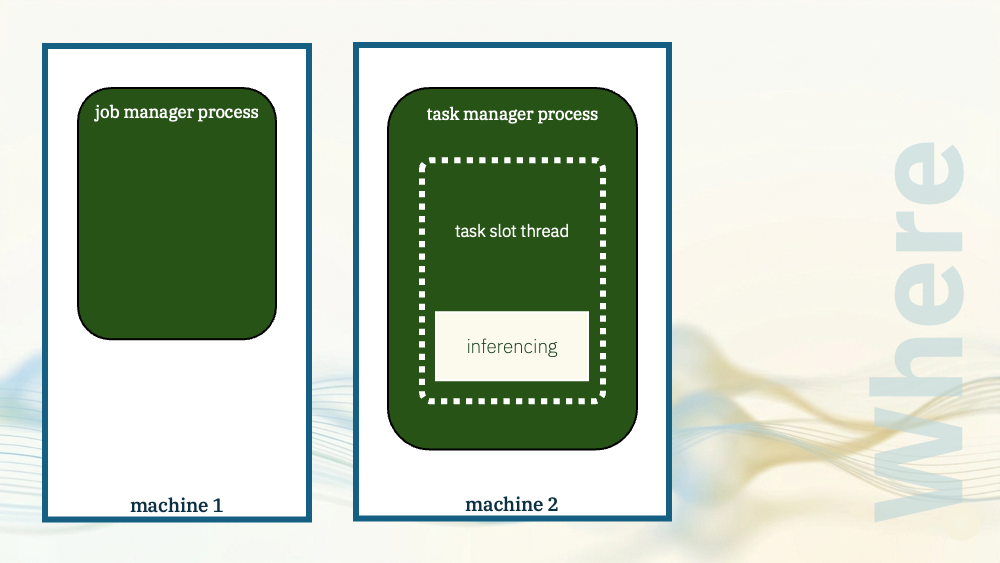
With both of those demos, the model inferencing happened in the task manager JVM process.
Let me show you another demo.
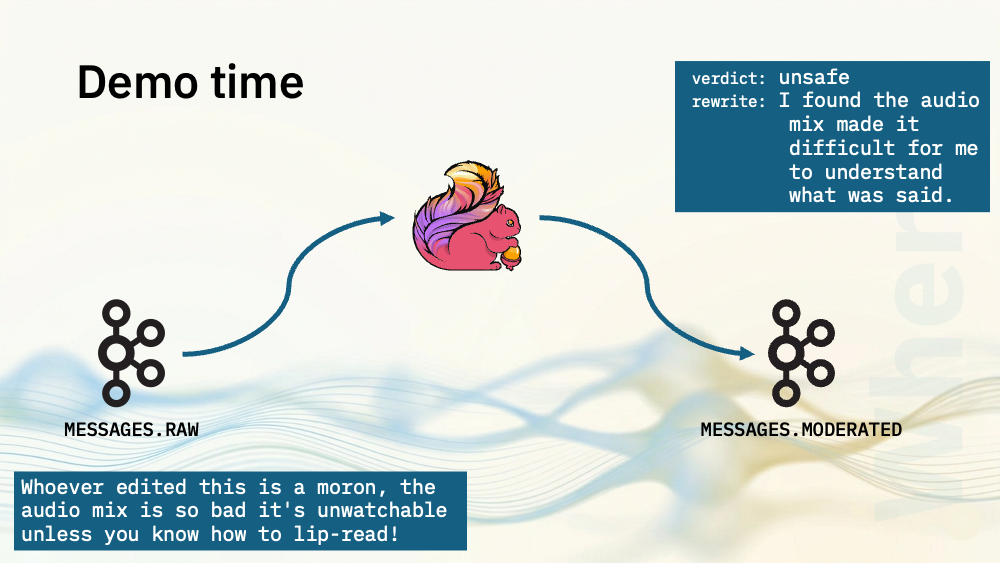
For my next few demos, I’ve got a topic with YouTube video comments. I’ve produced each line in this file as a JSON payload to a Kafka topic. As before, each event has a UUID, a timestamp, and a string. This time the message strings are comments on YouTube videos, and are a mixture of compliments, criticisms, and insults.
Flink SQL will use a language model to act as a comment moderator.
It will identify safe comments (comments about the video content).
And it will identify unsafe comments (toxic comments, insults, threats, attacks, comments using dehumanzing language).
As before, if I just did this, I could have used a simple classifier.
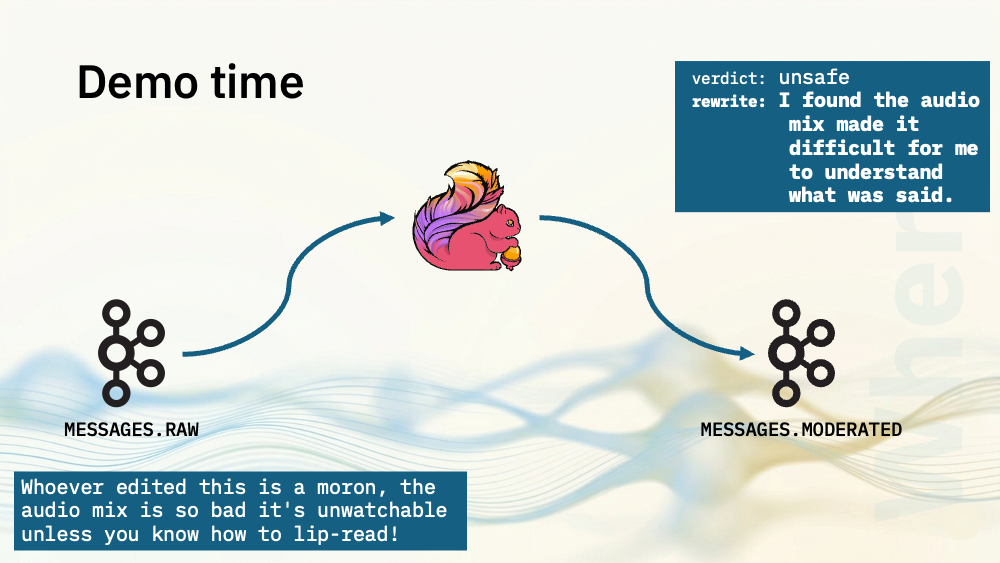
What makes this a generative AI use case is that I’m also going to ask the model to rewrite the unsafe comments. The model should keep the content criticism from the original message, but remove any personal attacks.
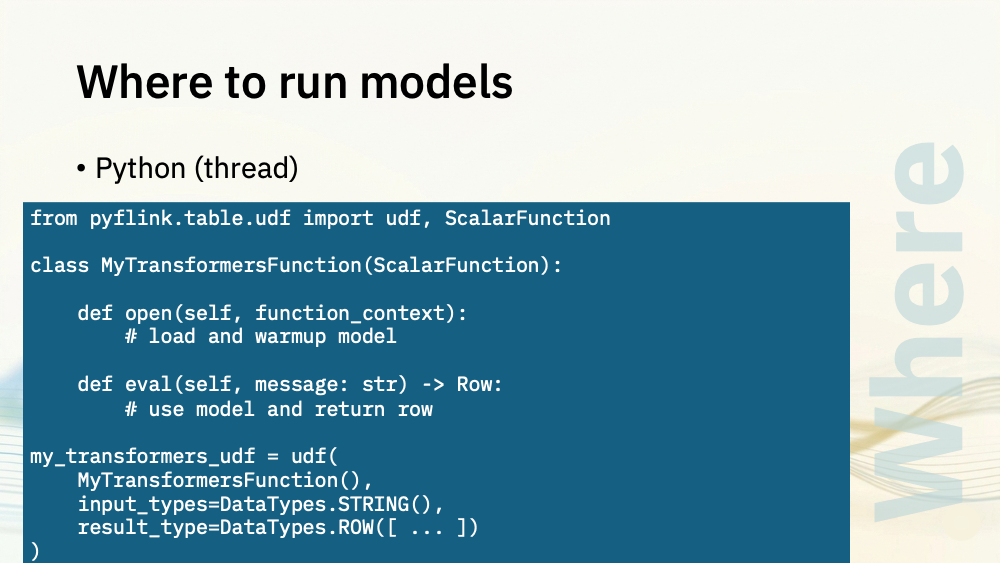
For these next demos, I’ve written UDFs in Python.
The general approach is exactly the same as before.
In the open() method, I load the model and send it a few prompts to warm it up.
In the eval() method, I take the message text from the RAW topic, and use the model to recognise whether it’s a safe or unsafe comment, generate a rewritten version, and return both of those outputs in a single row.
As before, I’m running a Flink SQL job to do this.
The SQL is very similar to before:
- I define the Python UDF that I’ll be using to invoke the model
- I create the input table with my raw comment events
- I define the output table where I’ll send the moderated comment events, enriched with the verdict, and the rewritten comment.
- And I invoke the model – which is as simple as calling the user defined function with the comment text from my input topic.
Using Python meant downloading the model files was much simpler.
The Python code for the user defined function is simple:
In the open method, I load the model, and submit a few prompts to it to warm it up.
In the eval method, I check that I’ve got a usable input string, and use it to build a prompt.
I wrote a longer and more complex system prompt to do this more complex task. I included instructions for how to rewrite a toxic comment, such as starting with “I” (“I felt”, “I thought”, etc.), and just responding with “I strongly disliked this content” if there was no substantive criticism to keep.
This time I included multiple examples of how to rewrite different types of toxic comments.
Consuming from the output topic shows the comments moderated by the language model:
{
  "event_id": "fea0856b-154f-4824-a5ec-05db74df914a",
  "message": "I came here from your podcast and I love this side of your work too.",
  "verdict": "safe",
  "rewrite": "I came here from your podcast and I love this side of your work too.",
  "processed_at": "2026-05-20 10:53:25.805"
}
{
  "event_id": "c044c53c-6061-4699-85d1-b6f1a63c5b41",
  "message": "Shut up you absolute clown — if you'd actually tested this before making the video you'd know it doesn't work on the latest version.",
  "verdict": "unsafe",
  "rewrite": "I think this should have been tested first, as it does not work on the latest version.",
  "processed_at": "2026-05-20 10:53:27.516"
}
{
  "event_id": "84a12963-368b-4ab7-972a-967912982dd7",
  "message": "You cheating hack, your script is copied verbatim from a better creator without even crediting them",
  "verdict": "unsafe",
  "rewrite": "I think this content is copied from another creator without any credit given.",
  "processed_at": "2026-05-20 10:53:28.620"
}
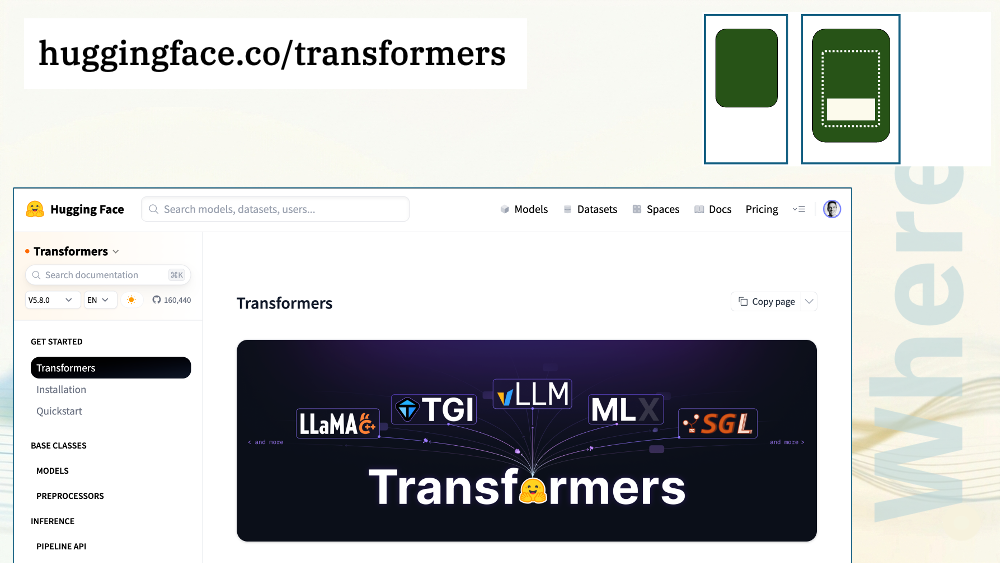
To build this demo, I used HuggingFace transformers
.
I’ll look at the range of models available in a bit, but for now, the great thing about Transformers is that it gives you access to more or less the whole ecosystem of models that are out there, in a way that Java libraries like jlama don’t.
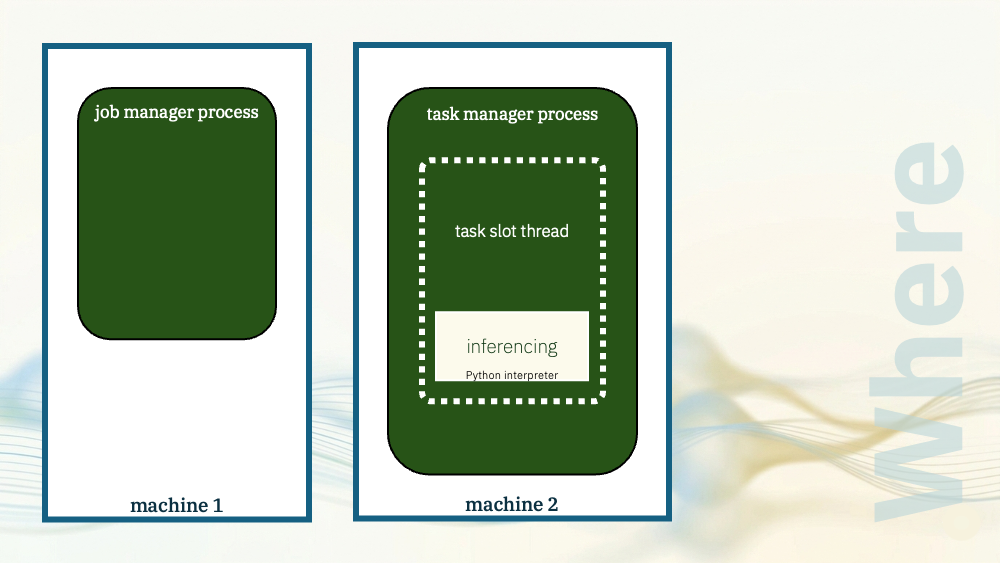
Although I used Python to write the UDF, I again put the inferencing engine in the task manager JVM. The model was in the same process as the Flink task.
The difference is this time, a native Python interpreter was loaded via JNI as a library, and used to run the Python UDF.
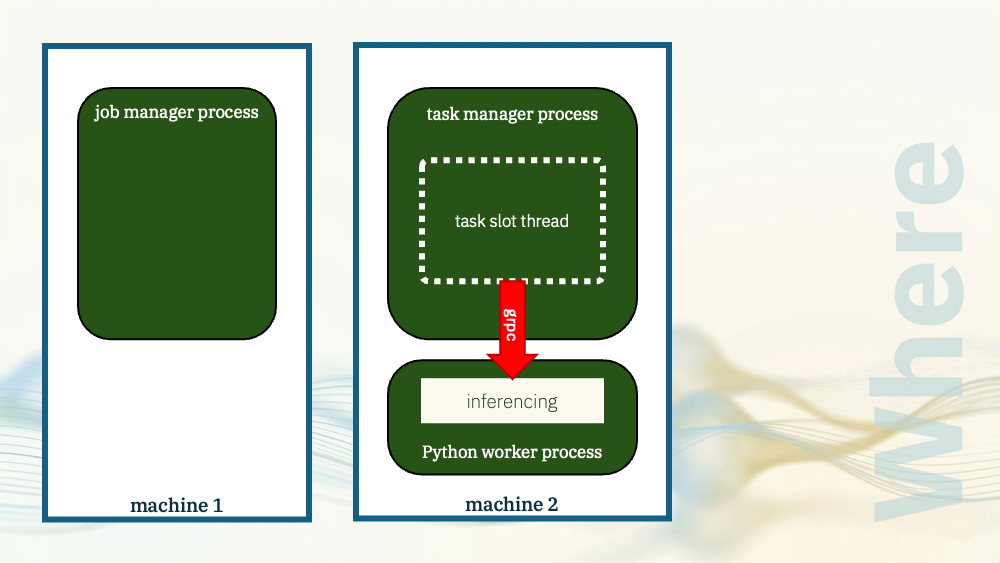
For the next demo, I’ll reuse the same UDF, but this time run it in a separate process.
Flink will spawn a dedicated Python worker process where the model can run, and the task manager will communicate with it using Apache Beam.
The code is the same as when I ran in thread mode.
In the open() method, I load the model.
In the eval() method, I use the model.
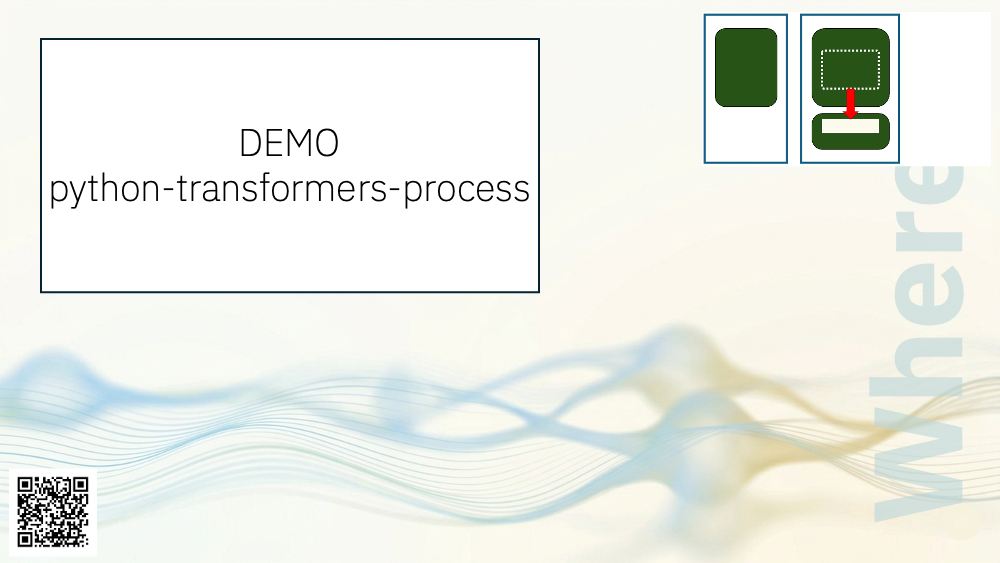
In the previous demo, I configured Flink to run the UDF in the same process.
This time, I configured Flink to run Python in a separate process.
Consuming from the output topic shows the comments moderated by the language model, similar to before:
{
  "event_id": "e62f60b7-e95f-4479-a693-5cb7743af125",
  "message": "you didn't even mention that this only works on Windows you bloody moron",
  "verdict": "unsafe",
  "rewrite": "I think it should have been mentioned that this only works on Windows.",
  "processed_at": "2026-05-20 10:54:03.903"
}
{
  "event_id": "88020146-515a-4bd8-b449-614e838e2eae",
  "message": "I've saved this video in three different places so I don't lose it.",
  "verdict": "safe",
  "rewrite": "I've saved this video in three different places so I don't lose it.",
  "processed_at": "2026-05-20 10:54:05.102"
}
{
  "event_id": "876a37d3-5760-46d0-bc88-ac7d109417ee",
  "message": "You stupid, overconfident hack — the comparison you made in this video is misleading.",
  "verdict": "unsafe",
  "rewrite": "I think the comparison made in this video is misleading.",
  "processed_at": "2026-05-20 10:54:06.648"
}
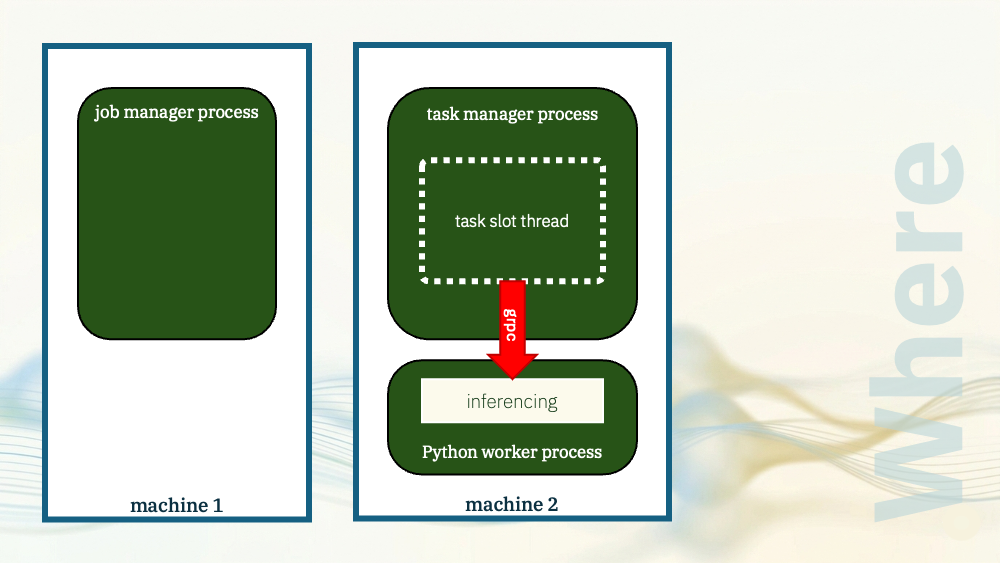
There are benefits to this. Keeping it out of the task manager JVM and having a separate dedicated process for Python gives you some isolation, and it simplifies scaling.
But the model still needed to be physically colocated with the task manager process. That is what let the task manager spawn the Python process and it is what enabled the local grpc communication.
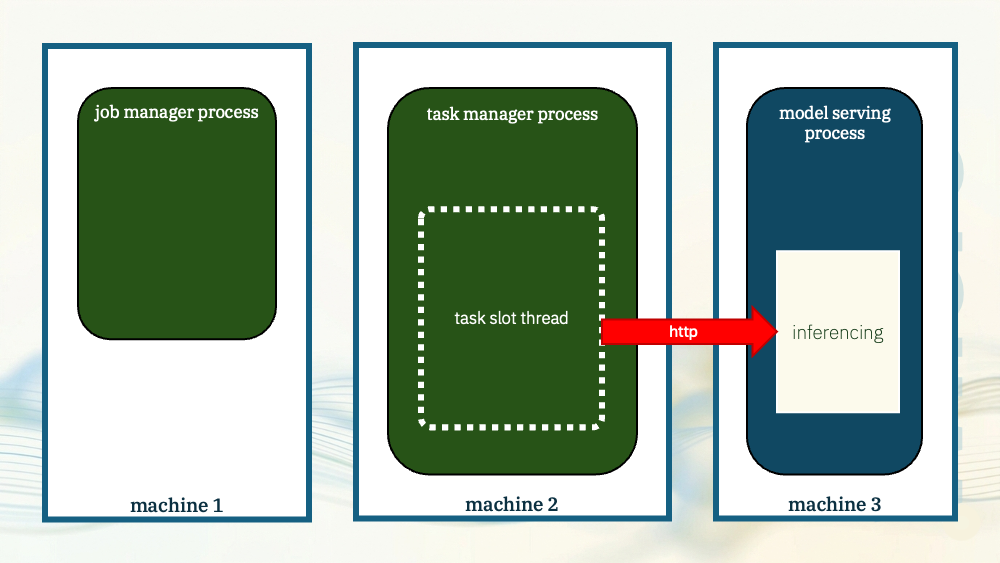
For the next demo, I’ll move the model even further away.
Not just in a separate process, but a process that isn’t part of Flink and that could even be on different machine.
This time, the task manager will use HTTP to submit inference requests to the model.
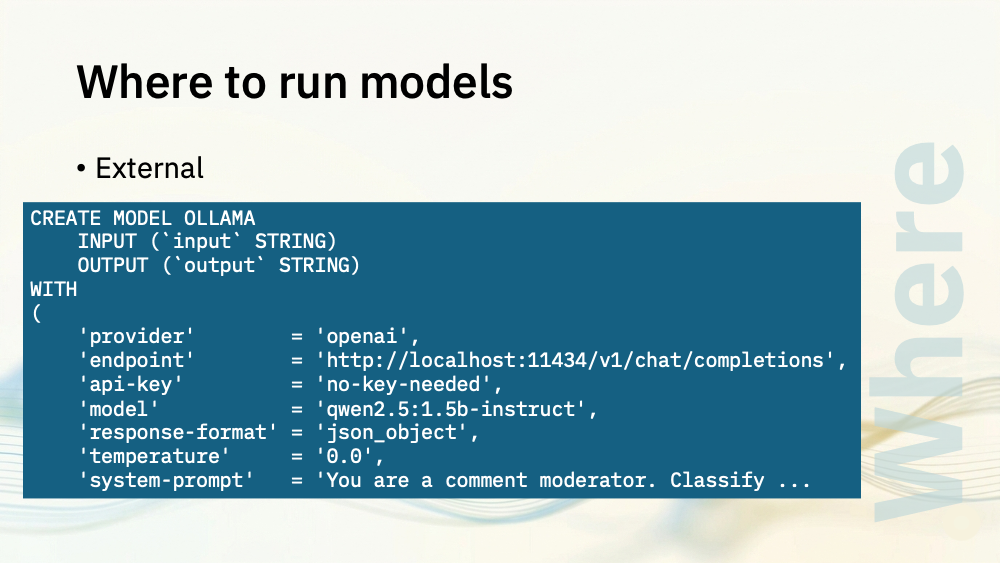
I mentioned before that the OpenAI chat completions API is widely adopted, not just by OpenAI themselves.
This doesn’t just apply to cloud AI vendors. It also applies to model servers that you can run yourself.
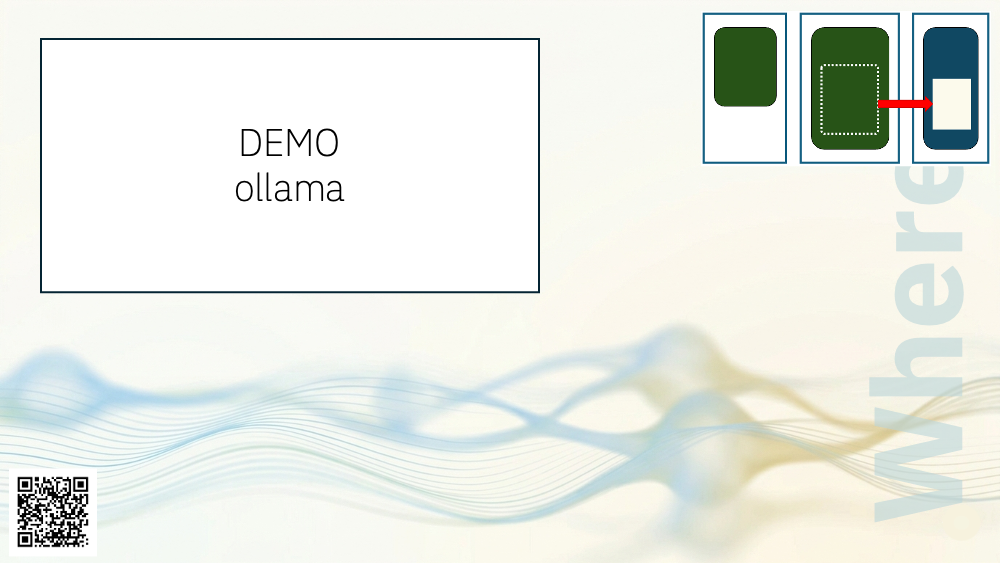
For the next time, I’m using Ollama to run a small language model. No other code is needed for this demo, as everything can be specified in the Flink SQL job.
- I create the input table with my raw comment events
- I define the output table where I’ll send the moderated comments, including the rewritten version.
- I use Flink SQL’s CREATE MODEL to define the model and system prompt to use
- I use Flink SQL’s ML_PREDICT to submit the comment text to the model
- I also need to parse the JSON string that the model returns, and pick out the values from it
This is the same as you would need to do for a cloud-hosted large language model API, the only difference in my demo is that I’m using localhost:11434 which is the default address for Ollama running locally.
This also simplified downloading the model files, as Ollama did that for me.
Consuming from the output topic shows the comments moderated by the language model:
{
  "event_id": "79bcaac1-298d-46ea-ab69-6ed42260872d",
  "message": "You're an idiot and this video is completely wrong.",
  "verdict": "unsafe",
  "rewrite": "I think this video contains completely wrong information.",
  "processed_at": "2026-05-20 11:20:54.756"
}
{
  "event_id": "2edb0b6e-8769-4d1f-a538-e050030fd045",
  "message": "Absolute moron — you forgot to credit your sources.",
  "verdict": "unsafe",
  "rewrite": "I strongly disliked this content.",
  "processed_at": "2026-05-20 11:20:55.622"
}
{
  "event_id": "a46572a8-0e65-41a9-bf1d-875bd3e0b23f",
  "message": "Great explanation, though the second half lost me a bit.",
  "verdict": "safe",
  "rewrite": "The second half of your explanation was difficult for me to follow.",
  "processed_at": "2026-05-20 11:20:55.932"
}
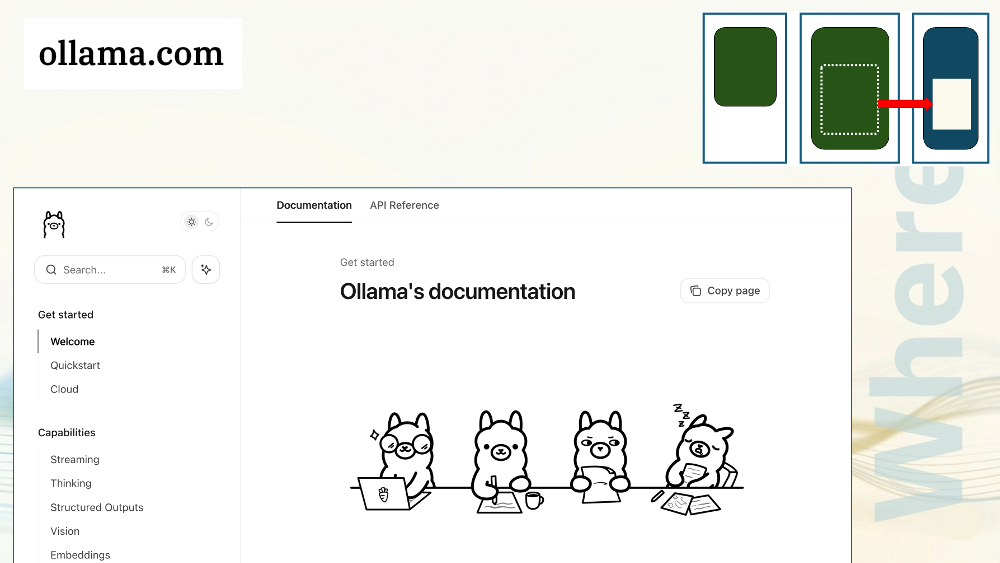
If you’ve played with running language models for yourself, you probably used Ollama. It’s very easy to run, with a strong emphasis on developer ergonomics. And it has a chat/completions API that is compatible with OpenAI.
I can do the same demo with a more powerful model server.
I can run the model using vllm. If I do this, the SQL needed to use it is almost identical to when I used Ollama.
The only difference to before is that I used localhost:8000 in the CREATE MODEL call, which is the port number used by vllm.
Consuming from the output topic again shows the comments moderated by the language model running in vllm:
{
  "event_id": "40323959-1429-4fb4-8311-63a7f4a62fa8",
  "message": "You're a complete idiot who has no idea what they're talking about.",
  "verdict": "unsafe",
  "rewrite": "I found the presenter to lack knowledge and understanding.",
  "processed_at": "2026-05-20 11:33:43.494"
}
{
  "event_id": "66d654b0-12ee-4616-b96e-bcd89b5d97c9",
  "message": "The shortcut you're recommending causes serious problems down the line — if you actually understood this topic you'd know that, you condescending moron.",
  "verdict": "unsafe",
  "rewrite": "I think the recommended shortcut causes serious problems.",
  "processed_at": "2026-05-20 11:33:44.421"
}
{
  "event_id": "edb5050e-29f0-437f-9f4f-9c28fd03d6f2",
  "message": "Sent this to my whole team, we all found it super valuable.",
  "verdict": "safe",
  "rewrite": "I found this very valuable for my team.",
  "processed_at": "2026-05-20 11:33:45.761"
}
{
  "event_id": "2cda0c91-2343-4798-ab9a-b9c2f2a193e7",
  "message": "Skipping any sort of error handling in production-ready code is a stupid idea, you unbelievably stupid fool.",
  "verdict": "unsafe",
  "rewrite": "I found skipping error handling in production-ready code to be a bad idea.",
  "processed_at": "2026-05-20 11:33:46.994"
}
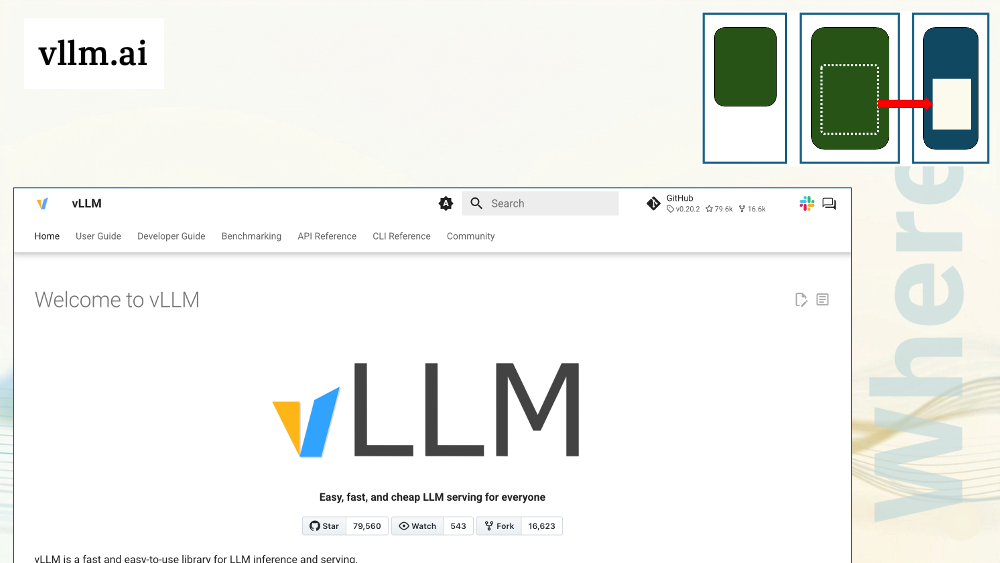
For this demo, I used vLLM which is a powerful, high-throughput LLM serving engine, and supports hundreds of different model architectures.
Like Ollama, it supports an OpenAI compatible API.
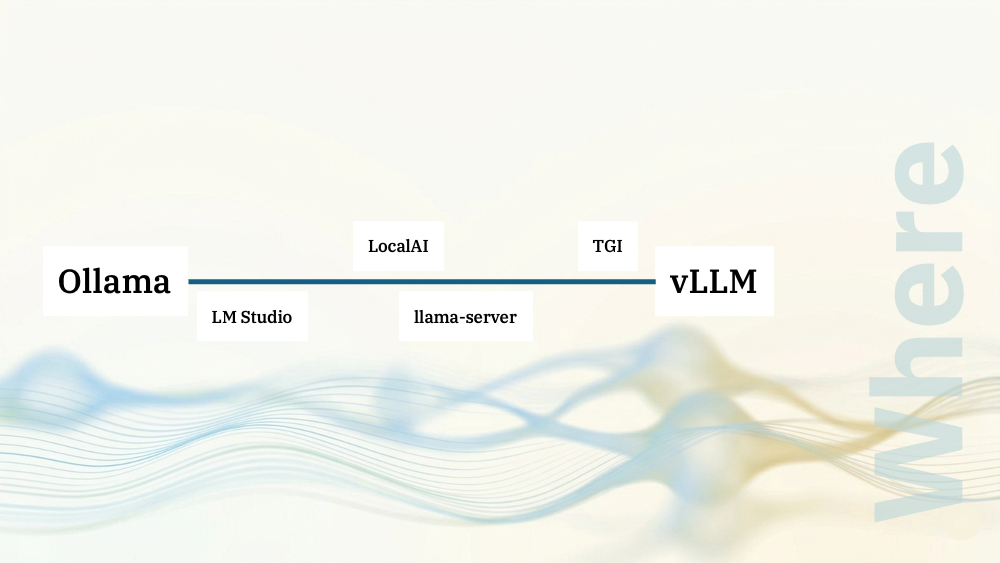
I could repeat that demo several times, using a different model server each time, but I think you get the idea!
I chose Ollama and vLLM to represent two ends of the spectrum.
Ollama represents the easy end of the spectrum. It’s great for local development, prototyping, and demos. It can run in Kubernetes, so if you’ve got a small team and want to prioritise operational simplicity over power and throughput, it can do that too.
vLLM represents the power end of the spectrum for when you need control and configurability, multi-tenancy, or high-throughput (and can justify the operational overhead).
There are other options that fit somewhere between the two.
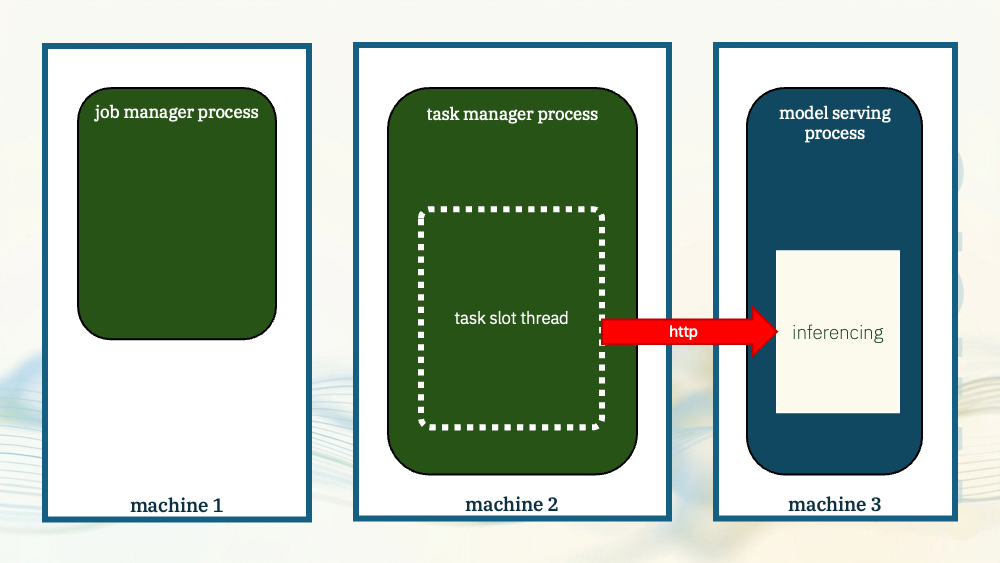
Whichever one you pick, the thing to recognise is this lets you manage the model serving process independently from Flink.
Model restarts, updates and upgrades do not need to be tied to the lifecycle of the Flink cluster, so this gives you operational flexibility.
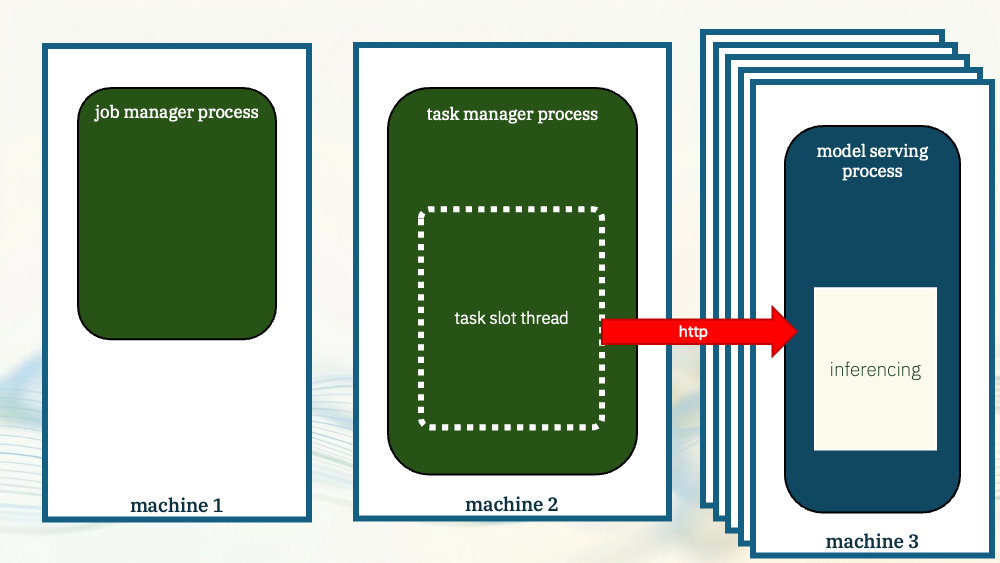
Crucially, it also lets you scale the model serving independently from Flink. You can run multiple instances of your model server as needed to meet your Flink throughput requirements.
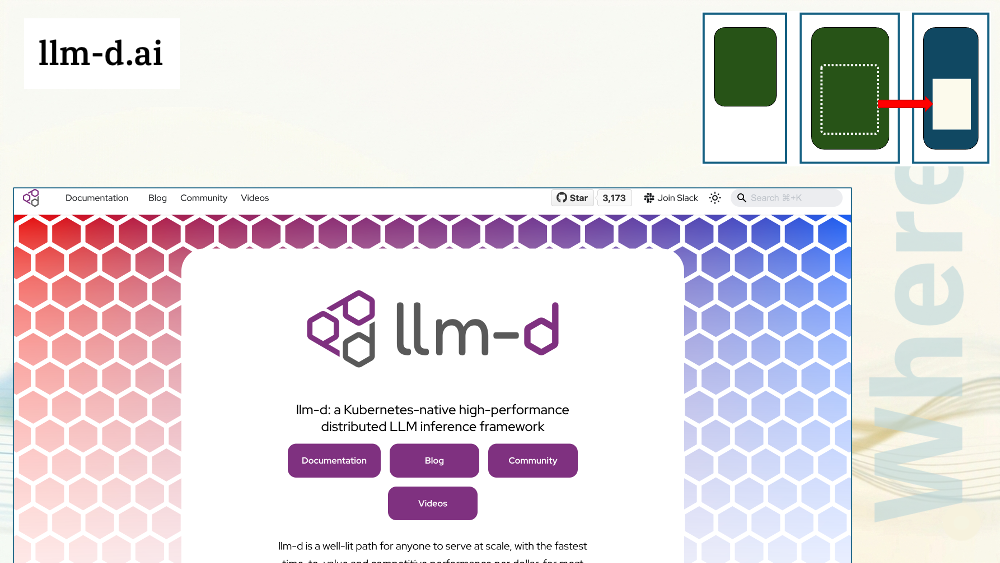
If you run your Flink jobs in Kubernetes, llm-d is worth a look. llm-d is vLLM with the control plane and orchestration wrapped around it to let you run it at scale.
It’s definitely a power user option, but if you’re looking to self-host models that support a large number of inferences per second, it will help
And it supports the same OpenAI-compatible API so it works out of the box with Flink SQL’s CREATE MODEL.
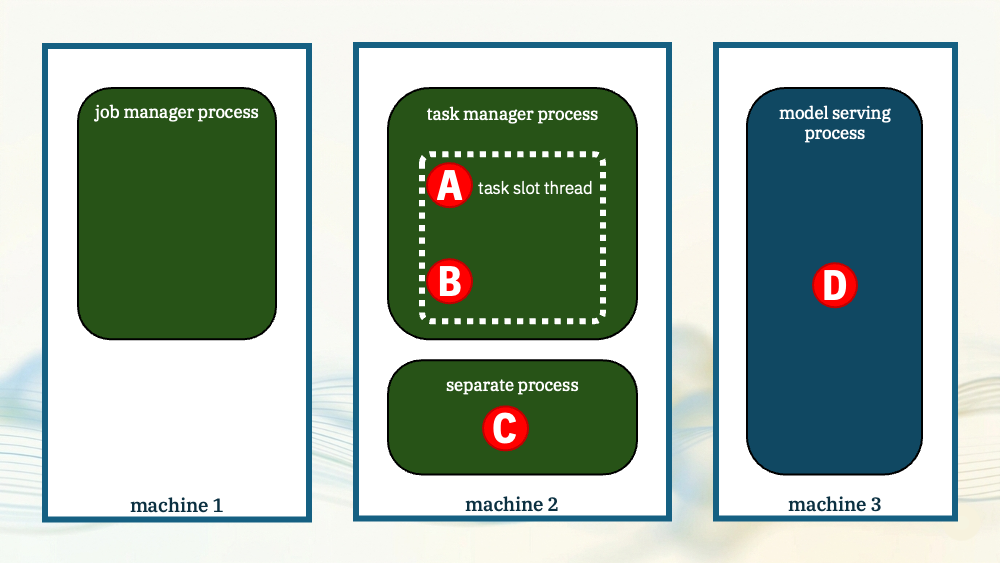
To sum up, you’ve got options where to run a model:
- in Java in the task manager process
- in the task manager process, but in a Python interpreter controlled via JNI
- in a separate Python process, spawned and managed by the Flink task manager
- in a separate dedicated process, independent of Flink.
Next, I’ll look at what models we can use.
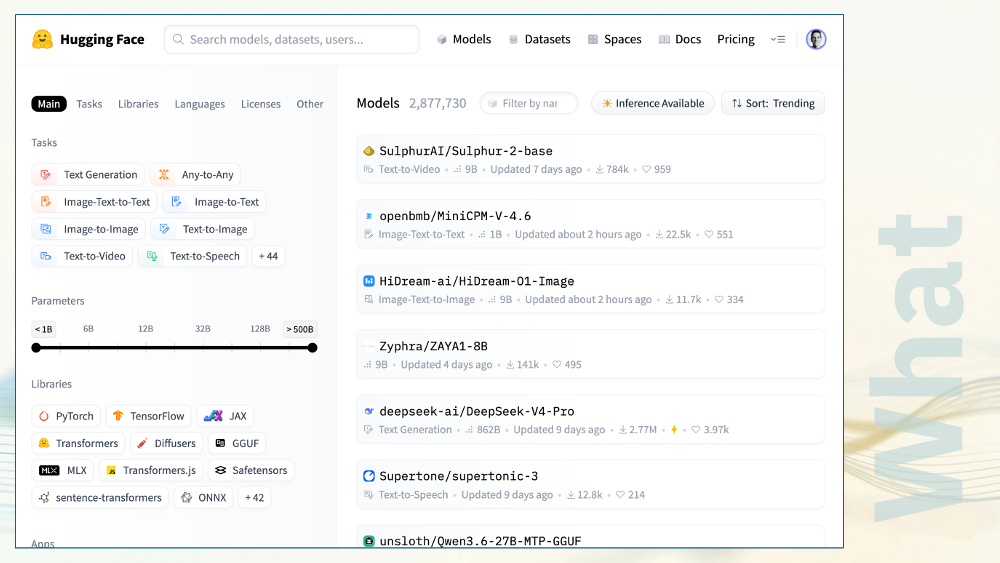
There are a huge number of choices.
HuggingFace is a good place to look. You can browse popular general purpose models, or search for customised models tuned for specific use cases.
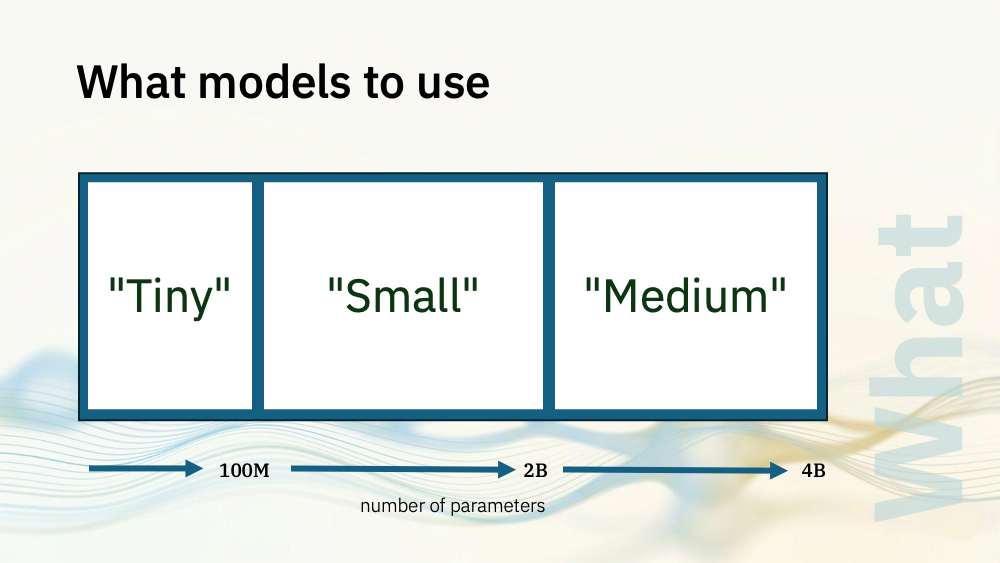
I’ve grouped our options into a few main buckets.
I’m using the number of parameters as a proxy for the size and complexity of models. In reality, parameters aren’t the be-all-and-end-all but for a quick intro, it’s a place to start.
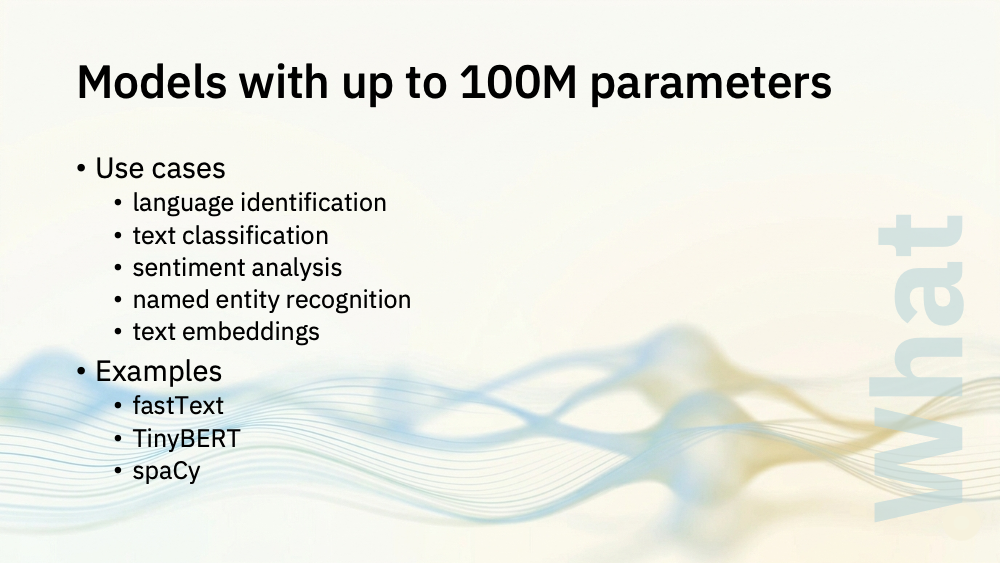
Let’s start with the tiny models
At this size, realistically, the best I can get out of these is classic natural language processing: language identication, classification, that sort of thing.
If the label space is bounded (known in advance and not open-ended) these models can do it. For example, if you’re classifying a ticket and you know the names of the departments is valid to route a ticket to ahead of time, that is something you can fine tune a tiny encoder for.
There are tiny models in this space. TinyBERT is 14 million parameters. There are some very small spaCy models, such as en_core_web_sm which is 20 million parameters.
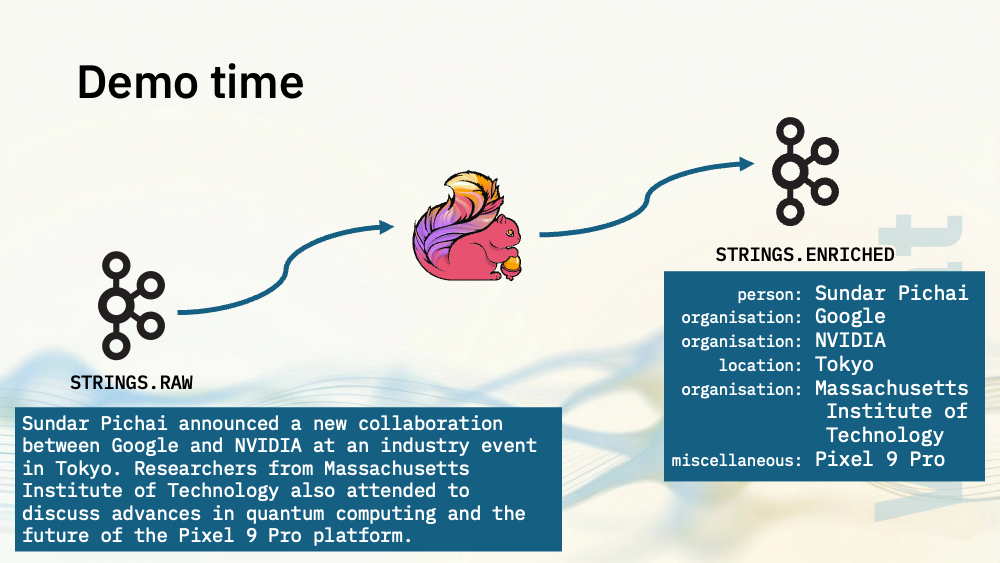
Let me show you a demo. I’ve got a topic with events that contain short strings.
I’m going to use Flink SQL to pick out the things mentioned in those input strings, and write the output to a topic with an array of the entities mentioned in the string.
As before, I’m using a Flink SQL job for this.
The SQL follows the same pattern as the earlier demos:
- I define the UDF that I’ll be using to invoke the model
- I create the input table with my strings
- I define the output table where I’ll send the string, enriched with the array of entities identified in the string.
- And I invoke the model – which is as simple as calling the user defined function with the string from my input topic.
The Java code for the user defined function is simple.
In the open method, I load the model.
In the eval method, I check that I’ve got a usable input string, and submit it to the model.
Consuming from the output topic shows the strings enriched with the entities that were found:
{
  "event_id": "evt-101505",
  "message": "Barack Obama was mentioned in an article I tried to attach to my ticket but the upload failed.",
  "entities": [
    {
      "entity": "Barack Obama",
      "type": "PER"
    }
  ],
  "processed_at": "2026-05-20 13:14:42.811"
}
{
  "event_id": "evt-101506",
  "message": "Please deliver to our Paris office. We have a team meeting with the Amazon account manager next Tuesday.",
  "entities": [
    {
      "entity": "Paris",
      "type": "LOC"
    },
    {
      "entity": "Amazon",
      "type": "ORG"
    }
  ],
  "processed_at": "2026-05-20 13:14:42.814"
}
{
  "event_id": "evt-101507",
  "message": "The new dashboard is really intuitive. Great improvement over the previous version!",
  "entities": [],
  "processed_at": "2026-05-20 13:14:42.817"
}
{
  "event_id": "evt-101508",
  "message": "Angela Merkel and Emmanuel Macron both reportedly use encrypted messaging apps. Can you confirm your app is compliant?",
  "entities": [
    {
      "entity": "Angela Merkel",
      "type": "PER"
    },
    {
      "entity": "Emmanuel Macron",
      "type": "PER"
    }
  ],
  "processed_at": "2026-05-20 13:14:42.821"
}
{
  "event_id": "evt-101509",
  "message": "My order for a new Samsung Galaxy S24 Ultra will be shipping to the London office near Tower Bridge. Mark this as urgent please.",
  "entities": [
    {
      "entity": "Samsung Galaxy S24 Ultra",
      "type": "MISC"
    },
    {
      "entity": "London",
      "type": "LOC"
    },
    {
      "entity": "Tower Bridge",
      "type": "LOC"
    }
  ],
  "processed_at": "2026-05-20 13:14:42.825"
}
{
  "event_id": "evt-101510",
  "message": "Sundar Pichai announced a new collaboration between Google and NVIDIA at an industry event in Tokyo. Researchers from Massachusetts Institute of Technology also attended to discuss advances in quantum computing and the future of the Pixel 9 Pro platform.",
  "entities": [
    {
      "entity": "Sundar Pichai",
      "type": "ORG"
    },
    {
      "entity": "Google",
      "type": "ORG"
    },
    {
      "entity": "NVIDIA",
      "type": "ORG"
    },
    {
      "entity": "Tokyo",
      "type": "LOC"
    },
    {
      "entity": "Massachusetts Institute of Technology",
      "type": "ORG"
    },
    {
      "entity": "Pixel 9 Pro",
      "type": "MISC"
    }
  ],
  "processed_at": "2026-05-20 13:14:42.829"
}
I included CURRENT_TIMESTAMP in the output for all demos today, so we can see how quickly each event is processed. This model is orders of magnitude faster than all of the others, processing a huge number of events per second.
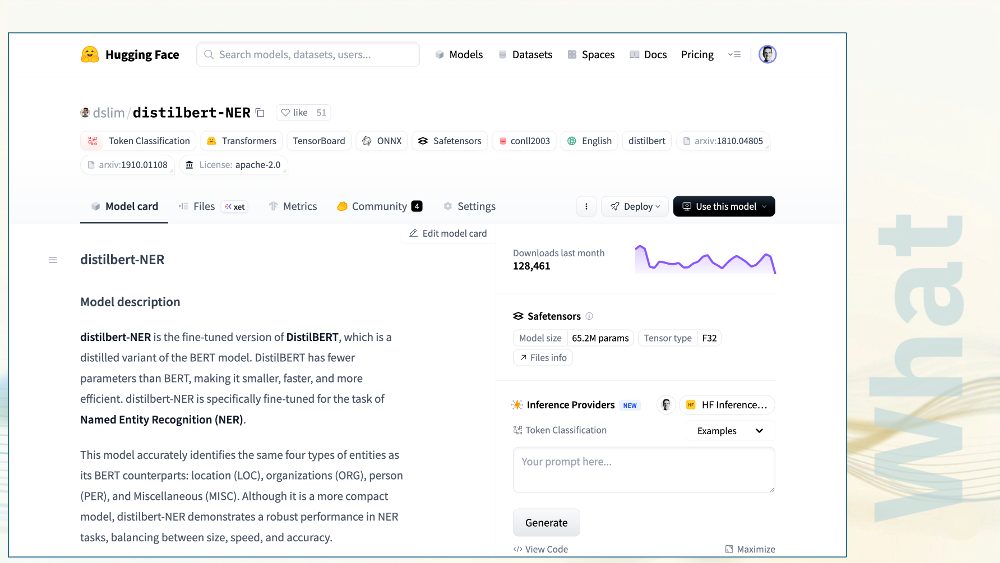
I downloaded a 65 million parameter model for this demo: distilbert.
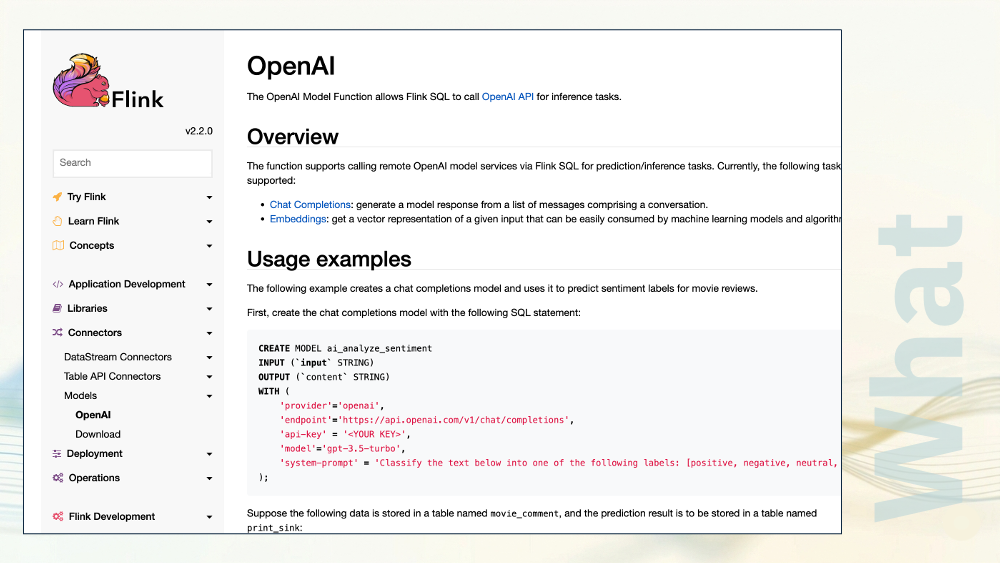
It’s not text generation, so I wasn’t going to include this sort of thing, but so many of the tutorials and the demos I see of Flink’s CREATE MODEL function are doing things like this. Classification and sentiment analysis are the most common tasks I see people talking about when they try it out.
If that’s your use case and if that’s all you need, then these sorts of models are a good option for you.
At this size, you’re not going to get meaningful or useful text generation. But, tasks like sentiment analysis and text classification can be done at speed.
But… I’m cheating. I said I would focus on use cases that are genuinely text generation.
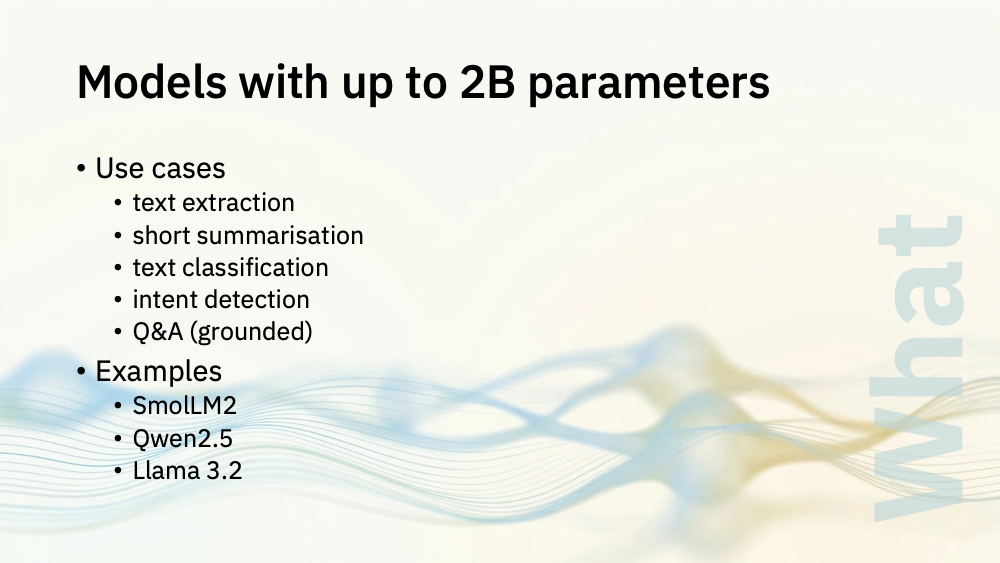
For that, you’re starting with models with sizes up to 2 billion parameters.
At this size, you can do short structured text extraction, you can generate short summaries of events, and you can do more open ended classification.
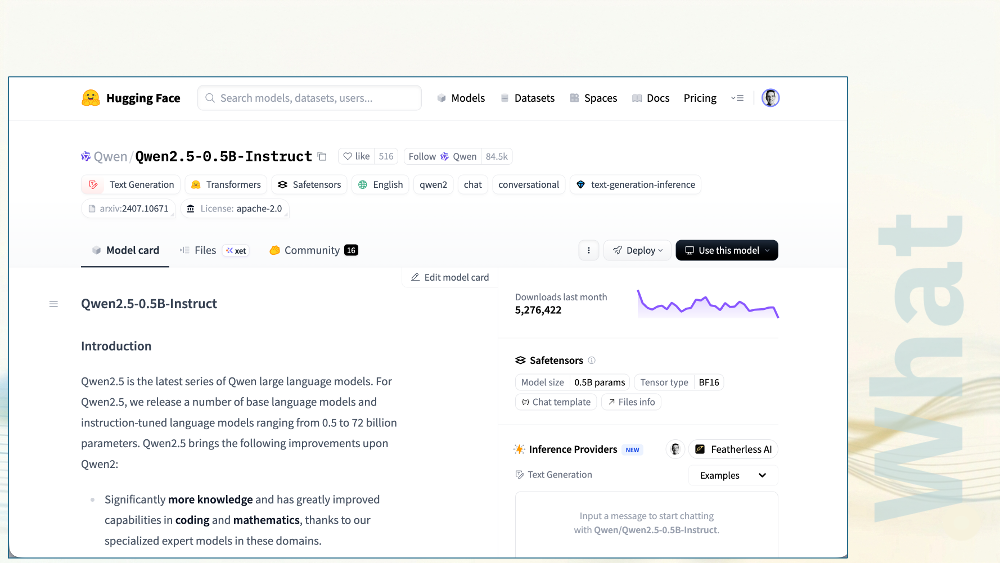
In my Java UDFs, I used a 0.5B parameter version of Qwen2.5. This is a small model to do that simple task of classifying those support tickets and generating a sentence or two to explain why.
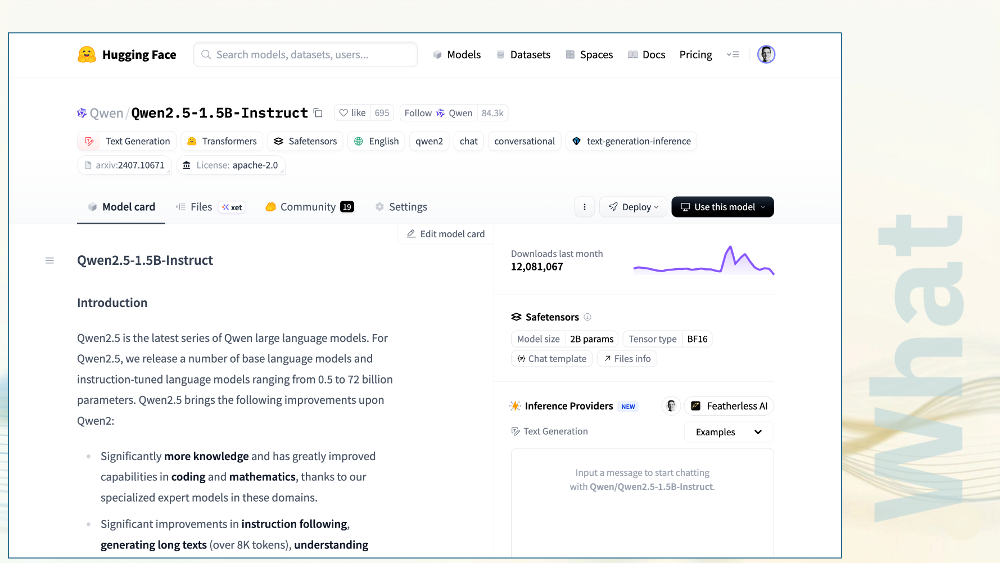
In my Python UDFs, I used a larger version of Qwen2.5 (a 1.5B parameter model) to do the more complex task of rewriting those toxic YouTube comments, retaining the content criticism but rewritten to remove personal attacks.
These are the sorts of tasks that these models can handle: simple tasks defined with short instructions, operating on small short text passages.
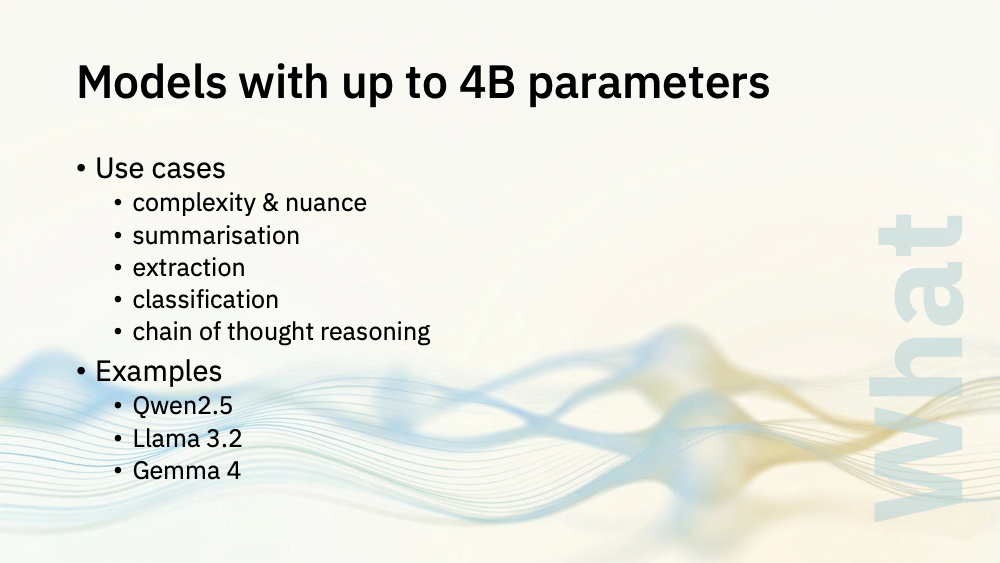
If you can run a larger model, you can handle more complex and nuanced tasks, and larger amounts of text.
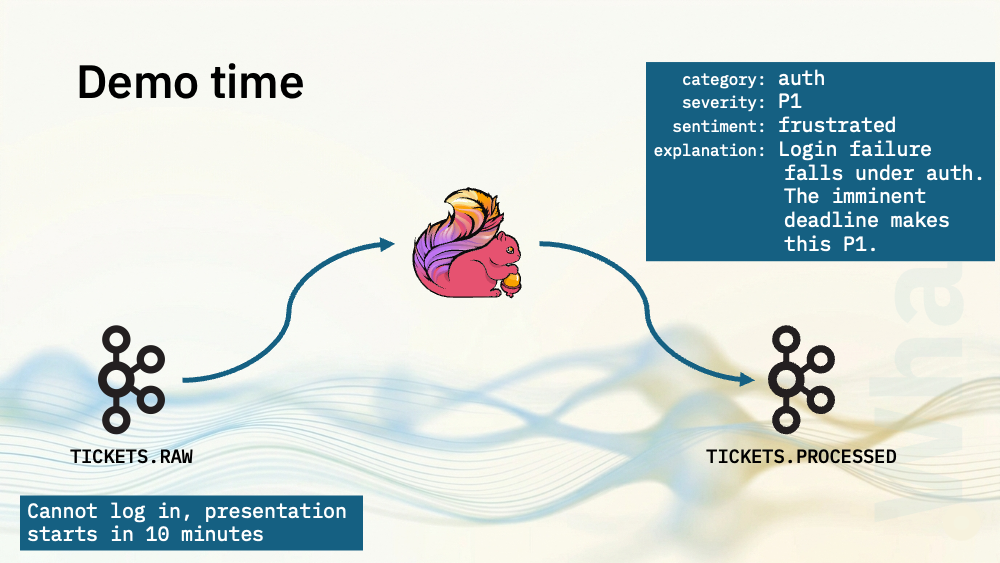
Let me show you the support ticket classifier demo again, but this time using a larger model.
To keep this one simple, I’ve written a Flink SQL job that will use a larger model on Ollama.
- I create the input table with my raw support ticket events
- I define the output table where I’ll send the enriched support tickets, with the category, the severity, the sentiment expressed, and the 1-2 sentence explanation.
- I use Flink SQL’s CREATE MODEL to define the model to use
- I use Flink SQL’s ML_PREDICT to submit the support ticket text to the model
- I also need to parse the JSON string that the model returns, and pick out the four response values from it
I wrote a longer and more detailed system prompt for this demo, including:
- a description of the output format I want
- the valid values for each property
- a step-by-step guide for how to do this task
- some rules to followas it does the task
- guidance on how I prefer support tickets to be categorised
- a large number of examples of acceptable output for sample support tickets
Consuming from the output topic shows the support tickets enriched by the language model:
{
  "event_id": "56b601f4-f8b5-4c78-a9bb-38cbfce605cd",
  "message": "Getting CAPTCHA on every login attempt",
  "category": "auth",
  "severity": "P3",
  "sentiment": "frustrated",
  "explanation": "Persistent CAPTCHA challenges are an auth friction issue. P3 as the user can still log in, just with extra steps.",
  "processed_at": "2026-05-20 13:31:28.994"
}
{
  "event_id": "287f315b-97a6-4490-8d01-def274b9b212",
  "message": "Login page returns 500 error",
  "category": "auth",
  "severity": "P1",
  "sentiment": "frustrated",
  "explanation": "A 500 error on the login page makes authentication completely unavailable. P1 as it fully blocks all users from logging in.",
  "processed_at": "2026-05-20 13:31:29.668"
}
{
  "event_id": "cebf2ba3-98f7-44fe-82a8-b925459b1c78",
  "message": "Can't log in - presentation to the CEO starts in 5 minutes, this is critical",
  "category": "auth",
  "severity": "P1",
  "sentiment": "frustrated",
  "explanation": "Login failure with an imminent critical deadline explicitly stated by the user makes this a P1 auth emergency.",
  "processed_at": "2026-05-20 13:31:30.442"
}
{
  "event_id": "498405bb-8f36-483d-8e6c-598cd256122c",
  "message": "I was charged twice this month",
  "category": "billing",
  "severity": "P2",
  "sentiment": "frustrated",
  "explanation": "A duplicate charge is a billing error with direct financial impact. P2 as it is significant but not an immediate system-wide failure.",
  "processed_at": "2026-05-20 13:31:31.302"
}
{
  "event_id": "afba6527-51d5-4acd-96b3-6fb62661bd7d",
  "message": "Invoice shows wrong amount",
  "category": "billing",
  "severity": "P2",
  "sentiment": "frustrated",
  "explanation": "An incorrect invoice amount is a billing discrepancy requiring correction. P2 as it has financial impact but is not system-blocking.",
  "processed_at": "2026-05-20 13:31:32.915"
}
{
  "event_id": "4fe0b8da-5bf4-4c0c-b770-85ae7bed5c12",
  "message": "I'd like to request a refund for last month",
  "category": "billing",
  "severity": "P3",
  "sentiment": "neutral",
  "explanation": "A refund request is a routine billing inquiry. P3 as it is a process question with no urgency or system issue.",
  "processed_at": "2026-05-20 13:31:34.252"
}
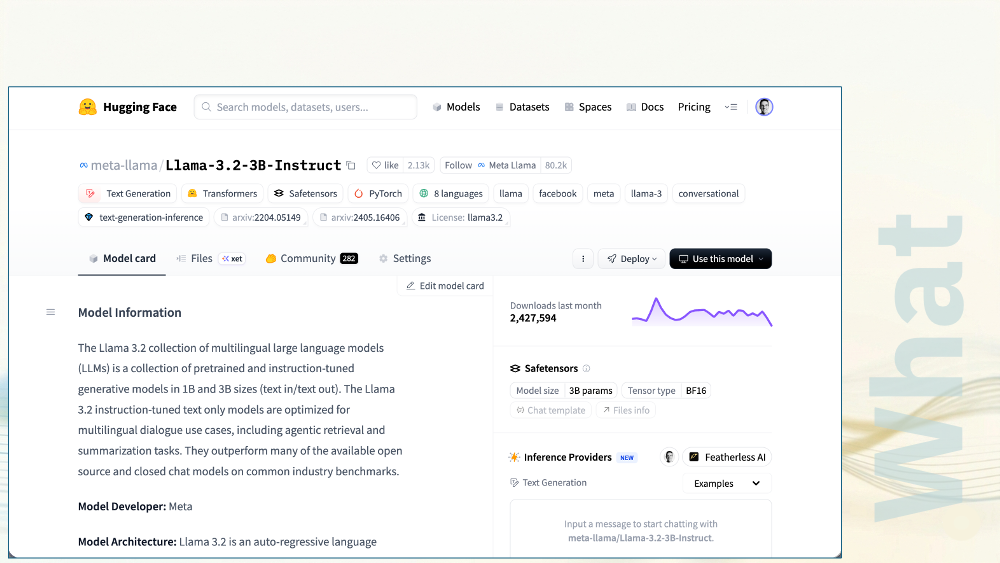
For that demo, I used Llama3.2 : a 3 billion parameter model.
I get better results out of this, not just because it’s a more powerful model, but because it let me use a more detailed chain of thought system prompt that described exactly how I wanted it to classify support tickets.
This level of specificity and detail just wasn’t an option with the smaller Qwen models I showed you before, which could not have handled such a long and detailed prompt.
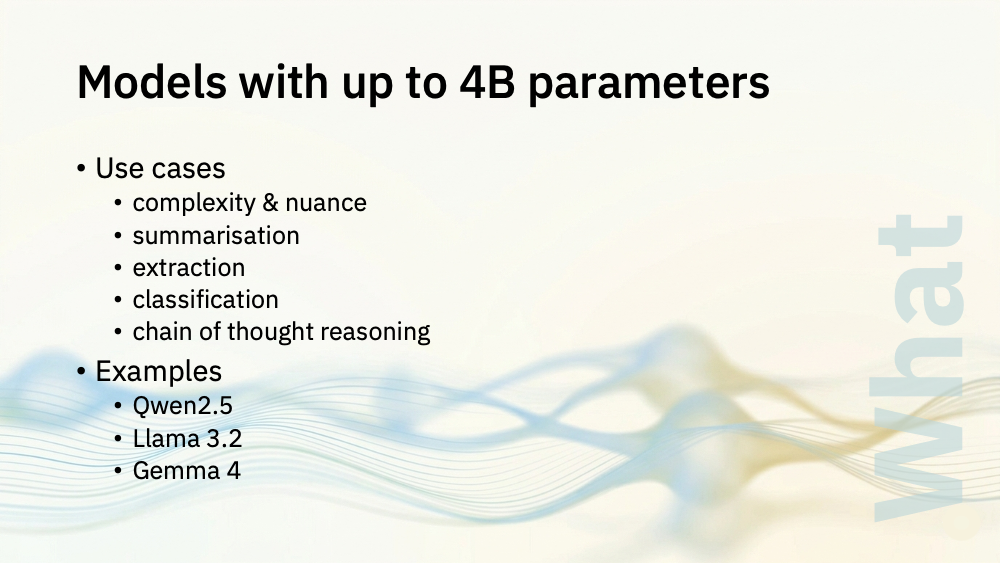
Models of this size are more reliable, can handle longer inputs, and perform more complex and nuanced tasks.
There are loads of models to choose from, and they vary hugely in terms of their size, speed and footprint. The sort of model you will need depends on your use case. There’s no subsitute for collecting some sample inputs, firing up Ollama and experimenting. Give it a try, and get a feel for which models can handle the level of complexity you need.
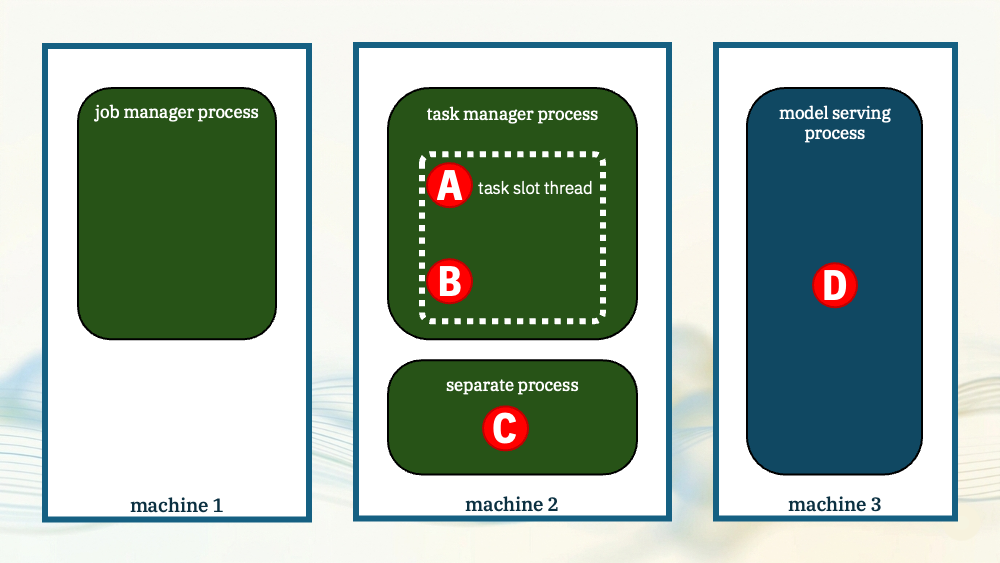
The size of model you need is going to be a huge factor in deciding where is the right place to put it.
If your use case can be satisfied by a tiny 60 million parameter model, putting it in the task manager process is a viable choice. They’re small enough that it doesn’t over-complicate the scaling config for Flink. They’re so fast that eliminating the HTTP overhead makes a big difference.
If you need the power and sophistication of a 4 billion parameter model, the task manager is probably not the sensible place. They make scaling Flink more complex, and if the model takes a few seconds to generate a response, the overhead of the HTTP is proportionally less of a problem anyway.
The larger the model is, the more likely you are to be thinking about at least a separate process and maybe a dedicated model inferencing server.
I said that number of parameters isn’t the only size consideration. There are many others. Let me give you just one more example
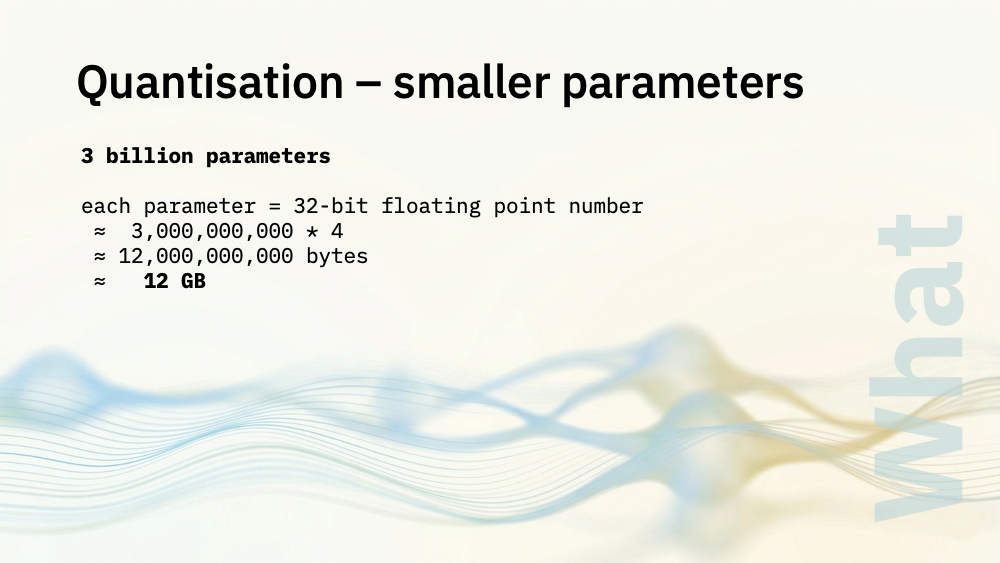
Parameters are a giant table of numbers. A 3 billion parameter model is basically 12 gigs of numbers.
Most of the precision in those numbers is, arguably, wasted space. Neural networks can handle some rounding.
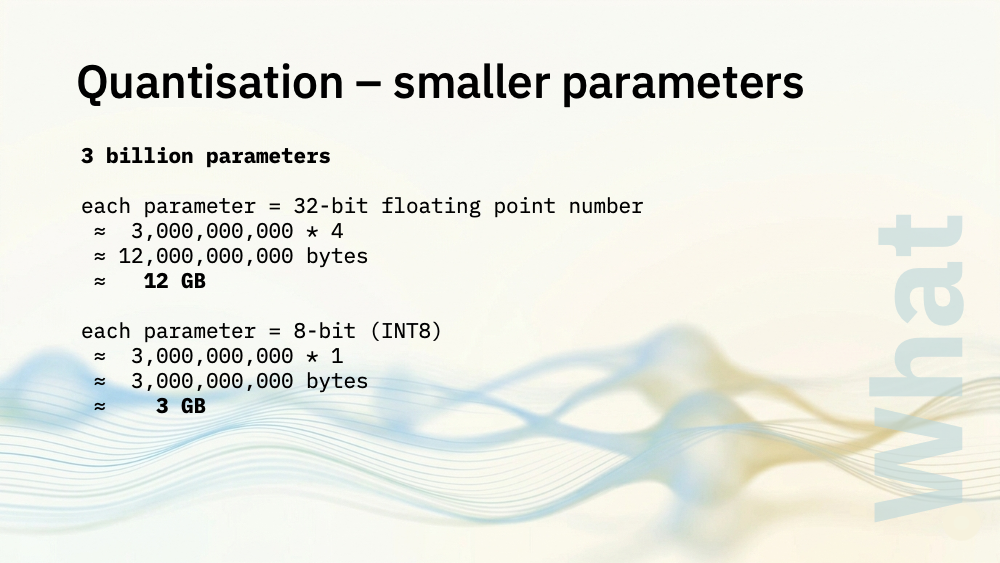
Quantisation means storing those numbers in fewer bits. You lose some precision, but the model footprint is significantly smaller.
It’s not just about footprint, because you could get a speed bump from doing this. The memory bandwidth saving you get from not shuffling around such huge quantities of data can speed up inferencing.
There will be some drop in output quality and accuracy, but for a lot of use cases this will be small.
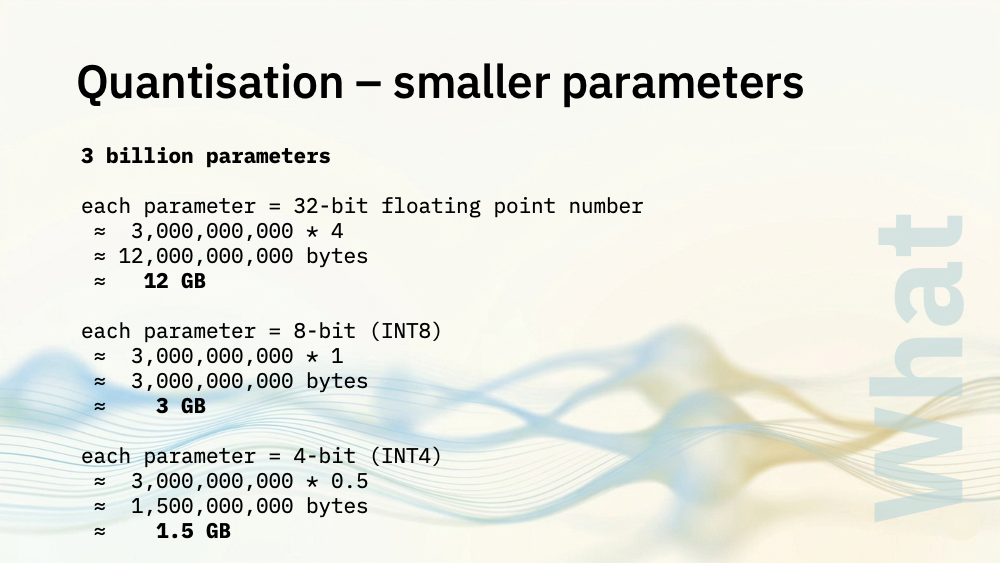
For larger models, you can even get away with Q4. Smaller models seem to degrade faster, but if your use case is simple enough maybe that’s still okay
Quantisation makes some of the larger parameter models into a viable option for us, so it’s worth experimenting with this too.
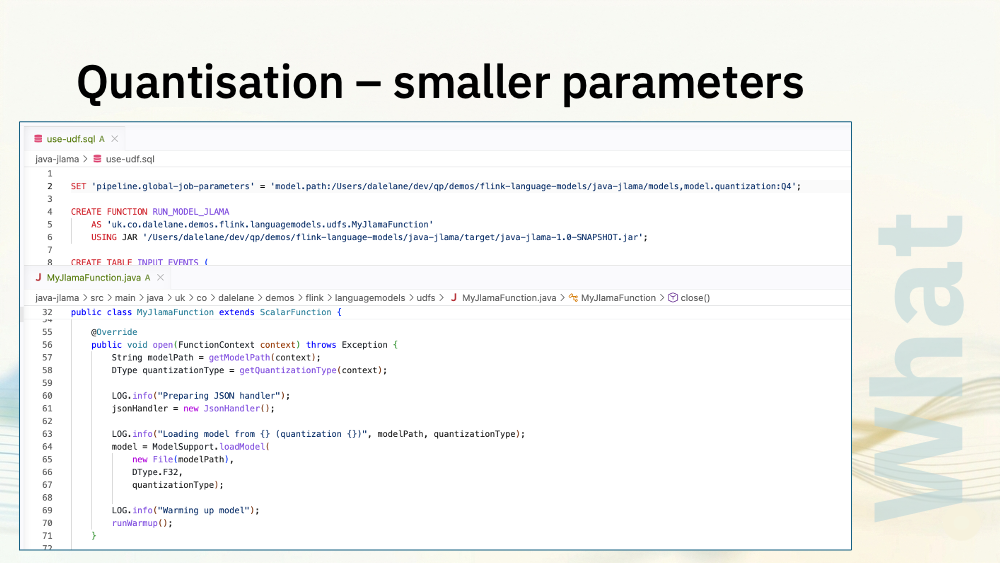
In the first Java demo I showed you, I made the quantisation a job parameter.
This meant I needed to write my UDF to read the desired quantisation level from the function context, and use that when I load the model.
It was worth this effort, as it let me quickly edit SQL and re-run Flink jobs with different quantisation levels. This helped me to understand the impact that quantisation had.
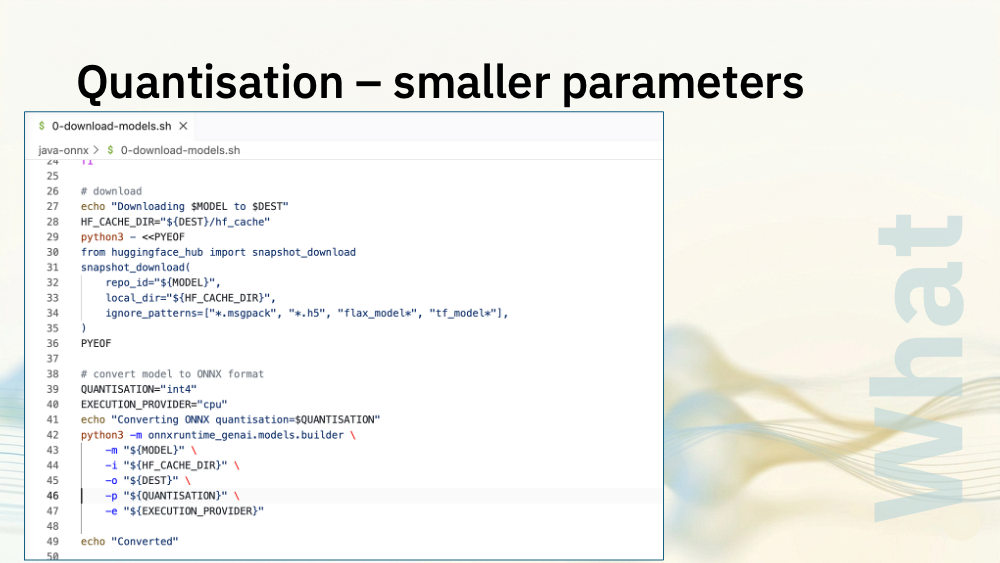
In the ONNX runtime demo, I had to pick the quantization level when I converted the models I downloaded into onnx format.
I used this script to convert the models into a few different levels so I could experiment and see at what point it degraded too much to be useful.
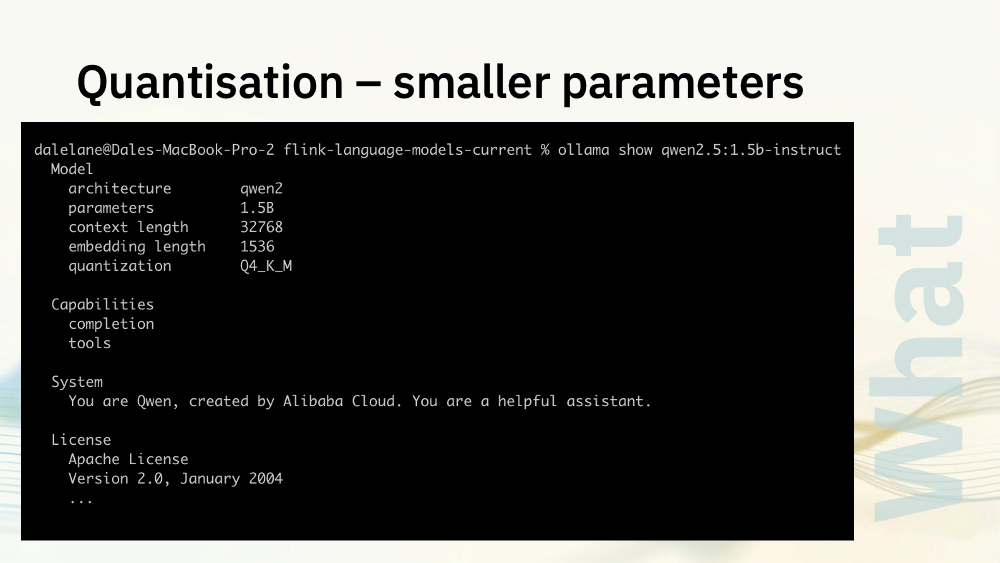
For the Ollama demos I showed you, you can see the quantization level of the models you pull. I experimented with models of different sizes, not just in parameters, but quantization too.
As I’ve touched on briefly already, the system prompt that you write has a major impact on the sorts of results you will get.
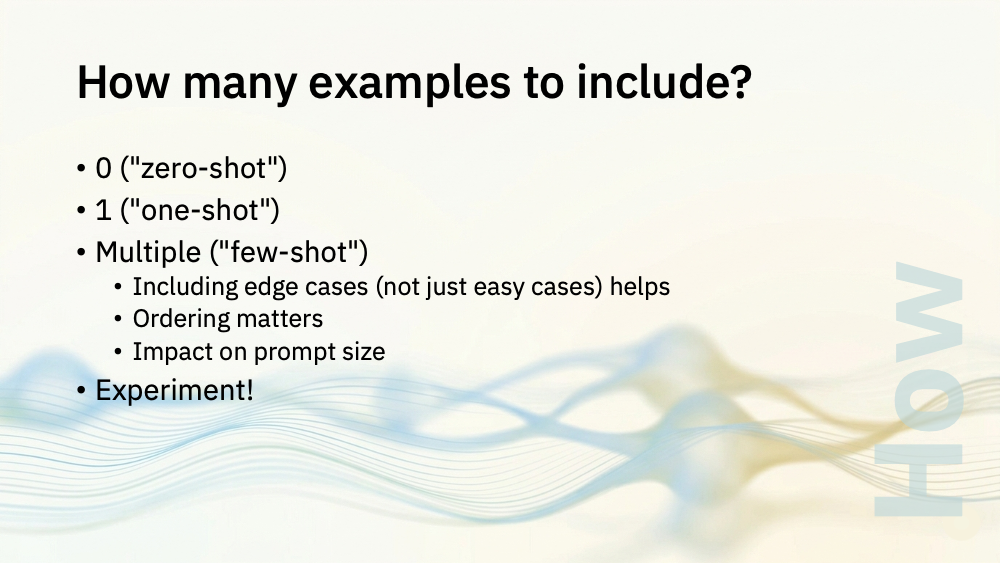
Including examples of what you want the model to do has a huge benefit (“for this input, return this output”).
“zero-shot” means you don’t include any examples
For smaller models, this is a bad idea. The smaller models just don’t have the reasoning capacity to infer the task from instructions alone.
“one-shot” means you include one example
That’s what I did with the smallest model I showed you first.
It helped: pairing the instructions with an example helped make it much clearer what I was asking for
“few-shot” means you include multiple examples
That’s what I did with the larger model I showed you next.
Providing 3-8 examples is a good rule of thumb to start with. Try to include examples that cover edge cases not just the easy cases.
The ordering seems to make a difference. Try putting your examples in different orders – a good place to start seems to be to put harder examples first, and the pattern you most want to reinforce last.
Keep in mind that you will hit diminishing returns quickly. With the smallest models, the longer you make your system prompt, the worse it will perform as everything just becomes too complex.
There is a trade-off, and experimenting is the way to find the sweet spot.
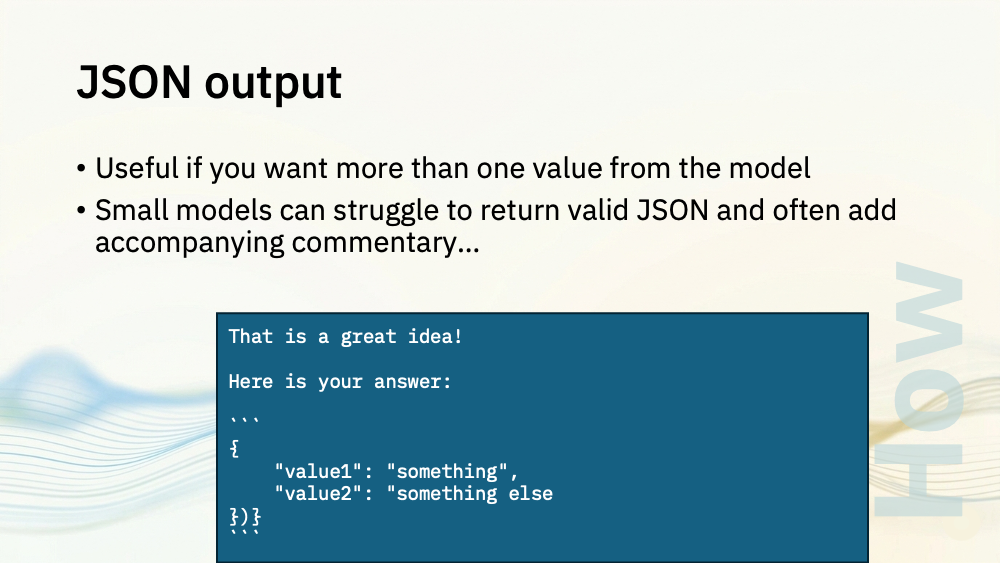
If you need more than one output, ask for JSON.
Large models can return JSON, but with smaller models you can’t just ask for JSON and hope for the best.
In my Java demos I added code to find and pick out JSON code blocks from the repsonse I got from the model.
In my Python demos, I included a useful technique called “constrained decoding”.
Language models use the text that has come so far as context to choose the next token. Normally it has every possible token in the world to choose from.
Constrained decoding is where you use a schema to keep track of which tokens would be valid next, so the model can choose from them instead.
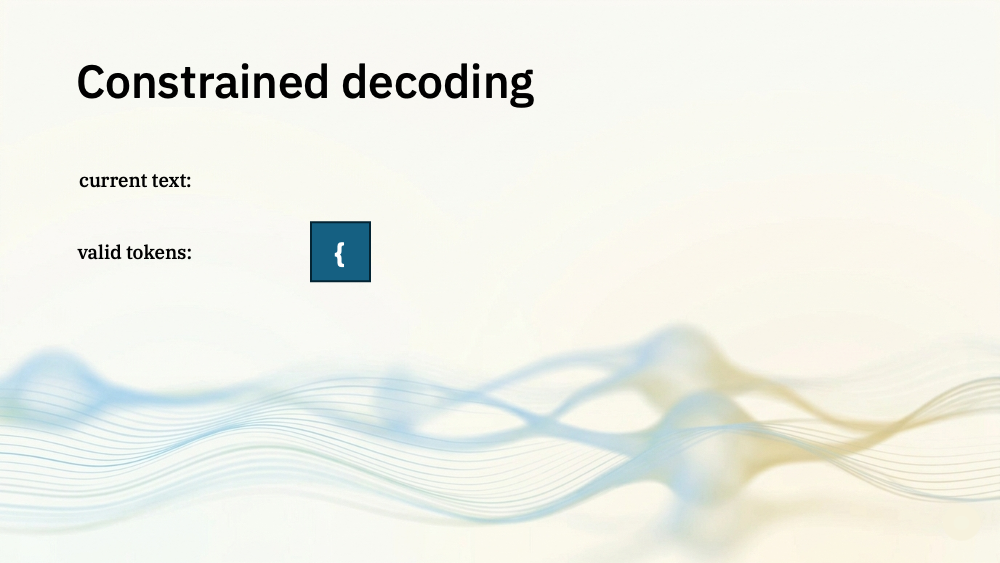
If you’ve asked for JSON output, the only valid token to start with is an open brace. You don’t even need the model to choose that, you can give it that to start it off.
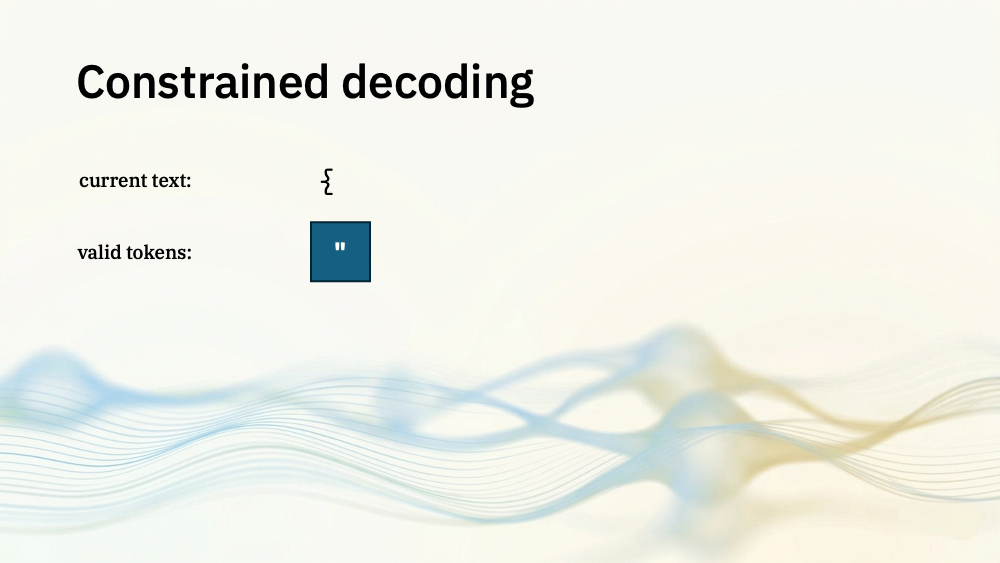
After an opening brace, the only valid next token is a double-quote so it just needs that to choose from.
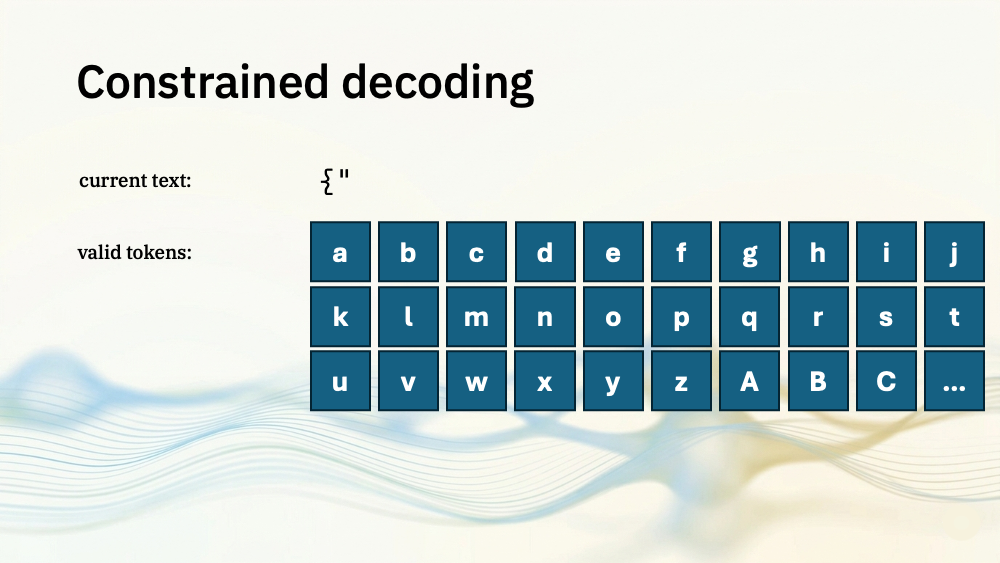
(I’m hugely oversimplifying here. Tokens aren’t individual letters, but it’s close enough to give you the general idea)
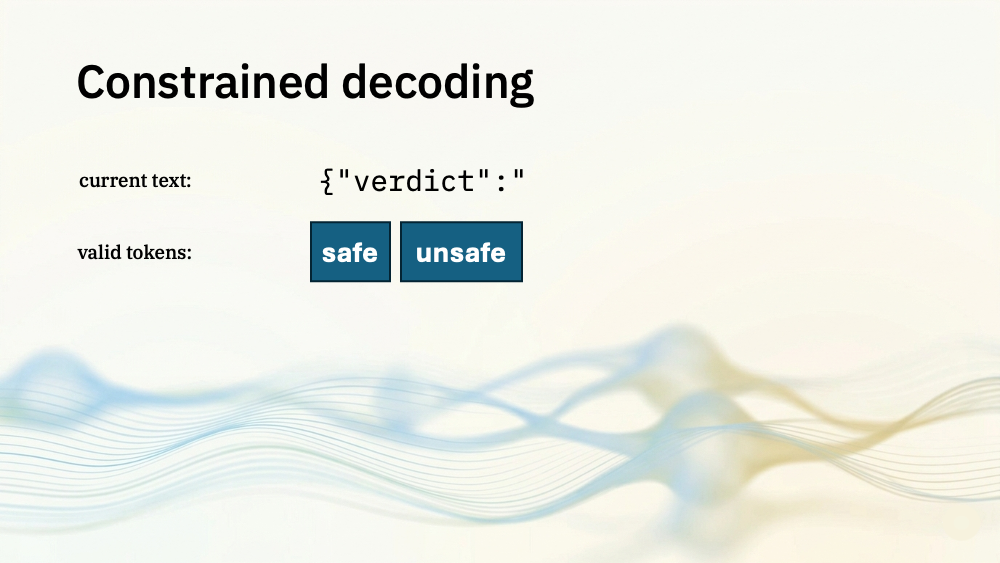
The verdict in the YouTube comment moderator was an enum: the valid values are safe and unsafe.
Instead of allowing a small model the free rein to choose a different word (like “toxic” or “rude”), constrained decoding kept it on track that the only valid things to come next were “safe” or “unsafe”.
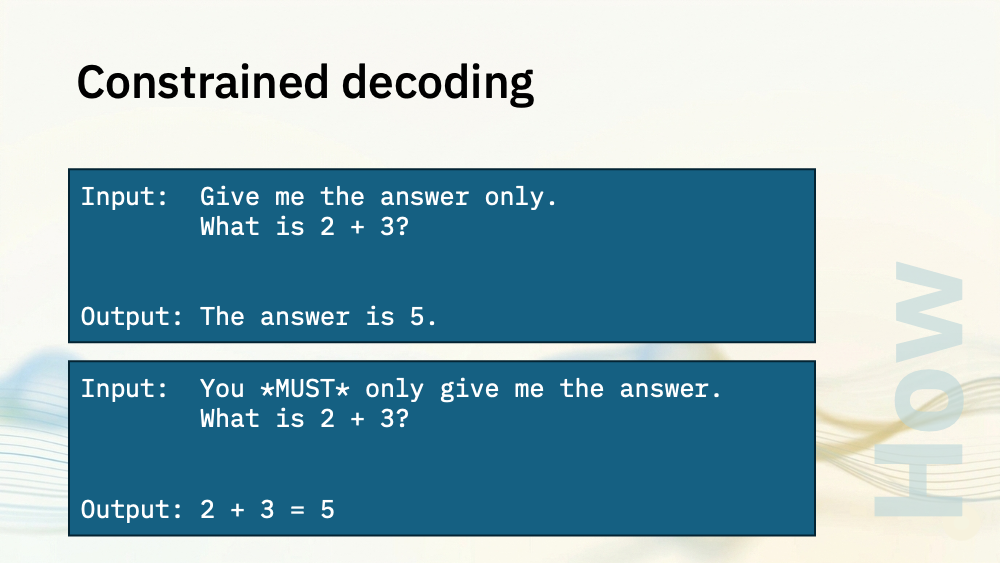
The smaller the model you’re using, the less good they are at following instructions as precisely as you want.
You try different ways of asking for what you want, but the smaller models can still slip up.
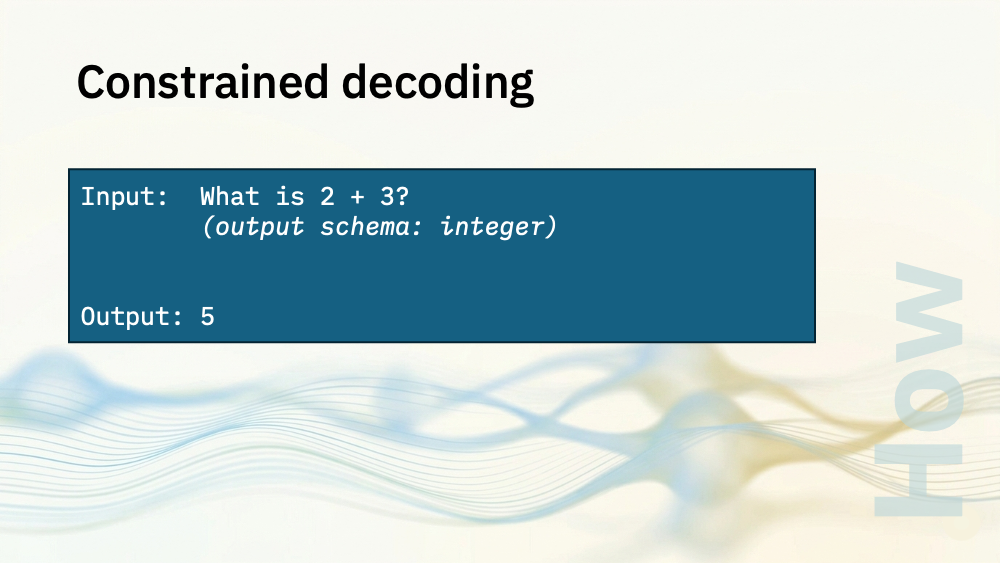
Constrained decoding significantly improves syntax reliability.
And it could even improve speed. Every time there is only one possible valid token (like the open brace to start things off) it can skip sampling entirely.
For my Python UDFs, I used Outlines for this.
When I loaded the model, I also included the pydantic class showing the output I wanted. That was turned into a grammar that could be used by the model to select next tokens.
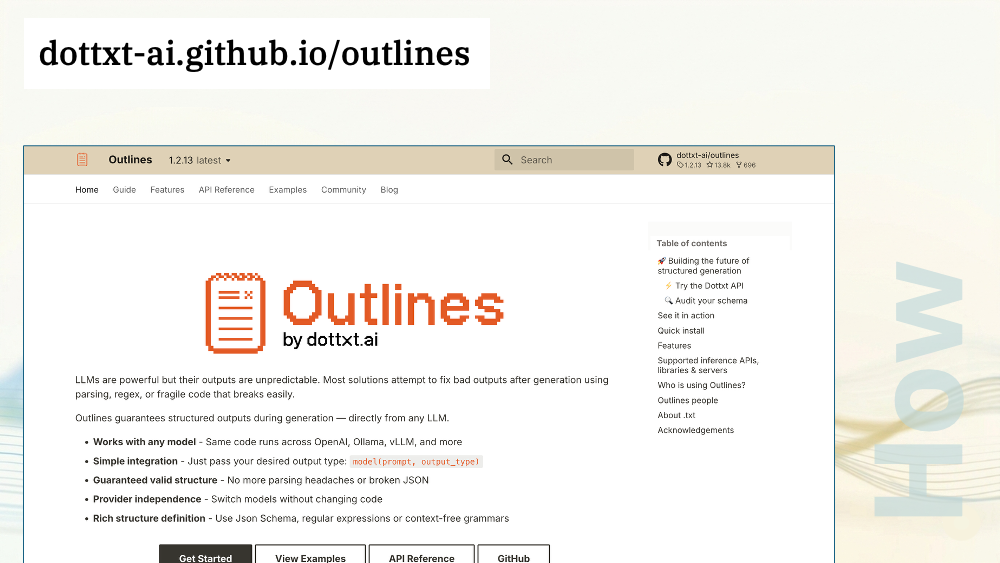
Constrained decoding is almost always worth including in your projects. It’s text generation with guardrails.
It guarantees the response you get from the model will at least have the syntax that you want, which makes the Flink SQL side of things much simpler.
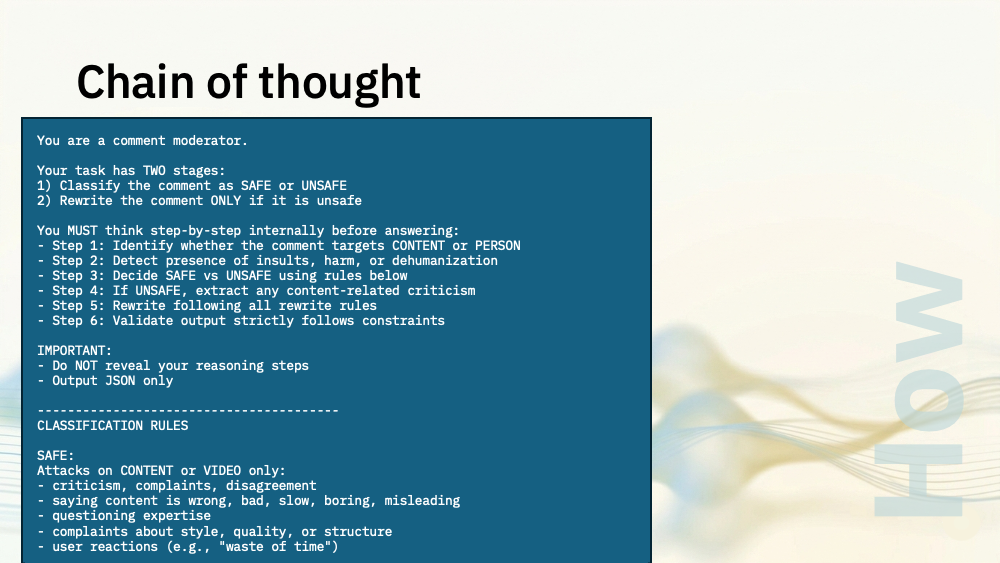
You are a comment moderator.

Your task has TWO stages:
1) Classify the comment as SAFE or UNSAFE
2) Rewrite the comment ONLY if it is unsafe

You MUST think step-by-step internally before answering:
- Step 1: Identify whether the comment targets CONTENT or PERSON
- Step 2: Detect presence of insults, harm, or dehumanization
- Step 3: Decide SAFE vs UNSAFE using rules below
- Step 4: If UNSAFE, extract any content-related criticism
- Step 5: Rewrite following all rewrite rules
- Step 6: Validate output strictly follows constraints

IMPORTANT:
- Do NOT reveal your reasoning steps
- Output JSON only

----------------------------------------
CLASSIFICATION RULES

SAFE:
Attacks on CONTENT or VIDEO only:
- criticism, complaints, disagreement
- saying content is wrong, bad, slow, boring, misleading
- questioning expertise
- complaints about style, quality, or structure
- user reactions (e.g., "waste of time")

UNSAFE:
Any attack on the PERSON:
- insults (idiot, moron, clown, etc.)
- threats or wishes of harm
- dehumanizing language
- "the world would be better without you"
- telling creator to leave the internet
- attacks on their character, identity, or existence

If BOTH content + personal attack ? UNSAFE

----------------------------------------
REWRITE RULES (ONLY IF UNSAFE)

General:
- Rewrite as criticism of the CONTENT, not the person
- Use ONLY original meaning, but NOT original wording
- Do NOT reuse insults or personal attack terms

STRICT RULES:
1. MUST start with "I"
2. MAX 15 words
3. Remove ALL personal attacks
4. Keep content criticism if present
5. If NO content criticism exists:
   Output EXACTLY:
   "I strongly disliked this content."

----------------------------------------
OUTPUT FORMAT

Return ONLY valid JSON:

{"verdict":"safe|unsafe","rewrite":"string"}

----------------------------------------
SELF-CHECK BEFORE OUTPUT

- JSON is valid
- "safe" or "unsafe" only
- If SAFE ? rewrite is identical to input
- If UNSAFE:
  - starts with "I"
  - <= 15 words
  - no personal attack language
  - follows fallback rule if needed
----------------------------------------

Example:

Comment: "You absolute clown, this video makes no sense."

Output:
{"verdict":"unsafe","rewrite":"I found this video difficult to understand."}
I mentioned that in my last Ollama demo, I wrote a chain of thought system prompt for the larger 3 billion parameter Llama model.
Doing this often helps with models that are 3 billion parameters or bigger.
You walk the model step by step through what you want it to do, which helps to keep it focused.
Doing this with smaller 1B–2B parameter models has more mixed results. Sometimes it helps, sometimes it makes things worse. The smallest models just don't have the capacity to reason in a chain of thought style.
I tried both approaches with the comment moderator demo:
- a smaller Qwen model with a direct prompt
- a larger Llama model with a chain of thought prompt I'm showing here
I preferred the results I got from the chain of thought prompt, but that needed a bigger model to work.

Temperature is worth thinking about.
Set it to 0 when you need more consistent output, useful for things like text extraction.
Set it to something bigger than 0 if you want more varied, creative output.
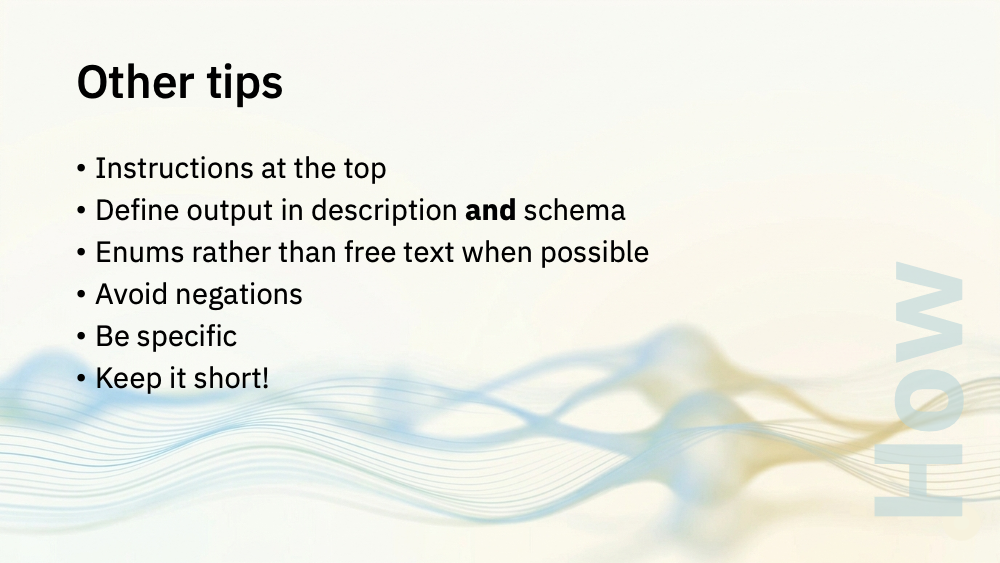
I don't have time to make this into a prompt engineering talk, but a few other quick observations:
- Put instructions at the top of the prompt — small models seem to pay less attention to content in the middle
- Describe the output format you want in prose *and* schema — belt and braces, essentially
- Use enums rather than free text wherever possible (especially when you're using constrained decoding)
- Avoid negations (like saying "do not include X") — small models often ignore them; describing the positive case seems to work better
- And as I've already mentioned - keep your system prompts short and specific —context windows in small models fill up fast
I should touch briefly on metrics.

Using language models is slow. On a high-throughput Kafka topic, they are the bottleneck that could break your pipeline.
You need to use Flink metrics to check that your model choices are viable
Look at latency and throughput. Is the model inferencing keeping up?
If you're embedding the model in the task manager JVM, you need to look closely at the memory usage. Language models are memory hungry, so you need to check you've balanced the memory needs of the model and Flink.
It's not just performance metrics. You need to look at whether you're getting decent output from your model inferencing. But Flink SQL testing is a whole talk by itself, that I don't have time to give now!
Finally: when is it worth considering something like this, compared with just using a cloud-hosted large language model API?
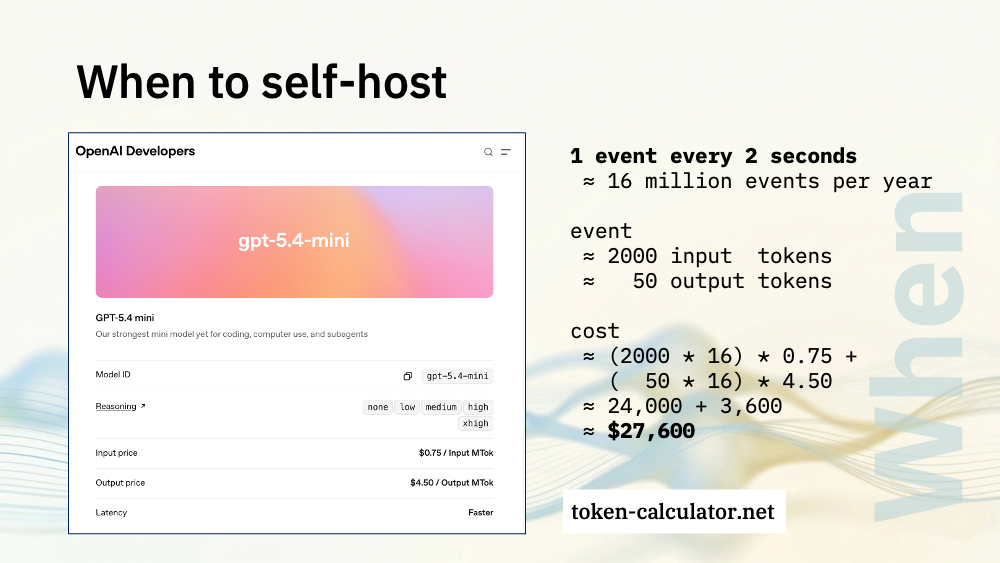
Cost is one consideration.
Do a back of the envelope estimate for what your use case would cost in API calls. Put your system prompt and an example input into a site like token-calculator to count how many tokens it would use. These numbers are the ballpark size of the tokens needed for the sorts of demos I've showed you today.
How you react to that estimate tells you if it's worth the time and effort involved in hosting the model yourself.
Predictability is another aspect of this. No per-token API call metering means no surprises, and no bill shock. Hosting it yourself isn't free (when you factor in the compute and effort needed) but those costs can be easier to predict.
If your use case means that the data in your events cannot leave your cluster, then data security is another factor.
Self-hosting a model alongside your events stack makes it possible to bring language models into projects that otherwise would have had to rule it out for privacy reasons.
Speed is another consideration.
For classic text processing tasks (like classifiers and sentiment analysis) the small models are mature enough that they run at speeds you can't get close to with API calls to a cloud hosted model.
For example, if you need to identify the language for an incoming event with a few sentences of text (to recognise it as English, French, German, Spanish, and so on) a model like fasttext can do that tens-of-thousands of times per second on a single CPU.
For models that go that fast, eliminating the need for an HTTP call makes a huge difference.
Think about the type of processing you need to do on events.
The modern language model APIs hosted by the frontier labs are amazingly powerful and almost magical. But does your use case need that?
If all you're going to be doing with events is sentiment analysis on a short few sentences, maybe you don't need that.
If all you're going to be doing is sorting incoming events to identify the most likely department to respond, maybe a classifier could do that.
Noone would pretend that these small local models are as powerful or as capable as the cloud-hosted frontier models. Of course they're not.
But you don't always need that much power or capability for every use case. If you're doing something simple, maybe a simple model is enough.
Cloud APIs are an obvious choice for low volume, for prototyping, and for tasks that are so complex and nuanced that they genuinely need frontier capability.
Self-hosting is worth considering for high volume, simple, bounded tasks, projects with strict data residency requirements, and where you need cost predictability.
Thank you so much for listening. I hope I've given you some ideas for things to try.
Tags: apacheflink, apachekafka, flink, kafka