Archive for the ‘code’ Category

Programmatically accessing authenticated Google App Engine services

Friday, September 19th, 2008

This one has been bugging me for a few days, and with help from a very helpful Google engineer I’ve finally got this working, so I thought I’d share my code where the next poor soul to try and do it might find it!

The problem:
I’ve written a small web service which I am hosting on Google App Engine.

By adding “login: required” to specific services in the app’s app.yaml file, I can make sure that you need to login to access a service.

If you’re accessing the service from a web browser, this is fine – you get redirected to a Google login page, and after entering your username and password and hitting ‘submit’, you get sent on to the web service you wanted.

But how do you do that programmatically? I wanted to do it from a Python application on my desktop, without being able to navigate the HTML login form.

(more…)

What info would people want from CurrentCost?

Tuesday, September 9th, 2008

What info would people want from CurrentCost?

I’m playing with having one tab in the CurrentCost app show information in a non-graph way.

But I’m a little stumped for ideas.

Ignoring the styling for the moment, what would people be interested to see displayed?

CurrentCost app … take 2!

Saturday, August 30th, 2008

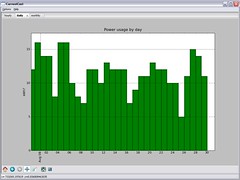
a Python CurrentCost appI’ve been talking about it for a while, but I finally got around to spending some time working on a CurrentCost app.

The original code was written in C# using .NET 3.5, and I used WPF (Windows Presentation Foundation) to draw the graphs. For a number of reasons this proved unpopular and I got a ton of emails saying how this was no good for them. So I decided to start again.

The new app is written in Python – using wxPython and matplotlib to create the graphs.

a Python CurrentCost appUsing py2exe, I’ve been able to compile the whole thing (combining my script with a Python interpreter and a copy of all of the third-party libraries I’ve used) into a Windows executable that will (hopefully!) run on any Windows computer, without needing installing or requiring any pre-requisites.

I can also make the Python script itself available, making it something that Linux users could run as well. This means I get the low-overhead Windows experience I wanted, together with the ability to make it cross-platform. Neat!

I’ve been able to produce some more interactive graphs – the graphs in the new app can be zoomed in and out, panned, moved around, printed, and exported to images. As the amount of data in the app builds up, I can see this becoming very useful.

(more…)

GPS Intermediate Driver for Windows Mobile (and getting it to work!)

Monday, August 25th, 2008

My last two Windows Mobile phones have both had GPS, so I’ve played with code to get my location from the GPS a few times. These have generally been quick hacked-together bits and pieces. In all of them, I wrote my own GPS code. I knew that the GPS device would be accessible through a serial port, so I just connected to the relevant COM port and started reading. It’s easy to parse – NMEA sentences are written with an update on each line, in comma-separated strings.

After sharing my OpenCellId client last week, I was encouraged to try rewriting the GPS code for it using the Windows Mobile GPS Intermediate Driver. So I had a quick try. I was vaguely aware of it before, but hadn’t taken a proper look. In this post, I’ll describe briefly what it is, it’s benefits over home-grown hacks such as my own, and share a couple of things that I had to do to get it to work.

(more…)

OpenCellId for Windows Mobile

Tuesday, August 19th, 2008

I talked about this yesterday, but it’s ready for sharing now.

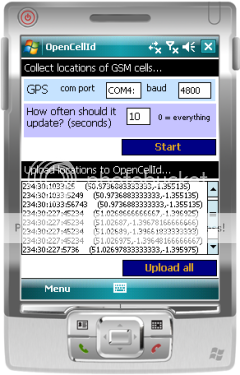
screenshotWhat is this?
It’s a OpenCellID client for Windows Mobile

What does that mean?
It uses the GPS device connected to a Windows Mobile device (either internal or connected over Bluetooth) to identify exact latitude / longitude coordinates.

It combines this with the cell id of the GSM tower that your phone is currently communicating with.

These two measurements are uploaded to the database at OpenCellId.org

Why?
Because if enough people do this, then we will be able to build up a picture of where each GSM cell is.

Then people without GPS (either because their mobile devices don’t have GPS, or because their indoors) can work out where they are by looking up their current GSM cell in the OpenCellId database.

(more…)

OpenCellId – collecting data for mobile location-based services

Monday, August 18th, 2008

It is great to see a revived buzz around mobile location based apps and services. There are lots of new services to try. I try loads of them, the most recent was Moot just a few days ago (I love their video which I’ve embedded here – very cute), but there are way more than I can keep up with.

One problem they all share before they get to offer you their variations on useful location-based services is how to figure out where you are in the first place.

GPS is an obvious response, but not everyone has it on their mobile, and even if you do, it has some big problems – it can take a while to get a fix, won’t work indoors, etc.

Good solutions supplement this with other sources of information. Skyhook is getting a lot of attention at the moment for their service – mainly due to it being used in the iPhone. It means that the iPhone (and other devices using Skyhook) can work out where it is using GPS, but if a GPS fix cannot be made (or in the interim time while waiting for one) it can give an approximate location almost instantly using cell-tower triangulation and/or known WiFi access points.

(more…)

Revisiting a Windows GUI for CurrentCost

Monday, July 28th, 2008

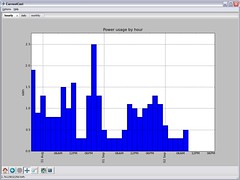
tweaking the CurrentCost GUII spent a couple of evenings last month knocking together a quick example of a Windows GUI for the data you get from CurrentCost home electricity use monitors. And then promptly put it to one side and kinda forgot about it.

As a quick recap, I created a Windows app which grabbed the history data from the CurrentCost serial output, and drew a few bar graphs from it – to represent the hours, days, and months data. The app also persisted the history data in the user’s “Application Data” folder, so that older data is kept by the GUI even after it is lost by the CurrentCost meter itself.

I’m thinking about picking it up again, so spent a bit of time idea-storming what I could do with the code. These aren’t all my own ideas – they’re a random collection of ideas and notes taken from discussions with others. I’m posting them here for feedback – new ideas are welcome, as are comments on the usefulness of the stuff I’ve suggested.

(more…)

Improving TwitToday – more Today Screen coding

Wednesday, July 23rd, 2008

Twitter client for Windows MobileApart from adding the ability to initiate an internet connection, my Twitter widget for Windows Mobile Today screens is still virtually the same code as I wrote in a few hours overnight at the Over The Air hackday.

Which isn’t great – as I know there have been a bunch of people waiting for me to make some fixes and add some basic features.

Tonight I had a bit of time to spare, so I finally dug out the code to start making a few improvements:

  • Background worker thread
    Today screen widgets are compiled into DLLs. They aren’t a separate executable, and are run by the Today Screen in the Today screen’s (i.e. explorer.exe’s) flow of execution. When the code tries to post to twitter.com, explorer can’t do anything else until that’s finished.

    That might even be tolerable with most websites, but with twitter – which is known to fall over from time to time! – it means TwitToday could effectively hang your phone for ages until the HTTP post timed-out.

    Not good. Now it does all the HTTP work in a background thread, so you can get on with other stuff while it tries to send your tweet.

  • SIP support
    This was asked for a lot. The Today screen doesn’t include the button to show/hide the on-screen stylus/finger keyboard. So if your mobile doesn’t have a keyboard, TwitToday wasn’t much use.

    I’ve added a setting now that lets you programmatically show the SIP keyboard when you tap on the text box.

If you want to try the new version, you can download it from here. If you want to see how I did it, read on.

(more…)